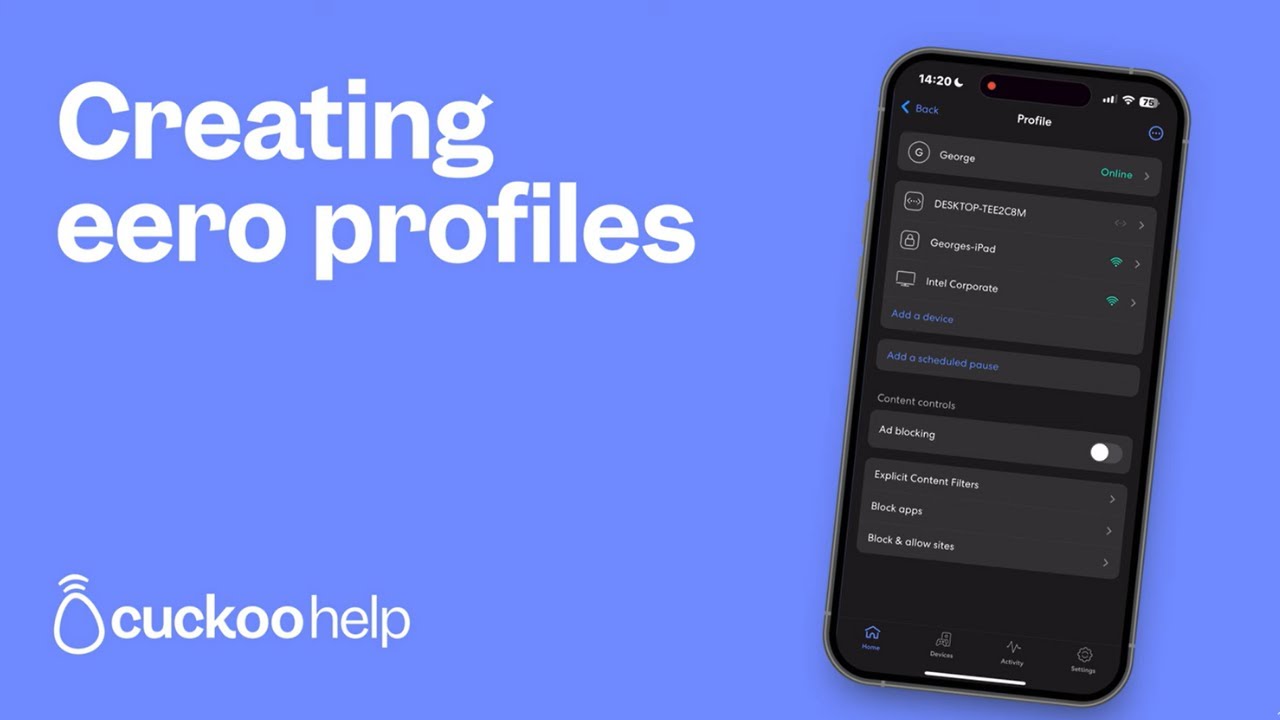
Create eero profiles to manage all the devices on your home network, together with setting schedules, pausing access, and setting content filters.
As ever, it starts with the eero app.
Create a profile
To create a profile, tap the blue ‘plus’ sign in the top-right corner. Then tap ‘Add a profile’, enter a name and tap ‘Next’.
Tip: You can create profiles for anyone in your home – yourself, your kids – even your pets!
Link devices to profiles
Linking devices to profiles lets you manage internet access for each one.
Select the profile
Tap ‘Add a device’
Tap the ‘plus’ sign to the right of each device you want to add, then
Tap ‘Save’ in the top-right of the screen
Tip: You can only add each device to one profile at a time. So for shared devices, like the TV, you might want to be a little bit selective...
Managing profiles
One of the many great features of eero is the ability to set a regular schedule for disconnecting each person’s devices from the internet. It’s perfect for things like managing your kids’ screen time. Here’s what you’ll need to do:
Tap on the profile you want to manage
Tap ‘Add a Scheduled Pause’
Switch to ‘On’
Update the ‘Schedule name’, ‘Start time’, ‘End time’ and ‘Frequency’ for the scheduled pause
Tap ‘Save’ to finish
You can also manually pause someone’s internet at any time. Just tap the ‘Pause’ button on their profile and all linked devices will be disconnected.
Deleting profiles
If you need to delete a profile, it’s just as easy. Simply go to the profile you want to update, tap ‘Delete profile’ in the bottom of the app screen and follow the prompts.
Tip: When you delete a profile, all the devices linked to it will become available, so you can link them to other profiles, if needed.
Need more help?
We try to sort out any issues before you even know you’ve had them. Plus, for any immediate support, our wonderful Customer Care team is on hand.
You can give them a ring on 0330 912 9955 (lines are open 8am to 8pm, Monday to Friday and 9am to 5.30pm, Saturday and Sunday).
Or, you can pop them an email on customercare@cuckoo.co. Please include your full name, address, and account number, so we can find your info quickly.
---------------------------------------------
Contact the team
We try to sort out any issues you might have before you even know you’ve had them. But if you do ever need help, there are a bunch of ways to talk to us.
Call: 0330 912 9955
Lines are open: 8am to 8pm, Monday to Friday (Excluding Bank Holidays, when we are available 9am to 5.30pm) 9am to 5.30pm, Saturday and Sunday
Email: customercare@cuckoo.co
Please include your full name, address including postcode and date of birth, this will allow us to access your account and provide a response to your query.
Follow Cuckoo:
Instagram / cuckoobroadband
X Twitter https://x.com/CuckooInternet
Facebook: / cuckoobroadband
For more support content visit our help centre here:https://help.cuckoo.co/en/









Информация по комментариям в разработке