Logo video2dn
  • Сохранить видео с ютуба
  • Категории
    • Музыка
    • Кино и Анимация
    • Автомобили
    • Животные
    • Спорт
    • Путешествия
    • Игры
    • Люди и Блоги
    • Юмор
    • Развлечения
    • Новости и Политика
    • Howto и Стиль
    • Diy своими руками
    • Образование
    • Наука и Технологии
    • Некоммерческие Организации
  • О сайте

Скачать или смотреть 98 - NABU PC Cloud CPM GUI Update

  • DJ Sures
  • 2025-04-03
  • 968
98 - NABU PC Cloud CPM GUI Update
  • ok logo

Скачать 98 - NABU PC Cloud CPM GUI Update бесплатно в качестве 4к (2к / 1080p)

У нас вы можете скачать бесплатно 98 - NABU PC Cloud CPM GUI Update или посмотреть видео с ютуба в максимальном доступном качестве.

Для скачивания выберите вариант из формы ниже:

  • Информация по загрузке:

Cкачать музыку 98 - NABU PC Cloud CPM GUI Update бесплатно в формате MP3:

Если иконки загрузки не отобразились, ПОЖАЛУЙСТА, НАЖМИТЕ ЗДЕСЬ или обновите страницу
Если у вас возникли трудности с загрузкой, пожалуйста, свяжитесь с нами по контактам, указанным в нижней части страницы.
Спасибо за использование сервиса video2dn.com

Описание к видео 98 - NABU PC Cloud CPM GUI Update

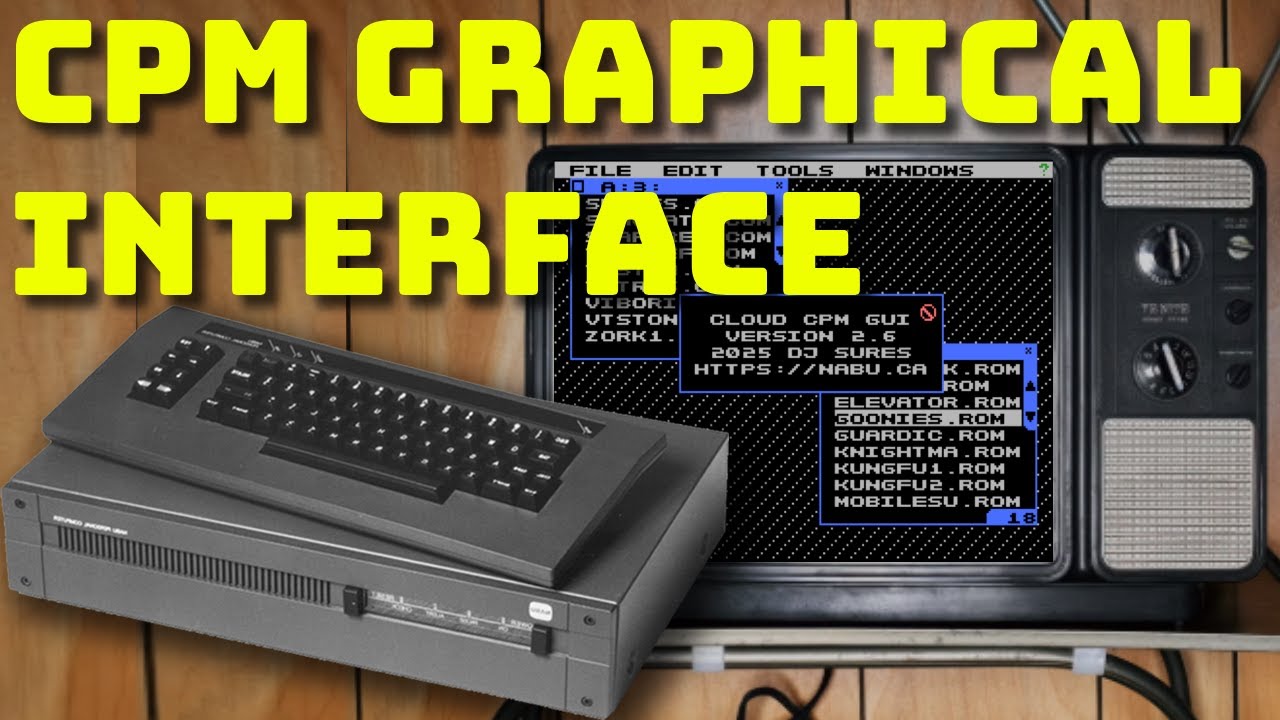
Hey everyone! I’m excited to show you the latest update to the Cloud CP/M GUI for the NABU PC—it’s packed with new features!

One of the most significant improvements is launching applications with parameters. That means you can open a text file directly into your favorite editor, or fire up a `.BAS` file right into Microsoft BASIC on the NABU Computer—super slick!

We’ve also added file associations, so you can click on a file, and the proper program launches automatically. No more digging around—click and go.

The console shell is still one of my favorite features. From inside the shell, you can manage files or launch apps, and with a quick CTRL+Y, you're right back in the GUI.

And here's a nifty shortcut: while in CP/M, hold down CTRL and press G, U, I to instantly return to the GUI.

Honestly, there are too many features to cover in this video alone. So, if you want to explore everything, just hit the Tools menu and select Manual—I highly recommend giving it a read!

The Tools menu has a lot in it: a slideshow with music, games, utilities, help options, and more.

Also, copying files between user areas and drives is easier than ever with this new GUI.

If you want more NABU PC software and updates, visit https://nabu.ca.

Thanks for watching—and don’t forget to like, comment, and subscribe if you want to see more NABU content!

Комментарии

Информация по комментариям в разработке

Похожие видео

  • О нас
  • Контакты
  • Отказ от ответственности - Disclaimer
  • Условия использования сайта - TOS
  • Политика конфиденциальности

video2dn Copyright © 2023 - 2025

Контакты для правообладателей [email protected]