Logo video2dn
  • Сохранить видео с ютуба
  • Категории
    • Музыка
    • Кино и Анимация
    • Автомобили
    • Животные
    • Спорт
    • Путешествия
    • Игры
    • Люди и Блоги
    • Юмор
    • Развлечения
    • Новости и Политика
    • Howto и Стиль
    • Diy своими руками
    • Образование
    • Наука и Технологии
    • Некоммерческие Организации
  • О сайте

Скачать или смотреть Splash | DJ Pad 2.0 Demo

  • Splash
  • 2021-02-18
  • 6490
Splash | DJ Pad 2.0 Demo
  • ok logo

Скачать Splash | DJ Pad 2.0 Demo бесплатно в качестве 4к (2к / 1080p)

У нас вы можете скачать бесплатно Splash | DJ Pad 2.0 Demo или посмотреть видео с ютуба в максимальном доступном качестве.

Для скачивания выберите вариант из формы ниже:

  • Информация по загрузке:

Cкачать музыку Splash | DJ Pad 2.0 Demo бесплатно в формате MP3:

Если иконки загрузки не отобразились, ПОЖАЛУЙСТА, НАЖМИТЕ ЗДЕСЬ или обновите страницу
Если у вас возникли трудности с загрузкой, пожалуйста, свяжитесь с нами по контактам, указанным в нижней части страницы.
Спасибо за использование сервиса video2dn.com

Описание к видео Splash | DJ Pad 2.0 Demo

PLAY Splash on Roblox for FREE: http://roblox.spla.io
Follow us on Instagram:   / madewithsplash  
Follow us on TikTok:   / madewithsplash  
Join us on Discord :   / discord  

----------------------------------
Voice over - - -
----------------------------------

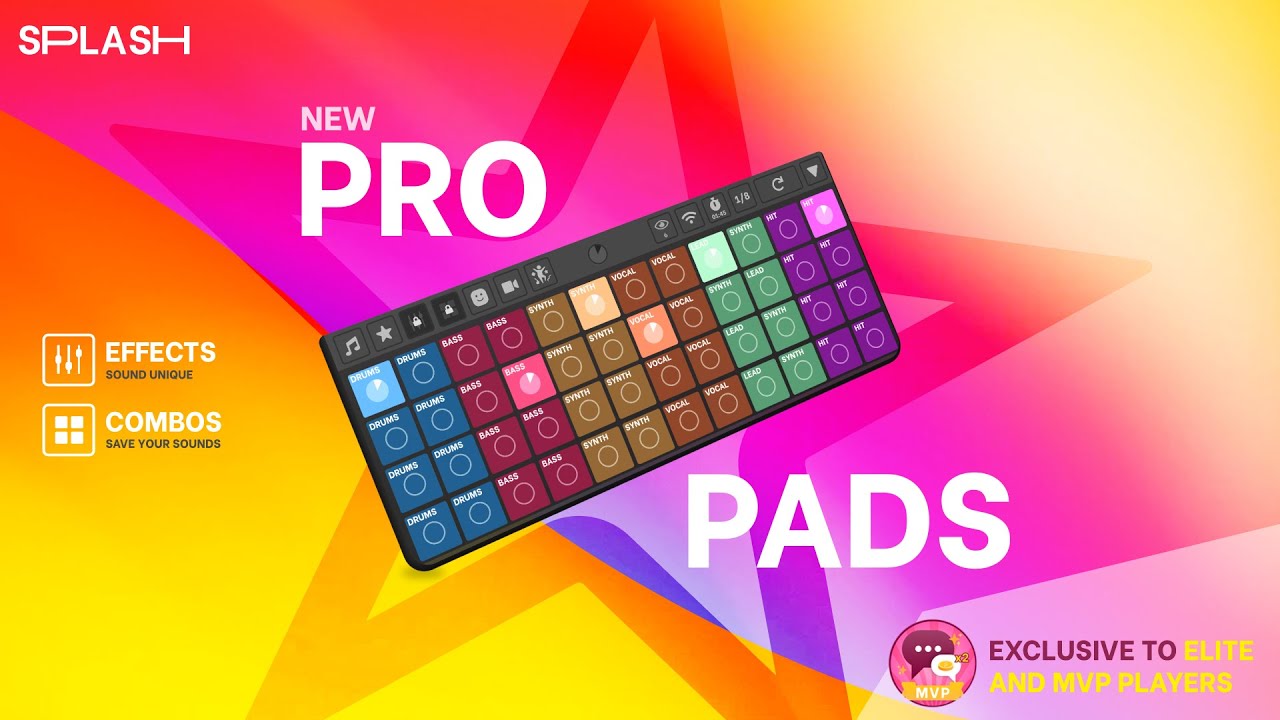
Check out the new totally Pro DJ Pads in Splash.
Tap the music icon to show or hide the sound packs.
Tap the arrow icon to show or hide the player.
Tap the EQ button to show or hide sound effects.
Tap the combo button to show or hide combos.
Tap the timer button to reset the timer.
Tap the clear button to clear all the currently playing sounds.
Let's choose a sound pack and experiment with sound effects and combos.
Hide the sound packs and let's play with effects.
Once the sound pack is loaded, you can use the player to play sounds, just like you always could.
Delay1 will apply a delay or echo effect to the melodic instruments. Everything except Base and Drums.
Delay2 will apply a delay or echo effect to the rhythm instruments. Listen to what it does to the drums.
Delay3 adds an even longer delay effect to the melodic instruments.
There are two Flanger and Chorus effects that provide subtle phased effects to the melodic instruments.
There are three band filters, a High Pass, Low Pass and Mid Pass filter.
Tap the arrows at either end to scroll through the effects.
The Pitch Down effect shifts all the melodic instruments down an octave.
The Pitch Up effect shifts all the melodic instruments up an octave.
Reverb1 adds a reverb effect to all the melodic instruments. It makes it sound like it was recorded in a large open space.
There are two Tremelo effects with different depths.
And lastly, there is a cool bass boost effect that makes the bass louder.
Now let me show you how to use combos.
Combos are a way to save different sound combinations for each sound pack. Check it out.
When you open combos for a sound pack, there are none saved. Click the Edit button on the right to start saving combos.
Turn on some sounds, then click a combo button to save that sound combination.
When you are ready, click the edit button again and your combos are saved and ready to perform.
Now you can simply tap a combo button to instantly turn on all the sounds you have saved.
This is the fastest way to do really cool transitions.
All of these new features are available when you perform on stage.
We hope the new Splash DJ pad lets you produce amazing performances, and take your music making to the next level.

Thanks for playing Splash!

Комментарии

Информация по комментариям в разработке

Похожие видео

  • О нас
  • Контакты
  • Отказ от ответственности - Disclaimer
  • Условия использования сайта - TOS
  • Политика конфиденциальности

video2dn Copyright © 2023 - 2025

Контакты для правообладателей [email protected]