Logo video2dn
  • Сохранить видео с ютуба
  • Категории
    • Музыка
    • Кино и Анимация
    • Автомобили
    • Животные
    • Спорт
    • Путешествия
    • Игры
    • Люди и Блоги
    • Юмор
    • Развлечения
    • Новости и Политика
    • Howto и Стиль
    • Diy своими руками
    • Образование
    • Наука и Технологии
    • Некоммерческие Организации
  • О сайте

Скачать или смотреть 1998-2003 X308 XJ8/XJR Aftermarket Ikey install Digital Guard Dawg

  • Bill Weise
  • 2019-07-28
  • 1225
1998-2003 X308 XJ8/XJR Aftermarket Ikey install Digital Guard Dawg
Digital Guard DawgIkeyAftermarket IKeyJaguarJaguar LS SwapTurboIkey-o
  • ok logo

Скачать 1998-2003 X308 XJ8/XJR Aftermarket Ikey install Digital Guard Dawg бесплатно в качестве 4к (2к / 1080p)

У нас вы можете скачать бесплатно 1998-2003 X308 XJ8/XJR Aftermarket Ikey install Digital Guard Dawg или посмотреть видео с ютуба в максимальном доступном качестве.

Для скачивания выберите вариант из формы ниже:

  • Информация по загрузке:

Cкачать музыку 1998-2003 X308 XJ8/XJR Aftermarket Ikey install Digital Guard Dawg бесплатно в формате MP3:

Если иконки загрузки не отобразились, ПОЖАЛУЙСТА, НАЖМИТЕ ЗДЕСЬ или обновите страницу
Если у вас возникли трудности с загрузкой, пожалуйста, свяжитесь с нами по контактам, указанным в нижней части страницы.
Спасибо за использование сервиса video2dn.com

Описание к видео 1998-2003 X308 XJ8/XJR Aftermarket Ikey install Digital Guard Dawg

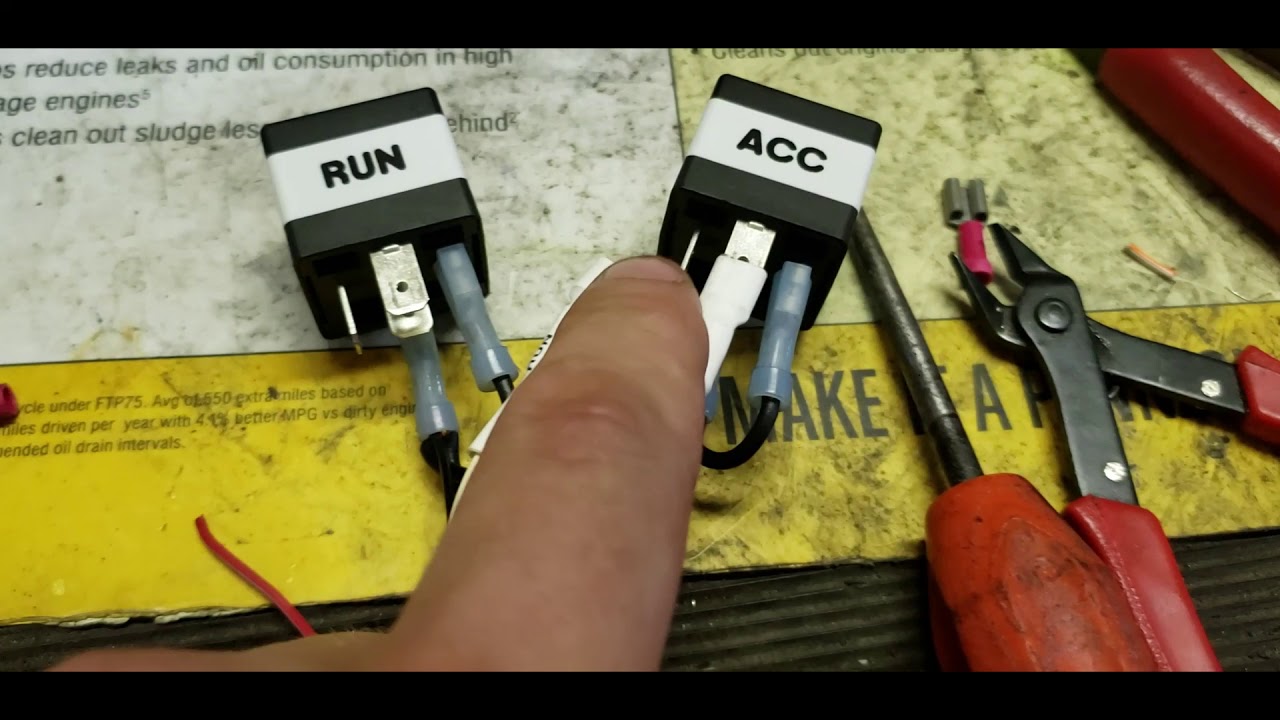
I installed a Digital Guard Dawg IKey-O Keyless entry and push button start into my 2003 Jaguar XJ8 this weekend. This is a high level view of the install. I didn't go into too much technical info but a few things that I ran into were that the Ignition is activated by switching the ground and that door locking system is a multiplex system. The system has a built in Alarm and so far is working great. I have a ways to go yet with the car but I intend on having it running within the next couple of weeks. I will do a follow up video after I have it fully assembled.

I ran into some trouble when installing the door lock circuits. In the video I stated that the feed wires to the LOCK and UNLOCK tumbler in the drivers door were not working. I did get it to work by disconnecting the battery and reconnecting, If you are installing this on a XJ8 please note that there is no reason to gook up the parking light wires. This is because when you tie into the wiring in the door for the door lock system you are essentially fooling the central locking module into thinking that the door is being unlocked by a key. The lights will flash and it will disarm the factory alarm. Adding the parking light circuits from the PBS/remote entry module will just make a mess of the lighting when you lock and unlock.

So far I am really impressed by this system. It parallels a factory setup in that it works almost the exact same way and is of similar quality. A few thing that could be improved are jumpers that allow positive and negative triggering of some outputs and inputs so that relays aren't required and an app to be developed so that you car use your phone as the emergency card. I am assuming that the protocol is Wiegand 26 bit or similar on the cards and it would seem that the NFIC on most phones could be programmed to work. with little change to the system. Maybe in the future I suppose. Most people with have there phone with them at all times. I guess that with the emergency card being so small it is convenient to carry it in a wallet or purse.

What do you think? Comments? Questions? Let me know and I will do my best to answer. I know that I didn't cover the install in much detail and if there is anything that you are curious to know please leave a comment and I will answer back or make a follow up video.

Комментарии

Информация по комментариям в разработке

Похожие видео

  • О нас
  • Контакты
  • Отказ от ответственности - Disclaimer
  • Условия использования сайта - TOS
  • Политика конфиденциальности

video2dn Copyright © 2023 - 2025

Контакты для правообладателей [email protected]