Description of Excel Delete-Related Shortcut Keys
Excel Shortcut keys use in Excel l excel mai shortcut keys kaise use krte hai l #free #sheet
Hello everyone! In today’s video, we’re going to talk about some incredibly useful delete-related shortcut keys in Excel. These shortcuts will help you manage your spreadsheets more efficiently by allowing you to quickly delete cells, rows, columns, and even entire sheets. Let’s get started!
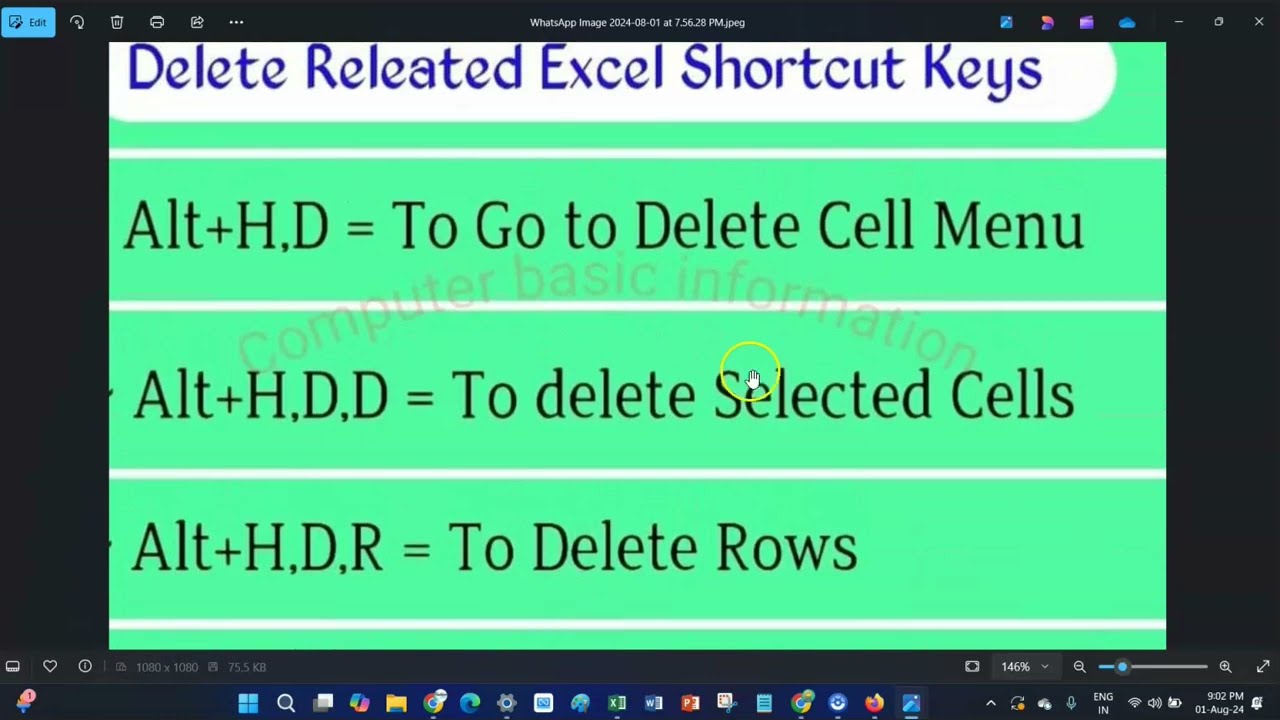
Excel Delete-Related Shortcut Keys
1. Delete Cell Contents
Shortcut Key: Delete
Function: Deletes the content of the selected cell(s) without removing the cells themselves.
Usage: Select the cell(s) whose contents you want to delete and press the Delete key.
2. Delete Entire Row
Shortcut Key: Ctrl + - (Ctrl and Minus)
Function: Deletes the entire row of the selected cell.
Usage: Select any cell in the row you want to delete, then press Ctrl + -. In the dialog box that appears, ensure "Entire row" is selected, and press OK.
3. Delete Entire Column
Shortcut Key: Ctrl + - (Ctrl and Minus)
Function: Deletes the entire column of the selected cell.
Usage: Select any cell in the column you want to delete, then press Ctrl + -. In the dialog box that appears, ensure "Entire column" is selected, and press OK.
4. Delete Cell or Range of Cells
Shortcut Key: Ctrl + - (Ctrl and Minus)
Function: Deletes the selected cell(s) and shifts surrounding cells to fill the gap.
Usage: Select the cell or range of cells you want to delete, then press Ctrl + -. Choose to shift cells left or up in the dialog box, and press OK.
5. Clear All Cell Content, Formatting, and Comments
Shortcut Key: Alt + H + E + A (Press Alt, H, E, then A sequentially)
Function: Clears everything in the selected cells including content, formatting, and comments.
Usage: Select the cell or range of cells you want to clear, then press Alt + H + E + A.
6. Clear Only the Cell Content
Shortcut Key: Alt + H + E + C (Press Alt, H, E, then C sequentially)
Function: Clears only the content in the selected cells, leaving the formatting and comments intact.
Usage: Select the cell or range of cells you want to clear, then press Alt + H + E + C.
7. Clear Only the Cell Formatting
Shortcut Key: Alt + H + E + F (Press Alt, H, E, then F sequentially)
Function: Clears only the formatting in the selected cells, leaving the content and comments intact.
Usage: Select the cell or range of cells you want to clear, then press Alt + H + E + F.
8. Clear Only the Cell Comments
Shortcut Key: Alt + H + E + M (Press Alt, H, E, then M sequentially)
Function: Clears only the comments in the selected cells, leaving the content and formatting intact.
Usage: Select the cell or range of cells you want to clear, then press Alt + H + E + M.
9. Delete a Worksheet
Shortcut Key: Alt + E + L (Press Alt, E, then L sequentially)
Function: Deletes the current worksheet.
Usage: Select the worksheet tab you want to delete, then press Alt + E + L.
Tips for Using Delete-Related Shortcut Keys
Practice Regularly: The more you use these shortcuts, the more natural they will become, saving you time and effort.
Be Cautious: Always double-check your selections before using delete-related shortcuts to avoid accidentally deleting important data.
Undo Option: If you make a mistake, remember that you can use Ctrl + Z to undo your last action.
Conclusion
Using delete-related shortcut keys in Excel can significantly speed up your workflow and make managing your spreadsheets more efficient. By mastering these shortcuts, you can quickly and easily delete unwanted data, rows, columns, and even entire sheets.
If you found this video helpful, please give it a thumbs up and subscribe to our channel for more Excel tips and tricks. Don’t forget to leave any questions or comments below!
Thank you for watching!
At the last, Don't forget to subscribe to my channel, / @onlinetechplatform-otp .
#excel #microsoft #microsoftexcel #office #word #o #powerpoint #business #cursodeexcel #data #msexcel #curso #cursoexcel #powerbi #exceltips #motivation #datascience #microsoftoffice #n #aprenderexcel #planilhas #dicasexcel #windows #dashboard #cursos #ado #exceltraining #like #excelbasico #dataanalytics

Информация по комментариям в разработке