Logo video2dn
  • Сохранить видео с ютуба
  • Категории
    • Музыка
    • Кино и Анимация
    • Автомобили
    • Животные
    • Спорт
    • Путешествия
    • Игры
    • Люди и Блоги
    • Юмор
    • Развлечения
    • Новости и Политика
    • Howto и Стиль
    • Diy своими руками
    • Образование
    • Наука и Технологии
    • Некоммерческие Организации
  • О сайте

Скачать или смотреть Phone control intelligent all in-one laser marking machine software using method

  • CHINA USCAM CNC ROUTER AND LASER
  • 2025-09-17
  • 39
Phone control intelligent all in-one laser marking machine software using method
  • ok logo

Скачать Phone control intelligent all in-one laser marking machine software using method бесплатно в качестве 4к (2к / 1080p)

У нас вы можете скачать бесплатно Phone control intelligent all in-one laser marking machine software using method или посмотреть видео с ютуба в максимальном доступном качестве.

Для скачивания выберите вариант из формы ниже:

  • Информация по загрузке:

Cкачать музыку Phone control intelligent all in-one laser marking machine software using method бесплатно в формате MP3:

Если иконки загрузки не отобразились, ПОЖАЛУЙСТА, НАЖМИТЕ ЗДЕСЬ или обновите страницу
Если у вас возникли трудности с загрузкой, пожалуйста, свяжитесь с нами по контактам, указанным в нижней части страницы.
Спасибо за использование сервиса video2dn.com

Описание к видео Phone control intelligent all in-one laser marking machine software using method

#phonecontrolmarker#lasermarkingmachine #markingmachine #markingphoto #lasermarker

How to use a phone control fiber laser marking machine to mark/engrave from USCAM?

Laser power;20W/30W/50W
Laser wave length :l064nm
Marking speed: 12000mm/s
Cooling system:Air cooling
Power supply:
AC100~240V/50~60HZ
Power consumption:200W
Size:417mm*480mm*485mm

Prepare your phone, open wireless settings, and enable wireless network. Press "Open AP (Wi-Fi AP)."
For example, if the AP name is 111111, then connect to web 111111 on your phone. Press /Open WLAN on your phone. After successfully connecting, open the LASERMARK software and press "Connect" in the lower left corner of the software. Then, if "1 device found," select the device and press "Connect." After successfully connecting to the device, press "Preview," then press "Property" in the left corner to change the content (must stop preview, then change the content. The content should not exceed the marking range).
Modify the text here by clicking "Ch" font, whichever TTF format your phone supports, and then close the label.
Press "Layer Editor" to modify the text here. Click "EN/NUM" font, whichever TTF format your phone supports.
Change the marking parameters: adjust the speed, power, and frequency.
The first button on the far left is "TEXT" for writing text, and the second "Vector" is for drawing patterns. If you have vector graphics on your phone, you can open them here. The third one is a photo, and the fourth one is a barcode. These contain vector text and serial communication. (Please note that the lower left corner must be green. If it's an X, it means the network is disconnected.)
Then, a red light will appear.
Then press Preview and select the right place on the material, then press Print. If you want to fill in, press F, select Enable and Close, then press Print.
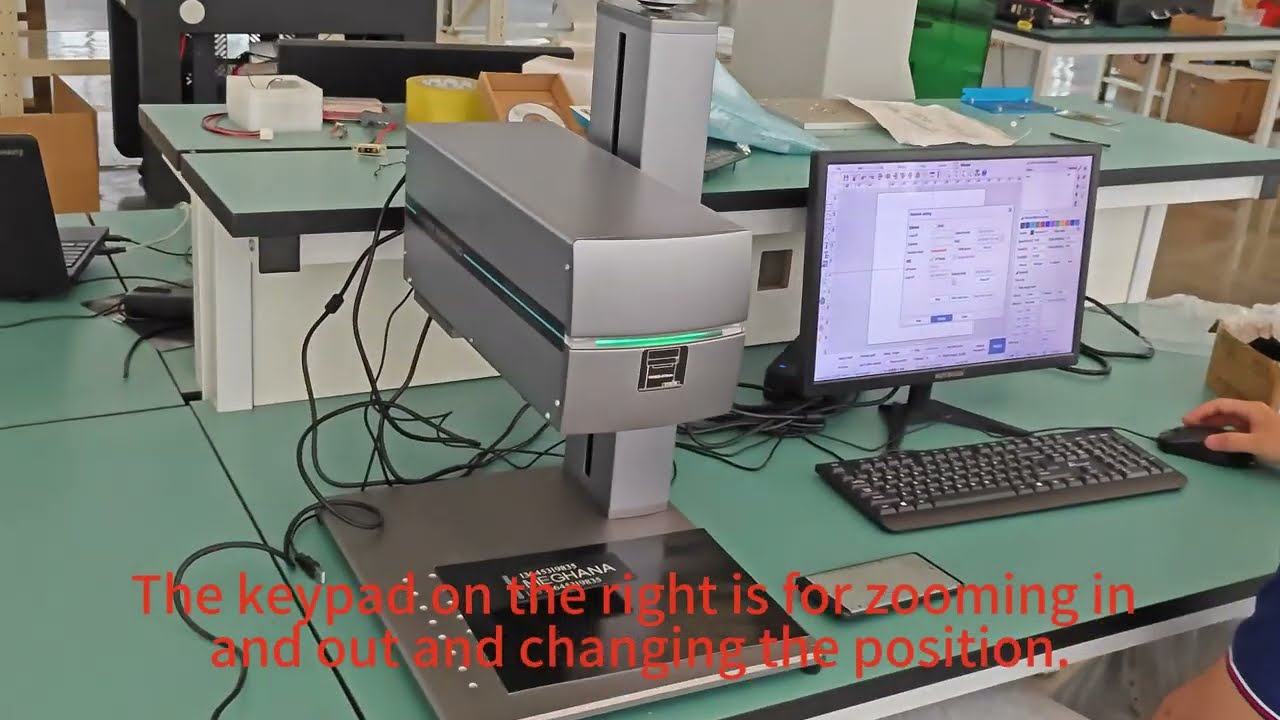
The keypad on the right is for zooming in and out and changing the position.

Contact Grace:
E-mail: [email protected]
Whatsapp: +8613645319835
Wechat: dong1224937362
Web: uscamcnc.en.made-in-china.com

Комментарии

Информация по комментариям в разработке

Похожие видео

  • О нас
  • Контакты
  • Отказ от ответственности - Disclaimer
  • Условия использования сайта - TOS
  • Политика конфиденциальности

video2dn Copyright © 2023 - 2025

Контакты для правообладателей [email protected]