Logo video2dn
  • Сохранить видео с ютуба
  • Категории
    • Музыка
    • Кино и Анимация
    • Автомобили
    • Животные
    • Спорт
    • Путешествия
    • Игры
    • Люди и Блоги
    • Юмор
    • Развлечения
    • Новости и Политика
    • Howto и Стиль
    • Diy своими руками
    • Образование
    • Наука и Технологии
    • Некоммерческие Организации
  • О сайте

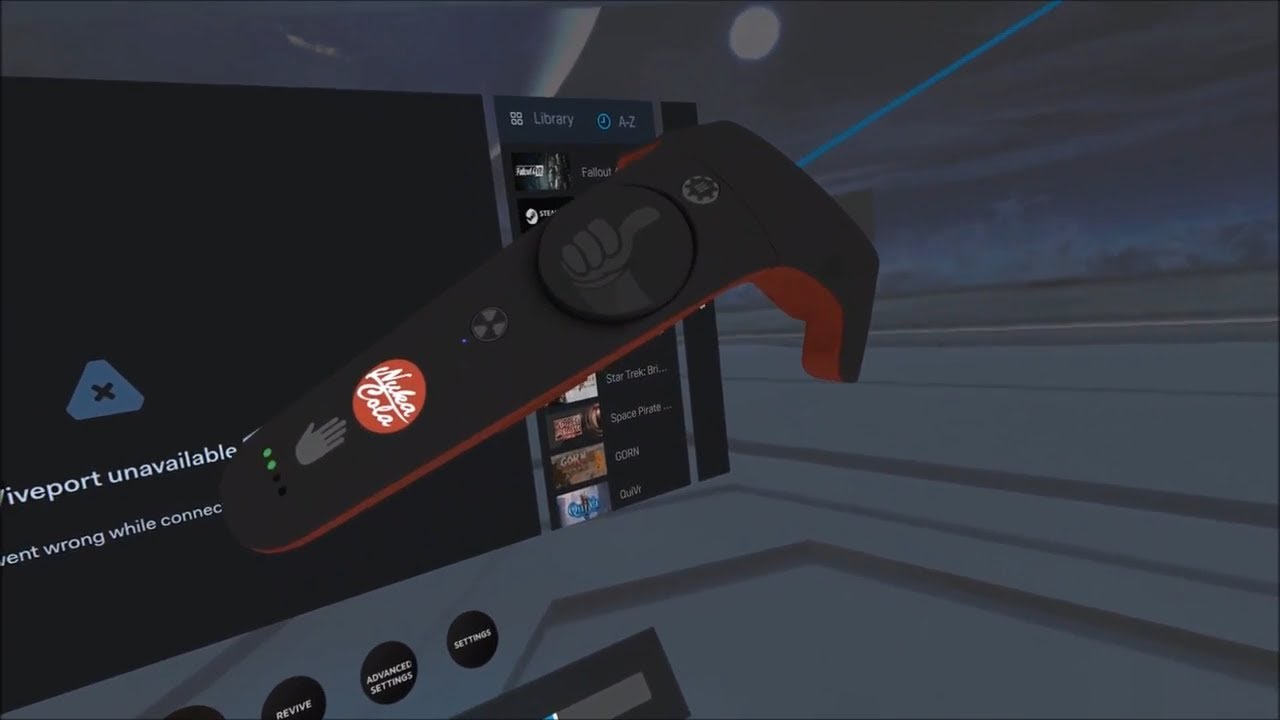
Скачать или смотреть HTC Vive | Nuka-Cola Controller Skin

  • Neeher
  • 2018-03-02
  • 936
HTC Vive | Nuka-Cola Controller Skin
falloutvivecontrollerskinrexturenuka colafallout 4 vr
  • ok logo

Скачать HTC Vive | Nuka-Cola Controller Skin бесплатно в качестве 4к (2к / 1080p)

У нас вы можете скачать бесплатно HTC Vive | Nuka-Cola Controller Skin или посмотреть видео с ютуба в максимальном доступном качестве.

Для скачивания выберите вариант из формы ниже:

  • Информация по загрузке:

Cкачать музыку HTC Vive | Nuka-Cola Controller Skin бесплатно в формате MP3:

Если иконки загрузки не отобразились, ПОЖАЛУЙСТА, НАЖМИТЕ ЗДЕСЬ или обновите страницу
Если у вас возникли трудности с загрузкой, пожалуйста, свяжитесь с нами по контактам, указанным в нижней части страницы.
Спасибо за использование сервиса video2dn.com

Описание к видео HTC Vive | Nuka-Cola Controller Skin

Did this a while ago, kinda forgot to make it a public video lol.
Nuka-Cola themed Vive Controller skin I made for fun. I did not like the bright yellow and blue Vault-Tec one in the steam workshop lol. Instructions below! This texture will show up in Fallout 4 VR.

Sorry, Valve got rid of the steam workshop for controller skins, it is really lame. Now we have to mod steamvr in a sense.

Download:
https://drive.google.com/open?id=1tTH...

Don't trust the drive? Here is the imgur link, just do the steps the same as the drive but rename the Imgur photo: https://imgur.com/fD7rRNR

How to install:
1. Make backup of original texture. This retexture will overwrite the default texture. Go to Steam\steamapps\common\SteamVR\resources\rendermodels\vr_controller_vive_1_5 and rename "onepointfive_texture.png" to literally anything else.
2. Extract the contents of the above download into your SteamVR directory. You know, steam/steamapps/common/steamvr.
3. You WILL be asked to overwrite. Say yes. It's just a texture file.
4. Skip this step if you have not installed a skin before. In Steam VR (not Steam VR Home) change your Vive controller skin to default. I'm talking about the menu you get when you press the button below the touch pad. Go to Settings and the customization.

Done!

Комментарии

Информация по комментариям в разработке

Похожие видео

  • О нас
  • Контакты
  • Отказ от ответственности - Disclaimer
  • Условия использования сайта - TOS
  • Политика конфиденциальности

video2dn Copyright © 2023 - 2025

Контакты для правообладателей [email protected]