Logo video2dn
  • Сохранить видео с ютуба
  • Категории
    • Музыка
    • Кино и Анимация
    • Автомобили
    • Животные
    • Спорт
    • Путешествия
    • Игры
    • Люди и Блоги
    • Юмор
    • Развлечения
    • Новости и Политика
    • Howto и Стиль
    • Diy своими руками
    • Образование
    • Наука и Технологии
    • Некоммерческие Организации
  • О сайте

Скачать или смотреть KILLING FLOOR 3: Graphics Settings Testing with an Optimized Preset

  • Sweeper1209
  • 2025-07-25
  • 127
KILLING FLOOR 3: Graphics Settings Testing with an Optimized Preset
  • ok logo

Скачать KILLING FLOOR 3: Graphics Settings Testing with an Optimized Preset бесплатно в качестве 4к (2к / 1080p)

У нас вы можете скачать бесплатно KILLING FLOOR 3: Graphics Settings Testing with an Optimized Preset или посмотреть видео с ютуба в максимальном доступном качестве.

Для скачивания выберите вариант из формы ниже:

  • Информация по загрузке:

Cкачать музыку KILLING FLOOR 3: Graphics Settings Testing with an Optimized Preset бесплатно в формате MP3:

Если иконки загрузки не отобразились, ПОЖАЛУЙСТА, НАЖМИТЕ ЗДЕСЬ или обновите страницу
Если у вас возникли трудности с загрузкой, пожалуйста, свяжитесь с нами по контактам, указанным в нижней части страницы.
Спасибо за использование сервиса video2dn.com

Описание к видео KILLING FLOOR 3: Graphics Settings Testing with an Optimized Preset

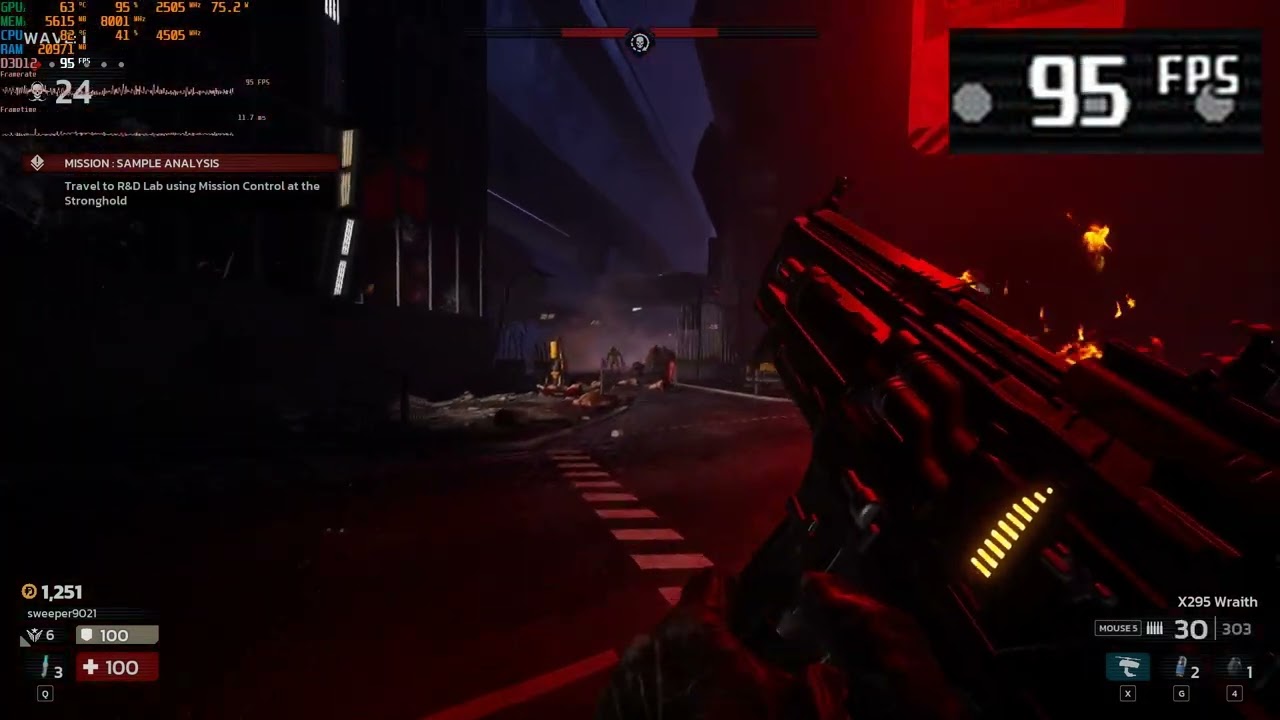
Killing Floor 3 released on 7/24/2025. Being that the game runs on UE5, it looks good, but it's quite heavy when it comes to performance costs. This video is meant to show the graphics settings and the tweaks I found that improve my performance whilst retaining the game's graphical fidelity.
#killingfloor3 #gaming #gamingvideos

Specs:
Laptop: Dell G15 5530
CPU: i7-13650HX (similar to an i5-12600K)
GPU: Laptop RTX 4060 8GB DDR6 VRAM (a tiny bit less powerful than a desktop RTX 4060)
RAM: 32 GB DDR5 4800 MHz

Optimized Preset at 10:23:
1080p, DLSS Quality
View Distance: Ultra
Reflection Quality: Ultra
Post Process Quality: Low, Medium, or Ultra (Personal preference. Low disables the vignette effect, medium and above enable it for no performance cost.)
Shadow Quality: Medium (Enable High shadows if you have the performance headroom; ~8% drop going from Medium to High.)
Global Illumination Quality: Medium
Texture Quality: Ultra
Effects Quality: Medium/Ultra (no performance difference between the two)
Foliage Quality: Medium/Ultra (no performance difference between the two)
Shading Quality: Ultra
GI method: Lumen for quality, Off for performance
Reflection Method: Lumen for quality, SSR for performance, Off if you really need fps
Bloom: On (Bloom doesn't affect performance. It gives the lights a 'glow' effect, which is nice.)

Need more performance?
With Lumen GI set to 'On', hanging the Reflection Method from Lumen to SSR gives 8% more performance in exchange for worse looking reflections.
Setting Effects from 'Medium' to 'Low' gives a 12% boost to performance with Lumen GI on, 20% performance boost with Lumen GI off, but turns off small light sources.
Lowering the upscaler setting (Balanced, Performance, Ultra Performance, etc.) gives more performance in exchange for worse overall image quality.
Disabling reflections (Turning 'Reflection Method' to 'Off') gives an increase in performance but makes the game look flat and less appealing.

Timestamps for settings:
00:00 Intro/Presets
00:35 Global Illumination
00:52 Shadows
01:48 Effects
02:20 Foliage
02:40 View Distance
02:52 Lumen Reflections
03:21 Post Processing
03:38 Shaders
03:54 SSR (Screen Space Reflections)
04:23 Textures
04:50 Note about stuttering
05:25 Optimal preset + notes
05:43 Turning off Lumen GI
06:13 Gameplay with Lumen GI Off (SSR still enabled)
07:54 Gameplay with Lumen GI On (Lumen Refl. enabled)
10:14 Conclusion
10:23 Optimal presets for Quality and Performance

Комментарии

Информация по комментариям в разработке

Похожие видео

  • О нас
  • Контакты
  • Отказ от ответственности - Disclaimer
  • Условия использования сайта - TOS
  • Политика конфиденциальности

video2dn Copyright © 2023 - 2025

Контакты для правообладателей [email protected]