in support of my review of the iRobot® Roomba® 981 Wi-Fi® Connected Robot Vacuum I shot this video and compared it to the first generation Shark ION Robot. They play bumper cars for a while too.
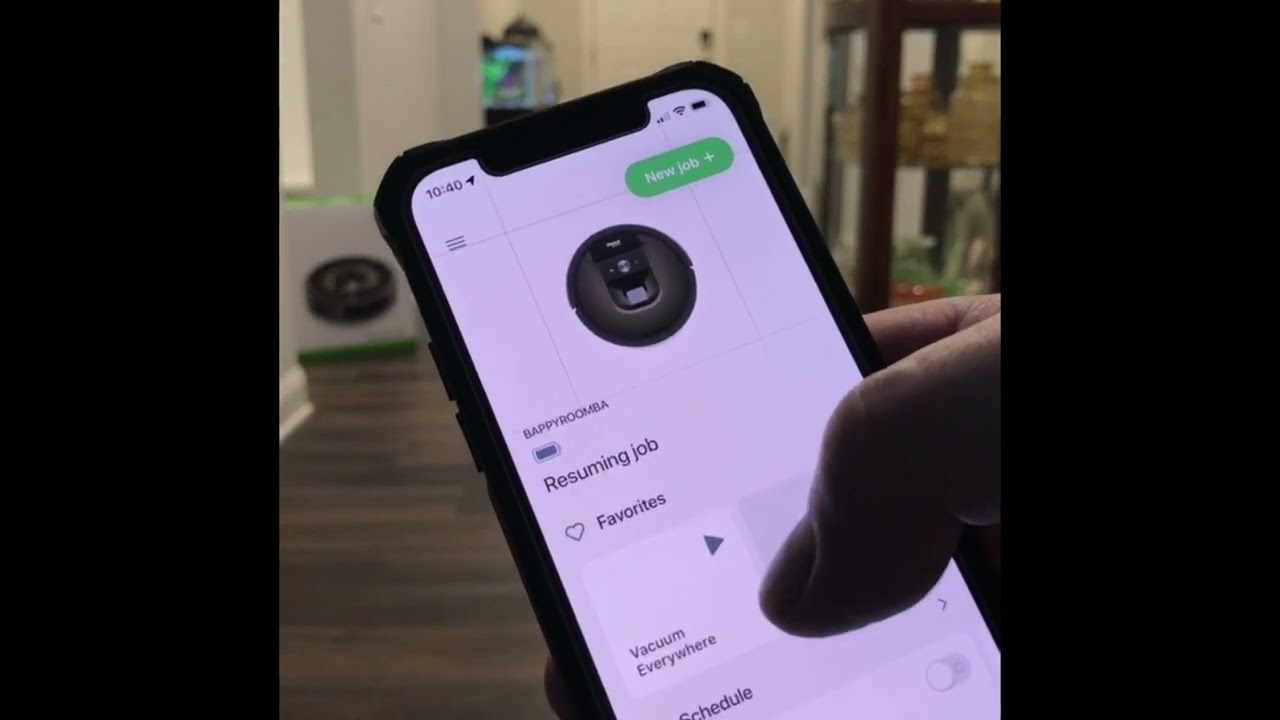
This iRobot Roomba 981 Wi-Fi Connected Robot Vacuum is my second robot vacuum, my previous Shark Ion Robot has served me well. I recently did major maintenance on it by replacing the battery and a few other key parts. However, I decided to get a bit of an upgrade, this is where the iRobot Roomba 981 comes into play. I wanted a more capable robot with some connectivity and manageability via a smartphone app. First thing I noticed this robot vacuum is a bit taller than my previous one, which may make it a bit more difficult to get under some of your furniture, that can be a positive or negative. As for setting up the robot with the smartphone app I had a bit of a problem connecting it to my home Wi-Fi network, but after several attempts (and I a forced reboot of the device) I was able to get it to connect. The app provides some basic functionality, like setting a schedule, showing a map of what was vacuumed and general status. It will also send you notifications when the dirt bin is full.
When I first started the unit up, I was surprised that it actually sounded like a regular vacuum, it was substantially louder than my first generation robot vacuum. In addition, the sound changes depending on the surface it is trying to clean. On bare floors it seems to be quieter, as it goes into a less suction mode, when on carpeted surface, it kicks up the suction and it produces a higher decibel sound level, above 70 from six feet. As for cleaning, the unit did a very good job picking up dirt and items on the bare floor as well as carpets. Unlike my previous robot vacuum the iRobot Roomba 981 only has one whisker brush, my previous had a pair. I suspect the single whisker brush does a better job not scattering dirt on the floor (and turns off when on a carpeted surface). The unit ran for about an hour and fifteen minutes, before going back to the docking station to charge, once the unit was recharged sufficiently it returned to cleaning. The recharge period took about two hours, the docking station initially has a green LED when the unit is docked, however it did not stay on which I found strange, as a matter of fact the robot largely went dark while charging.
A couple items regarding this unit, there is not a capability to set “avoid” areas within your house using the mobile app, you must purchase a battery powered small projector like tower for the unit to recognize an area to avoid. Seems if you want or need that capability you should purchase the I7 model which is a higher priced model.
Overall, I am a bit mixed about the iRobot Roomba 981 Wi-Fi Connected Robot Vacuum, it does a very good job cleaning, but seems like if you are going to purchase a model with Wi-Fi connectivity that capability should provide a bit more smarts and more capabilities configured via the mobile app.
Pros:
Does an excellent job cleaning bare or carpet covered floors.
Vacuums in a nice straight line and pattern, your carpet will be left looking like a finely manicured lawn.
Good spot cleaning mode
App notifications, if the unit gets hung up on something or the dust bin needs to be emptied and status messages.
Rarely got hung up on uneven surfaces or light throw carpets.
Cons:
A bit loud, especially when cleaning a carpeted surface.
No mapping of areas to avoid, the app shows a map of what was vacuumed, but it is really only for show.
Dirt bin is not self-emptying like higher level models.

Информация по комментариям в разработке