Logo video2dn
  • Сохранить видео с ютуба
  • Категории
    • Музыка
    • Кино и Анимация
    • Автомобили
    • Животные
    • Спорт
    • Путешествия
    • Игры
    • Люди и Блоги
    • Юмор
    • Развлечения
    • Новости и Политика
    • Howto и Стиль
    • Diy своими руками
    • Образование
    • Наука и Технологии
    • Некоммерческие Организации
  • О сайте

Скачать или смотреть How to make Camera & Light animation by Aurora 3D Animation Maker new functions

  • Aurora3D Software
  • 2013-04-10
  • 52874
How to make Camera & Light animation by Aurora 3D Animation Maker new functions
camera animationlight animation3d animationanimation maker3d animatedaurora 3d
  • ok logo

Скачать How to make Camera & Light animation by Aurora 3D Animation Maker new functions бесплатно в качестве 4к (2к / 1080p)

У нас вы можете скачать бесплатно How to make Camera & Light animation by Aurora 3D Animation Maker new functions или посмотреть видео с ютуба в максимальном доступном качестве.

Для скачивания выберите вариант из формы ниже:

  • Информация по загрузке:

Cкачать музыку How to make Camera & Light animation by Aurora 3D Animation Maker new functions бесплатно в формате MP3:

Если иконки загрузки не отобразились, ПОЖАЛУЙСТА, НАЖМИТЕ ЗДЕСЬ или обновите страницу
Если у вас возникли трудности с загрузкой, пожалуйста, свяжитесь с нами по контактам, указанным в нижней части страницы.
Спасибо за использование сервиса video2dn.com

Описание к видео How to make Camera & Light animation by Aurora 3D Animation Maker new functions

http://www.presentation-3d.com/produc...
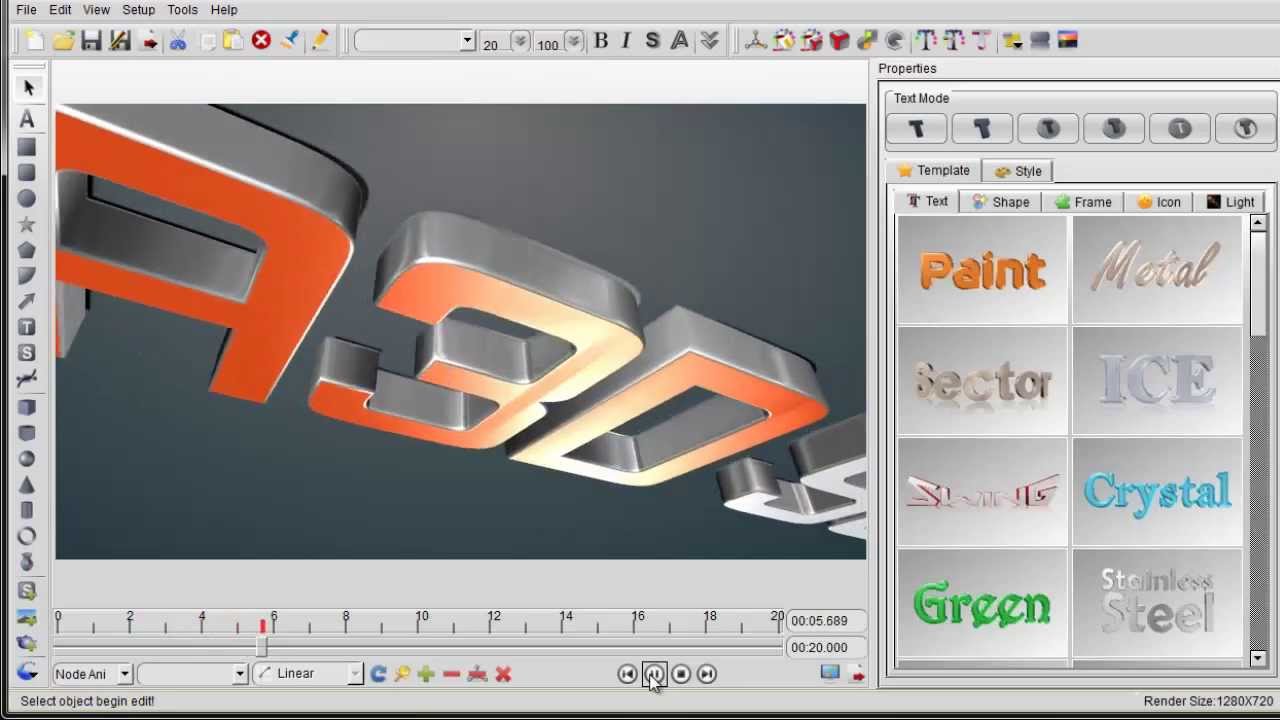
Aurora 3D Animation Maker released a new version to let the users make 3d camera and light animation to create more stunning 3d animation effect. So, you can learn how to make these animation by this tutorial, the animation functions added on the key-frame timeline, that's easy to use.
1. We can create a text in the rendering window and change it font and style. Before we haven't camera animation, we need to make many key-frame to make it move, but now we don't need make many key-frame, just use camera animation to do it.

2. Select the text and choose "Camera Ani" from the animation list at the left of the timeline.

3. Move the time pointer to the beginning, and click add camera key-frame button. Then set the position and rotation value as you want.

4. Then move the time pointer to the next time, and click camera key-frame button again. Set another position and rotation value. You can follow this step to make the camera key-frame one by one.

5. When you finished the camera animation, you also can add the light animation to it. You can choose a "Light Ani" from the animation type list.

6. Move the time pointer and click the light key-frame add button, then adjust the value of the light, then add another light key-frame at another position on the timeline.

7. Finally, you can play the animation and look the effect. Use camera animation function is better, because you can change the text without any animation adjust.

Aurora3D Software | Aurora 3D Animation Maker http://www.presentation-3d.com/

Комментарии

Информация по комментариям в разработке

Похожие видео

  • О нас
  • Контакты
  • Отказ от ответственности - Disclaimer
  • Условия использования сайта - TOS
  • Политика конфиденциальности

video2dn Copyright © 2023 - 2025

Контакты для правообладателей [email protected]