Logo video2dn
  • Сохранить видео с ютуба
  • Категории
    • Музыка
    • Кино и Анимация
    • Автомобили
    • Животные
    • Спорт
    • Путешествия
    • Игры
    • Люди и Блоги
    • Юмор
    • Развлечения
    • Новости и Политика
    • Howto и Стиль
    • Diy своими руками
    • Образование
    • Наука и Технологии
    • Некоммерческие Организации
  • О сайте

Скачать или смотреть Xtract3D 2: Render Modes

  • Polyga
  • 2025-09-02
  • 154
Xtract3D 2: Render Modes
xtract3d 2xtract3dsolidworks add-inrender modesmesh visualizationper-vertex colorflat colornormalsheight mapradial mapplymeshpoint cloudreverse engineeringscan to cadextract3dxtarct3d
  • ok logo

Скачать Xtract3D 2: Render Modes бесплатно в качестве 4к (2к / 1080p)

У нас вы можете скачать бесплатно Xtract3D 2: Render Modes или посмотреть видео с ютуба в максимальном доступном качестве.

Для скачивания выберите вариант из формы ниже:

  • Информация по загрузке:

Cкачать музыку Xtract3D 2: Render Modes бесплатно в формате MP3:

Если иконки загрузки не отобразились, ПОЖАЛУЙСТА, НАЖМИТЕ ЗДЕСЬ или обновите страницу
Если у вас возникли трудности с загрузкой, пожалуйста, свяжитесь с нами по контактам, указанным в нижней части страницы.
Спасибо за использование сервиса video2dn.com

Описание к видео Xtract3D 2: Render Modes

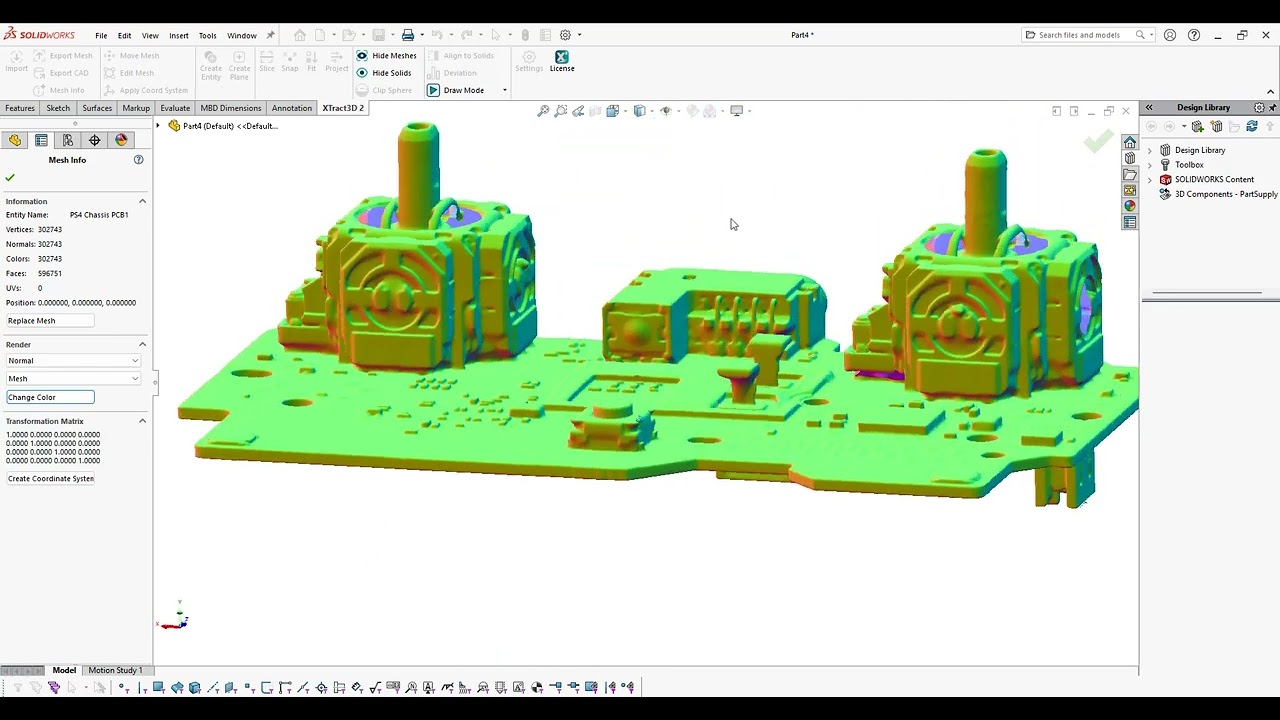
A quick tour of render modes in Xtract3D 2 to make scan data easier to read while you model.

Select a mesh, go to Mesh Info, then Render. You can also go to Settings (then Render) to change these settings globally.

Use Standard for a single mesh color (Change Color to pick a new one).
Color (per-vertex) displays baked color from files like PLY;
Flat Color shows that color without lighting for a truer read.
Normal mode color-codes face directions -great for spotting flat areas or flipped faces.
Height Map gradates by elevation, and Radial Map by distance from a chosen center, both of which are handy for aerial LiDAR data.

When importing new scan data, the render mode will default to your global selection. However, if your scan data does not have faces or normals, but does have color data, it'll default to Flat Color (common for LiDAR data). If it doesn't have color either, it'll default to Height Map.

Switch modes to highlight the details that matter for tracing, measuring, or inspection.

Learn more about Xtract3D 2: https://www.polyga.com/w3/xtract3d2/

___

#Xtract3D2 #SOLIDWORKS #ScanToCAD #ReverseEngineering #PointCloud #Mesh

xtract3d 2, xtract3d, solidworks add-in, render modes, mesh visualization, per-vertex color, flat color, normals, height map, radial map, ply, mesh, point cloud, reverse engineering, scan to cad

Комментарии

Информация по комментариям в разработке

Похожие видео

  • О нас
  • Контакты
  • Отказ от ответственности - Disclaimer
  • Условия использования сайта - TOS
  • Политика конфиденциальности

video2dn Copyright © 2023 - 2025

Контакты для правообладателей [email protected]