How to Use Revolved Tool in SolidWorks | Step by Step Tutorial-01
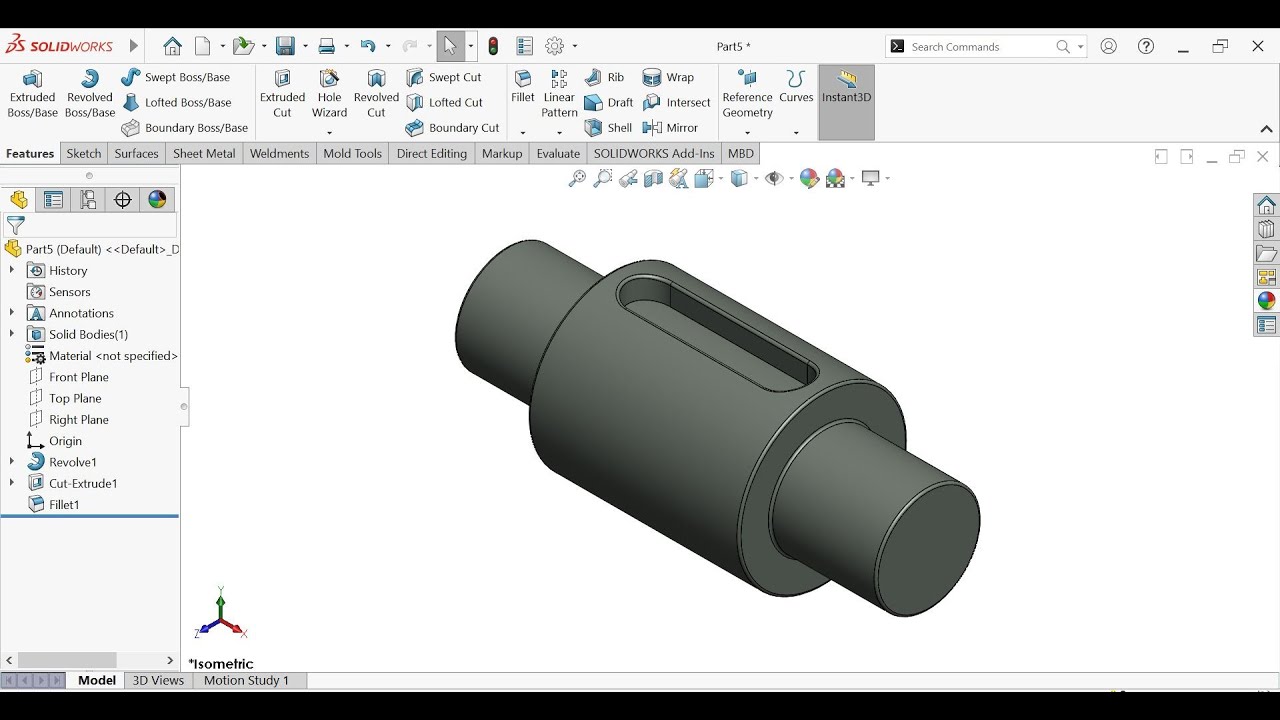
Welcome to this detailed SolidWorks tutorial! 🚀 In this video, you will learn how to use the Revolved Tool (Revolved Boss/Base and Revolved Cut) in SolidWorks step by step. The revolve feature is one of the most commonly used and powerful tools in 3D modeling, especially when creating objects that are circular, cylindrical, or symmetric around an axis. If you are a student, beginner, or even an intermediate SolidWorks user, mastering this feature is essential for your CAD design journey.
✅ What You’ll Learn in This Video:
Introduction to the Revolved Boss/Base tool in SolidWorks
How to create a sketch profile for revolve
Using centerline as an axis of revolution
Making a full 360° revolve to create solid bodies
Creating partial revolves (90°, 180°, 270°) for custom designs
How to use Revolved Cut to remove material or make grooves and holes
Practical design examples like cylinders, bottles, shafts, wheels, and pipes
Bonus tips: using Shell tool with revolve to make hollow bodies (e.g., bottles, glasses, bowls)
By the end of this tutorial, you’ll have a clear understanding of how to use Revolve in SolidWorks and how to apply it to real-life engineering designs and 3D CAD projects.
🛠️ Tools & Features Demonstrated:
2D Sketching in SolidWorks
Using Lines, Arcs, and Splines
Creating and defining a Centerline
Revolved Boss/Base
Revolved Cut
Shell Tool (for hollow parts)
Fully defined sketches (important for accuracy)
📌 Why is the Revolve Tool Important?
The revolve feature is essential when designing parts that are symmetric about an axis. Instead of drawing a complete 3D model manually, you only need to sketch half of the profile, and SolidWorks will automatically revolve it around a centerline to form a 3D part. This saves time, ensures accuracy, and creates clean geometry. Common uses include:
Cylinders and shafts
Pipes and tubes
Wheels and discs
Bowls, glasses, bottles
Gears and pulleys
Once you master this tool, you will notice how much faster and easier it becomes to create designs that have rotational symmetry.
🎓 Who Is This Tutorial For?
Beginners learning SolidWorks for the first time
Engineering students practicing 3D CAD design
Mechanical designers looking to improve their modeling workflow
Anyone interested in learning parametric modeling techniques
🔔 Stay Connected
If this video helps you, don’t forget to:
👍 Like the video to support the channel
💬 Comment below if you have any questions or ideas for future tutorials
🔔 Subscribe and turn on the notification bell for more SolidWorks tutorials every week
📌 Keywords for SEO (SolidWorks Learning):
SolidWorks revolve tool, SolidWorks Revolved Boss/Base, SolidWorks Revolved Cut, SolidWorks 3D modeling tutorial, SolidWorks beginner tutorial, CAD revolve feature, SolidWorks bottle design, SolidWorks wheel design, SolidWorks shaft design, SolidWorks cylinder modeling, SolidWorks 2025 tutorial, how to use revolve in SolidWorks step by step, SolidWorks revolve cut tutorial, SolidWorks revolve boss tutorial, mechanical design in SolidWorks, engineering CAD tutorials
📌 Hashtags:
#SolidWorks #3DModeling #CAD #RevolveTool #SolidWorksTutorial #EngineeringDesign #MechanicalDesign #CADDesign #ProductDesign #SolidWorksBeginner
🎓 Who Is This Tutorial For?#solidworkstutorial #3dmodeling #mechanicaldesign #solidworks #caddesign #solidworksbeginner #solidworks2025 #engineeringdesign #cad #revolvetool #cadcam #cadcamtutorial #cadcamtutorials #solidworksbeginner #cut
Engineering students learning CAD for the first time
Mechanical design beginners exploring SolidWorks
Designers who want to understand the revolve basics
Anyone preparing for CAD/engineering projects and exams
🔔 Support & Subscribe
If you found this tutorial helpful, please:
👍 Like the video to support the channel
💬 Comment your questions, I’ll be happy to help
🔔 Subscribe and turn on notifications so you don’t miss Revolved Video 02 and more SolidWorks tutorials
📌 Keywords for SEO (Revolved Video 03):
SolidWorks revolve tool, SolidWorks revolve tutorial, Revolved Boss/Base SolidWorks, how to use revolve in SolidWorks, SolidWorks beginner tutorial, SolidWorks 2025 revolve, SolidWorks revolve step by step, SolidWorks revolve basics, Revolved cut tutorial SolidWorks, SolidWorks beginner course, CAD revolve feature, SolidWorks revolve series, Revolved Video 01 SolidWorks, SolidWorks for students
📌 Hashtags:
#SolidWorks #RevolveTool #SolidWorksTutorial #3DModeling #CAD #EngineeringDesign #SolidWorksBeginner #MechanicalDesign

Информация по комментариям в разработке