Logo video2dn
  • Сохранить видео с ютуба
  • Категории
    • Музыка
    • Кино и Анимация
    • Автомобили
    • Животные
    • Спорт
    • Путешествия
    • Игры
    • Люди и Блоги
    • Юмор
    • Развлечения
    • Новости и Политика
    • Howto и Стиль
    • Diy своими руками
    • Образование
    • Наука и Технологии
    • Некоммерческие Организации
  • О сайте

Скачать или смотреть How to use the Kindle page turner?(Q&A)

  • Best Electronics
  • 2024-07-26
  • 21106
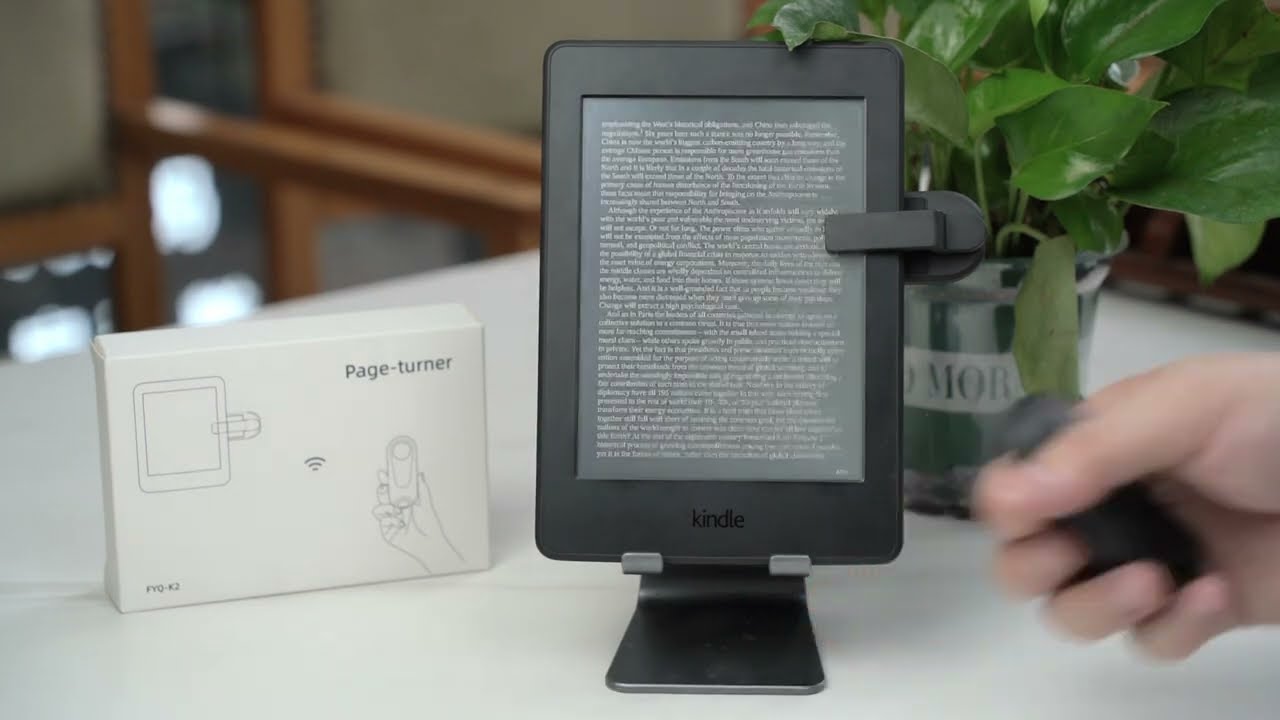
How to use the Kindle page turner?(Q&A)
  • ok logo

Скачать How to use the Kindle page turner?(Q&A) бесплатно в качестве 4к (2к / 1080p)

У нас вы можете скачать бесплатно How to use the Kindle page turner?(Q&A) или посмотреть видео с ютуба в максимальном доступном качестве.

Для скачивания выберите вариант из формы ниже:

  • Информация по загрузке:

Cкачать музыку How to use the Kindle page turner?(Q&A) бесплатно в формате MP3:

Если иконки загрузки не отобразились, ПОЖАЛУЙСТА, НАЖМИТЕ ЗДЕСЬ или обновите страницу
Если у вас возникли трудности с загрузкой, пожалуйста, свяжитесь с нами по контактам, указанным в нижней части страницы.
Спасибо за использование сервиса video2dn.com

Описание к видео How to use the Kindle page turner?(Q&A)

Product Link:
Amazon:https://www.amazon.com/DATAFY-Paperwh...

👇👇Product Features👇👇
【Wide Compatibility】
【Ultra-long battery life】
【Remote Page Turner for Kindle】
【No WiFi No Bluetooth Easy to use】
【Remote Control for Taking Pictures and Videos】
👇👇Amazon Product Links👇👇
K1 Kindle page-turner:(3 colors)
B0CQNXHQFG
B0CN8VQ8TG
K2 Kindle page-turner:(3 colors)
B0CN6SSC17
📧📧 After-sales Email📧📧
✅ [email protected]
24/7 online service for you
------------------------------------------------------------------------------------------
00:00-00:45----How to use the Page-turner?
Step 1: Single-click the screen sensor clip button and the blue light is always on.
Step 2: Single-click the remote controller button, then the screen sensor clip blue light flashes three times, and the connection is successful.
Step 3: Clip the screen sensor clip on the correct position of the Kindle, and press the remote controller button to turn the page.
00:46-02:21----Questions and Answers
Q1:Where should I clip the screen sensor clip?
Q2: What should l do if the screen sensor clip blocks the words?
Q3: Do I need to remove the Kindle cover before using the product?
Q4: What devices are not compatible with the product?

Комментарии

Информация по комментариям в разработке

Похожие видео

  • О нас
  • Контакты
  • Отказ от ответственности - Disclaimer
  • Условия использования сайта - TOS
  • Политика конфиденциальности

video2dn Copyright © 2023 - 2025

Контакты для правообладателей [email protected]