Logo video2dn
  • Сохранить видео с ютуба
  • Категории
    • Музыка
    • Кино и Анимация
    • Автомобили
    • Животные
    • Спорт
    • Путешествия
    • Игры
    • Люди и Блоги
    • Юмор
    • Развлечения
    • Новости и Политика
    • Howto и Стиль
    • Diy своими руками
    • Образование
    • Наука и Технологии
    • Некоммерческие Организации
  • О сайте

Скачать или смотреть Printed Circuit Board (PCB) Sprayer Machine - Instructions

  • Christian Reed
  • 2012-01-11
  • 49103
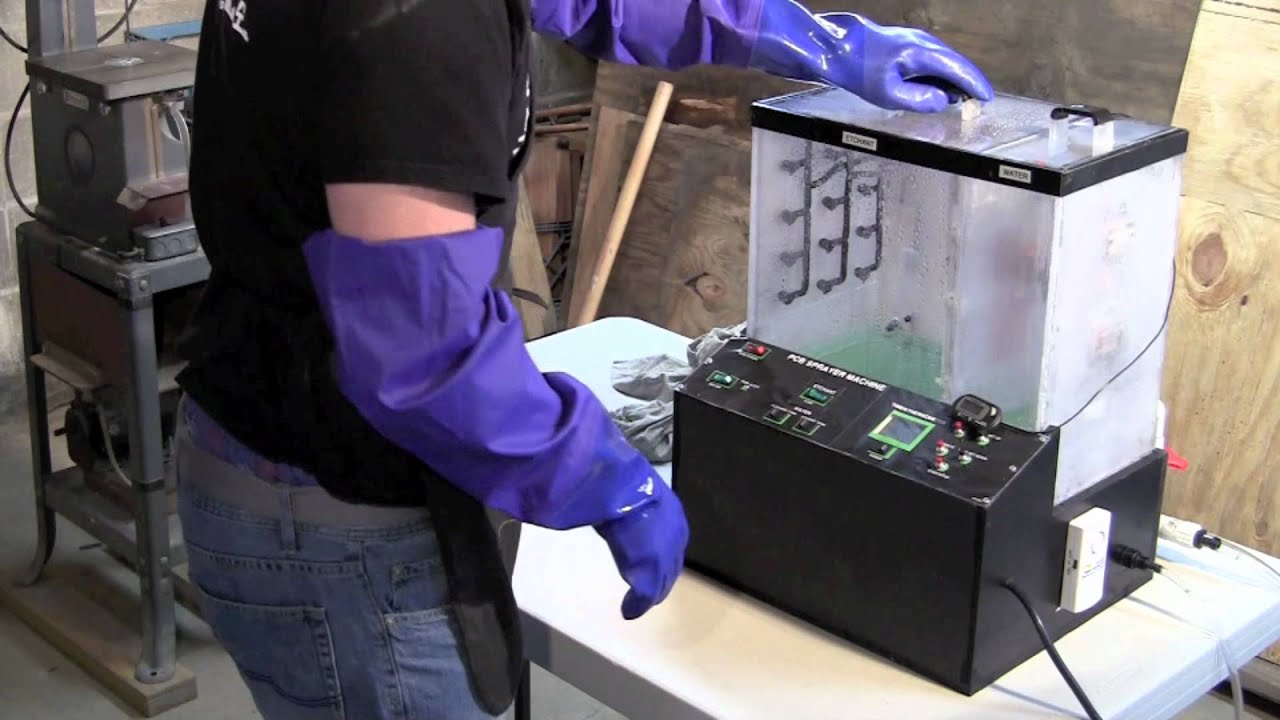
Printed Circuit Board (PCB) Sprayer Machine - Instructions
SprayerMachinePCBPrintedCircuitBoardcrreedchristianreed
  • ok logo

Скачать Printed Circuit Board (PCB) Sprayer Machine - Instructions бесплатно в качестве 4к (2к / 1080p)

У нас вы можете скачать бесплатно Printed Circuit Board (PCB) Sprayer Machine - Instructions или посмотреть видео с ютуба в максимальном доступном качестве.

Для скачивания выберите вариант из формы ниже:

  • Информация по загрузке:

Cкачать музыку Printed Circuit Board (PCB) Sprayer Machine - Instructions бесплатно в формате MP3:

Если иконки загрузки не отобразились, ПОЖАЛУЙСТА, НАЖМИТЕ ЗДЕСЬ или обновите страницу
Если у вас возникли трудности с загрузкой, пожалуйста, свяжитесь с нами по контактам, указанным в нижней части страницы.
Спасибо за использование сервиса video2dn.com

Описание к видео Printed Circuit Board (PCB) Sprayer Machine - Instructions

http://inventionfactory.blogspot.com/
Instructions to build can be found at http://instructables.com/member/crreed
This video outlines how to operate the machine.

Procedure For Running PCB Machine
1) Check all tubing and connections for any leaks, ruptures or loose connections.
2) Insert water hose into quick connect.
3) Insert drain tube into drain line and place other end into bucket or other drain source.
4) Carefully pour etchant solution into tank.
5) Attach copper plates to be etched onto the PCB Holder.
6) Insert PCB Holder into tank.
7) Plug in Machine with GFCI adapter to outlet.
8) Turn on main power supply,
9) Turn on heater and set temperature set point on thermometer between 85-90 degrees
10) When temperature is reached, set timer to about 2 minutes (depends on your machine and thickness of copper) and turn on etchant pump.
11) Once timer is complete and copper is gone, turn off pump, move PCB holder into water tank, and turn on cleaning tank water.
12) After about 3 minutes, turn off water, remove PCB and either continue to cleanup (step 13) or etch more boards (step 10).
13) Turn off heater.
14) Close pump return valve. Place drain hose in etchant container and open etchant drain valve and put hose back in drain bucket once complete.
15) Turn on etchant tank and cleaning tank water and open all valves. Once enough water has accumulated (may need to close etchant valve), run some water through the pump to clean out any remaining etchant.
16) Once tank has been flushed for a few minutes, turn off power and remove all remaning water.

Комментарии

Информация по комментариям в разработке

Похожие видео

  • О нас
  • Контакты
  • Отказ от ответственности - Disclaimer
  • Условия использования сайта - TOS
  • Политика конфиденциальности

video2dn Copyright © 2023 - 2025

Контакты для правообладателей [email protected]