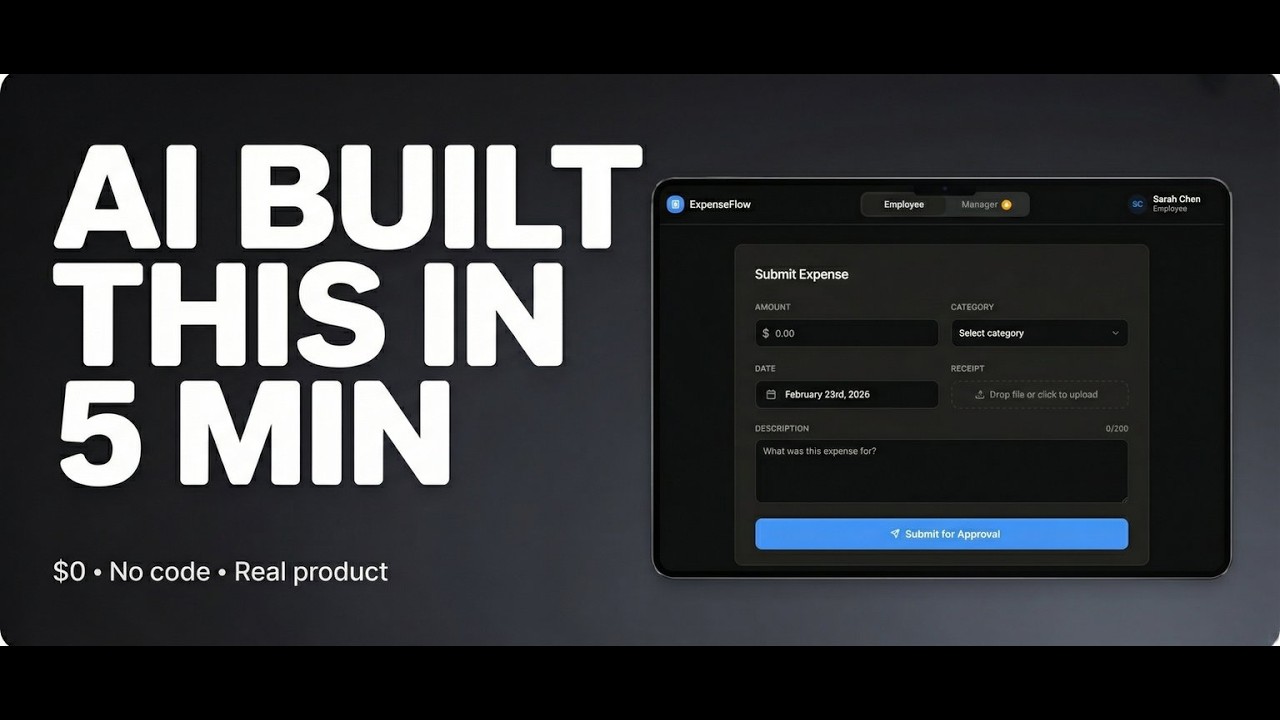
The prompt:Build an Expense Approval System for small businesses and teams.
Product Name: ExpenseFlow
Design:
Clean, professional dashboard aesthetic
Color scheme: Green accent (#10B981 for approved, #EF4444 for rejected, #F59E0B for pending)
Modern sans-serif (Inter)
Dashboard-style layout with cards and table
User Roles:
Two views: Employee and Manager (toggle between them with a switch for demo purposes)
EMPLOYEE VIEW:
1. Submit Expense Form:
Amount (number input with $ prefix)
Category dropdown (Meals, Travel, Software, Office Supplies, Marketing, Other)
Date (date picker, defaults to today)
Description (textarea)
Receipt upload (file input - accept images/PDFs)
"Submit for Approval" button
2. My Expenses Dashboard:
Table showing all submitted expenses:
Date
Category
Amount
Status badge (Pending/Approved/Rejected with color coding)
Manager notes (if rejected)
Receipt preview/download link
Filter by status (All, Pending, Approved, Rejected)
Search by description
Total submitted this month (summary card at top)
MANAGER VIEW:
1. Approval Queue:
Card-based layout showing pending expenses
Each card shows:
Employee name
Amount (large, prominent)
Category + Date
Description
Receipt thumbnail (click to view full)
Two buttons: "Approve" (green) and "Reject" (red)
If rejecting: Modal popup asking for rejection reason
After approval/rejection: Card animates out, updates count
2. All Expenses Dashboard:
Table with all expenses (approved, rejected, pending)
Columns: Employee, Date, Category, Amount, Status, Actions
Filter by status and date range
Search by employee or description
Summary cards at top:
Pending approval count
Total approved this month
Total rejected this month
3. Reports Section:
Monthly spending by category (simple bar chart or list)
Spending by employee
Export CSV button (downloads all approved expenses)
CORE FUNCTIONALITY:
Notifications/Alerts:
When expense submitted: Show success message to employee
When approved: Update status, show green badge
When rejected: Show red badge + manager's note
Manager sees pending count badge
Data Storage:
Use localStorage to persist expenses
Each expense has: id, employee, amount, category, date, description, receipt, status, managerNotes, submittedAt, reviewedAt
Sample Data:
Pre-populate with 6-8 sample expenses across different statuses so demo looks realistic:
3 pending (awaiting approval)
3 approved
2 rejected with notes
Sample employees: Sarah Chen, Mike Rodriguez, Alex Kim
Status Flow:
Pending → (Manager approves) → Approved
Pending → (Manager rejects) → Rejected
DESIGN DETAILS:
Color-coded status badges:
Pending: Orange background (#FEF3C7), orange text
Approved: Green background (#D1FAE5), green text
Rejected: Red background (#FEE2E2), red text
Dashboard Cards:
Summary metrics at top (3 cards: Pending, Approved, Rejected amounts)
Clean shadows, rounded corners
Hover states on interactive elements
Receipt Handling:
Show thumbnail preview
Click to view full size (modal)
Download button
For demo: Use placeholder images or allow real uploads
Responsive
Desktop: Side-by-side layouts, full tables
Mobile: Stacked cards, simplified tables
Polish:
Smooth transitions on approve/reject
Loading states for actions
Empty states ("No pending expenses")
Form validation (amount must be positive, description required)
Top Navigation:
Logo: "ExpenseFlow"
Toggle: "Employee View" / "Manager View" (for demo purposes)
User avatar/name in corner
Make it feel like a real internal tool - professional, efficient, solves a clear pain point. Something a team of 10-50 people would actually use daily. One person. Zero dollars. 72 hours. A real business tool built entirely with AI.
In this video I document the full process of building ExpenseFlow — an expense submission and approval system for small teams — using nothing but AI tools and no-code. No developers. No agency. No CS degree.
But this isn't just a build video. Stick around to the end because what this experiment revealed about AI, opportunity, and your generation is something nobody is talking about honestly.
↓ What's covered:
The real process behind building with AI (including what breaks)
The finished product walkthrough
What it actually means that one person can build this in 72 hours
SphereFlow →sphereflow.netlify.app
I'm 18, building AI-powered digital products in public. This channel documents the tools, the philosophy, and the raw business reality behind doing it.
Subscribe if you're done waiting to start.



![$15,842 за 10 дней на ИИ канале [ПОЛНЫЙ КУРС]](https://i.ytimg.com/vi/Y8a8KMlfh68/maxresdefault.jpg)







Информация по комментариям в разработке