Logo video2dn
  • Сохранить видео с ютуба
  • Категории
    • Музыка
    • Кино и Анимация
    • Автомобили
    • Животные
    • Спорт
    • Путешествия
    • Игры
    • Люди и Блоги
    • Юмор
    • Развлечения
    • Новости и Политика
    • Howto и Стиль
    • Diy своими руками
    • Образование
    • Наука и Технологии
    • Некоммерческие Организации
  • О сайте

Скачать или смотреть Samantha Stephan - iPhone Accessibility Features

  • Samantha Stephan
  • 2026-01-29
  • 1
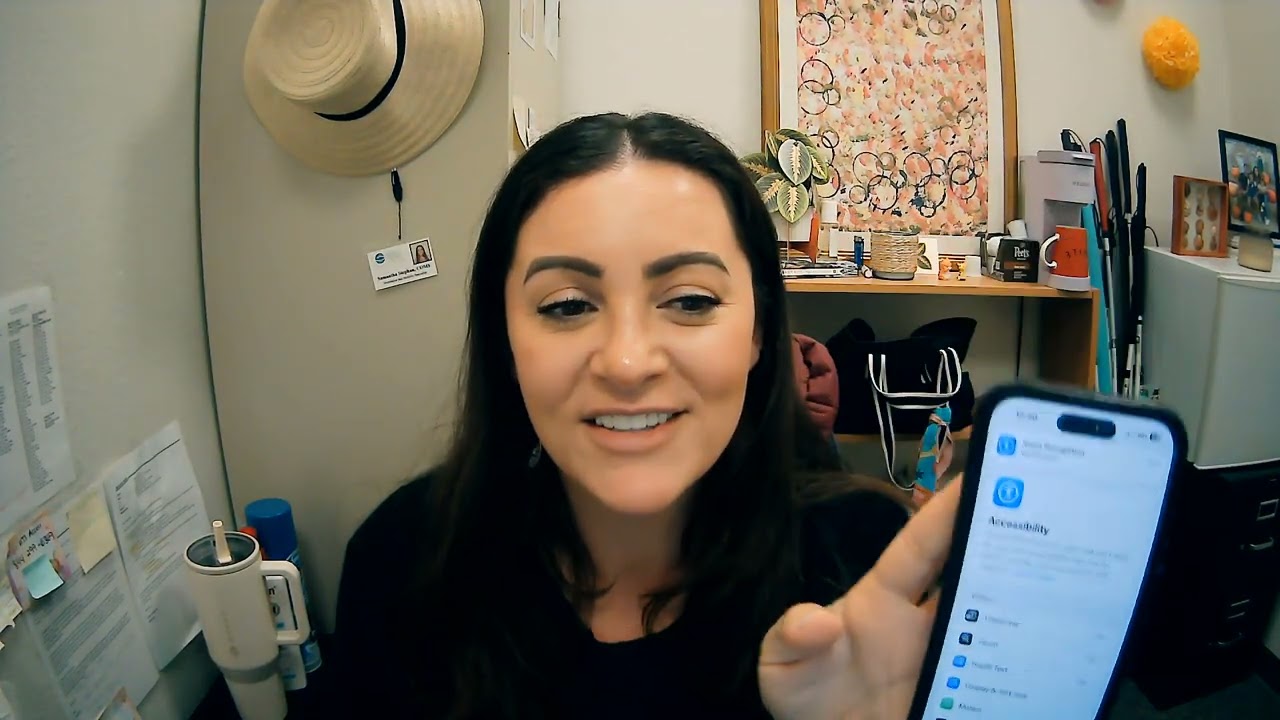
Samantha Stephan - iPhone Accessibility Features
  • ok logo

Скачать Samantha Stephan - iPhone Accessibility Features бесплатно в качестве 4к (2к / 1080p)

У нас вы можете скачать бесплатно Samantha Stephan - iPhone Accessibility Features или посмотреть видео с ютуба в максимальном доступном качестве.

Для скачивания выберите вариант из формы ниже:

  • Информация по загрузке:

Cкачать музыку Samantha Stephan - iPhone Accessibility Features бесплатно в формате MP3:

Если иконки загрузки не отобразились, ПОЖАЛУЙСТА, НАЖМИТЕ ЗДЕСЬ или обновите страницу
Если у вас возникли трудности с загрузкой, пожалуйста, свяжитесь с нами по контактам, указанным в нижней части страницы.
Спасибо за использование сервиса video2dn.com

Описание к видео Samantha Stephan - iPhone Accessibility Features

5 key Accessibility Features of an iPhone
Samantha Stephan; EDSP 4000 with Prof Aguilar Spring 2026

Feature #1: VoiceOver
The first accessibility feature I’m demonstrating is VoiceOver, which is the iPhone’s built-in screen reader.
VoiceOver is designed for individuals who are blind or have significant visual impairments. When VoiceOver is on, the phone reads aloud everything on the screen
As I interact with the screen, you’ll hear the phone speak what I’m touching. This allows a user who cannot see the screen to independently navigate their iPhone without vision.
VoiceOver provides access to the same information sighted users receive, making the iPhone usable and functional for individuals who are blind.
Demonstrate

Feature #2: Zoom
The second feature is Zoom, which is a screen magnification tool.
Zoom can help people with low vision or mild visual impairments who may have difficulty seeing small text, icons, or images. With Zoom, the user can magnify any part of the screen, making content larger and easier to see.
Demonstrate: As you can see, text is enlarged while still remaining clear. This allows someone with low vision to read messages, view photos, or use apps without needing to rely on another person.
Zoom supports visual access, may reduce visual fatigue and strain on the eyes while allowing the user to continue interacting with the phone in a familiar way.

Feature #3: Name Recognition
The third accessibility feature I’m demonstrating is Sound and Name Recognition.
Sound Recognition is designed to support individuals who are deaf or hard of hearing by alerting them to important sounds in their environment. And the Name Recognition is to alert them when someone says their name in an environment.
When this feature is active, the iPhone listens for specific sounds, such as the person’s name and sends a visual notification to the screen for the person to attend to.
Demonstration: say “Samantha” you can see how the phone visually alerts me when my name is detected. This allows someone who may not hear these sounds to stay aware of their surroundings and respond appropriately.
Sound Recognition increases safety and independence by providing visual access to important environmental sounds.

Feature #4: Touch
The fourth feature is AssistiveTouch, which supports individuals with physical or motor disabilities.
AssistiveTouch allows users to perform actions like tapping, swiping, or pressing buttons using an on-screen menu instead of physical gestures.
For someone who has limited hand strength, reduced fine motor control, or difficulty performing precise movements, AssistiveTouch makes the iPhone more accessible and easier to use.
This feature can reduce physical strain while still allowing full access to the phone’s functions.

Feature #5: Live Captions
The fifth accessibility feature is Live Captions.
Live Captions benefit individuals who are deaf or hard of hearing by automatically displaying spoken audio as text on the screen. The text size, colors and background color can be changed to the user’s preferences.
Demonstrate: As audio plays, the iPhone generates real-time captions, allowing the user to read what is being said. This can be helpful during videos, phone calls, or other audio content.
Live Captions improve access to communication and information for users who cannot rely on auditory input alone.

Комментарии

Информация по комментариям в разработке

Похожие видео

  • О нас
  • Контакты
  • Отказ от ответственности - Disclaimer
  • Условия использования сайта - TOS
  • Политика конфиденциальности

video2dn Copyright © 2023 - 2025

Контакты для правообладателей [email protected]