Logo video2dn
  • Сохранить видео с ютуба
  • Категории
    • Музыка
    • Кино и Анимация
    • Автомобили
    • Животные
    • Спорт
    • Путешествия
    • Игры
    • Люди и Блоги
    • Юмор
    • Развлечения
    • Новости и Политика
    • Howto и Стиль
    • Diy своими руками
    • Образование
    • Наука и Технологии
    • Некоммерческие Организации
  • О сайте

Скачать или смотреть How To View and Edit Student Information Using Diversion Manager

  • Diversion Manager
  • 2025-01-14
  • 7
How To View and Edit Student Information Using Diversion Manager
  • ok logo

Скачать How To View and Edit Student Information Using Diversion Manager бесплатно в качестве 4к (2к / 1080p)

У нас вы можете скачать бесплатно How To View and Edit Student Information Using Diversion Manager или посмотреть видео с ютуба в максимальном доступном качестве.

Для скачивания выберите вариант из формы ниже:

  • Информация по загрузке:

Cкачать музыку How To View and Edit Student Information Using Diversion Manager бесплатно в формате MP3:

Если иконки загрузки не отобразились, ПОЖАЛУЙСТА, НАЖМИТЕ ЗДЕСЬ или обновите страницу
Если у вас возникли трудности с загрузкой, пожалуйста, свяжитесь с нами по контактам, указанным в нижней части страницы.
Спасибо за использование сервиса video2dn.com

Описание к видео How To View and Edit Student Information Using Diversion Manager

Step-by-step instructions on how view and edit student information using the Diversion Manager platform.

Transcript

The Diversion Manager platform makes it easy to view and edit student login information by following these simple steps.

From the assignment details page, click on the Login ID link.

If you need help finding an assignment, watch our searching for assignments video.

On the site users page, click on the pushpin icon to view student login details.

Select the edit button to make the intended changes.

Click the Save button to execute your changes, or the Cancel button to close the screen without making any changes.

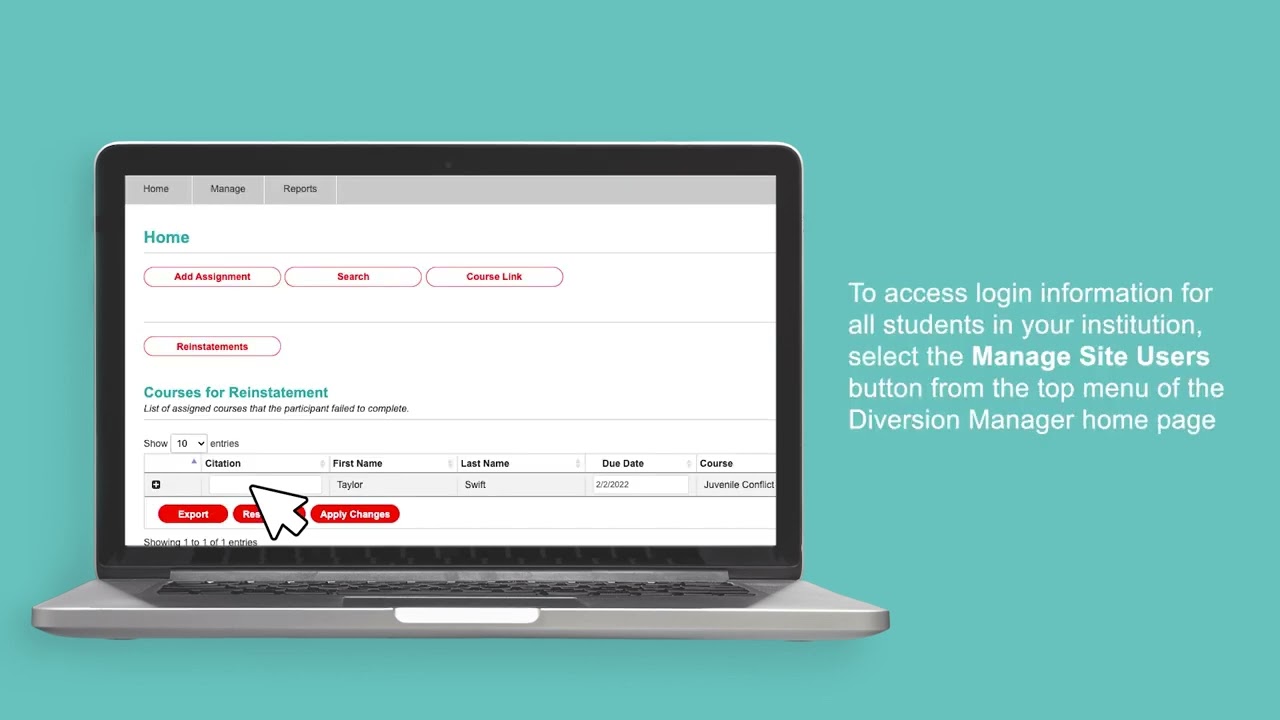
Depending on your user role, you can access all login information for all students in your institution by selecting Manage Site Users from the top menu of the Diversion Manager homepage.

We hope you found this video helpful, and if you need additional information or have questions, we're always here for you. Just go to DiversionManager.com/support to connect with Advent customer service.

Комментарии

Информация по комментариям в разработке

Похожие видео

  • О нас
  • Контакты
  • Отказ от ответственности - Disclaimer
  • Условия использования сайта - TOS
  • Политика конфиденциальности

video2dn Copyright © 2023 - 2025

Контакты для правообладателей [email protected]