Logo video2dn
  • Сохранить видео с ютуба
  • Категории
    • Музыка
    • Кино и Анимация
    • Автомобили
    • Животные
    • Спорт
    • Путешествия
    • Игры
    • Люди и Блоги
    • Юмор
    • Развлечения
    • Новости и Политика
    • Howto и Стиль
    • Diy своими руками
    • Образование
    • Наука и Технологии
    • Некоммерческие Организации
  • О сайте

Скачать или смотреть How to create a Smooth Lineart Brush

  • CherryStudios11
  • 2026-01-29
  • 3
How to create a Smooth Lineart Brush
  • ok logo

Скачать How to create a Smooth Lineart Brush бесплатно в качестве 4к (2к / 1080p)

У нас вы можете скачать бесплатно How to create a Smooth Lineart Brush или посмотреть видео с ютуба в максимальном доступном качестве.

Для скачивания выберите вариант из формы ниже:

  • Информация по загрузке:

Cкачать музыку How to create a Smooth Lineart Brush бесплатно в формате MP3:

Если иконки загрузки не отобразились, ПОЖАЛУЙСТА, НАЖМИТЕ ЗДЕСЬ или обновите страницу
Если у вас возникли трудности с загрузкой, пожалуйста, свяжитесь с нами по контактам, указанным в нижней части страницы.
Спасибо за использование сервиса video2dn.com

Описание к видео How to create a Smooth Lineart Brush

Hey guys, it’s CherryStudios11! 🍒🍒 This is my first vid (a bit of an impulsive one) but I hope this helps anyone that’s been looking for a nice Lineart brush to use on procreate.

Down below are simpler instructions to create this brush all on your own!

P.S, Leave a comment on what I should refer to my subscribers as and if you liked the vid. TY ❤️

———————————————————————————

SMOOTH LINEART BRUSH

Smooth Lineart Brush Steps:

1.) Start with the original Studio pen brush, then duplicate it.

2.) Streamline:
amount= 55%
pressure= 28% Stabilization= 45%
Motion filtering; none(for amount & expression).

3.) Pressure Taper:
size=36%
Opacity=none
Pressure=52%
Tip=62% + tip animation ON

4.) Touch Taper:
Size=Max (do not link tip sizes)
Opacity & Tip= none
Classic taper=off

5.) Shape: Touch Only
touch properties:
Rotation=0%
Everything else on this none or 0% except for Count=1
Shape filtering=Improved filtering

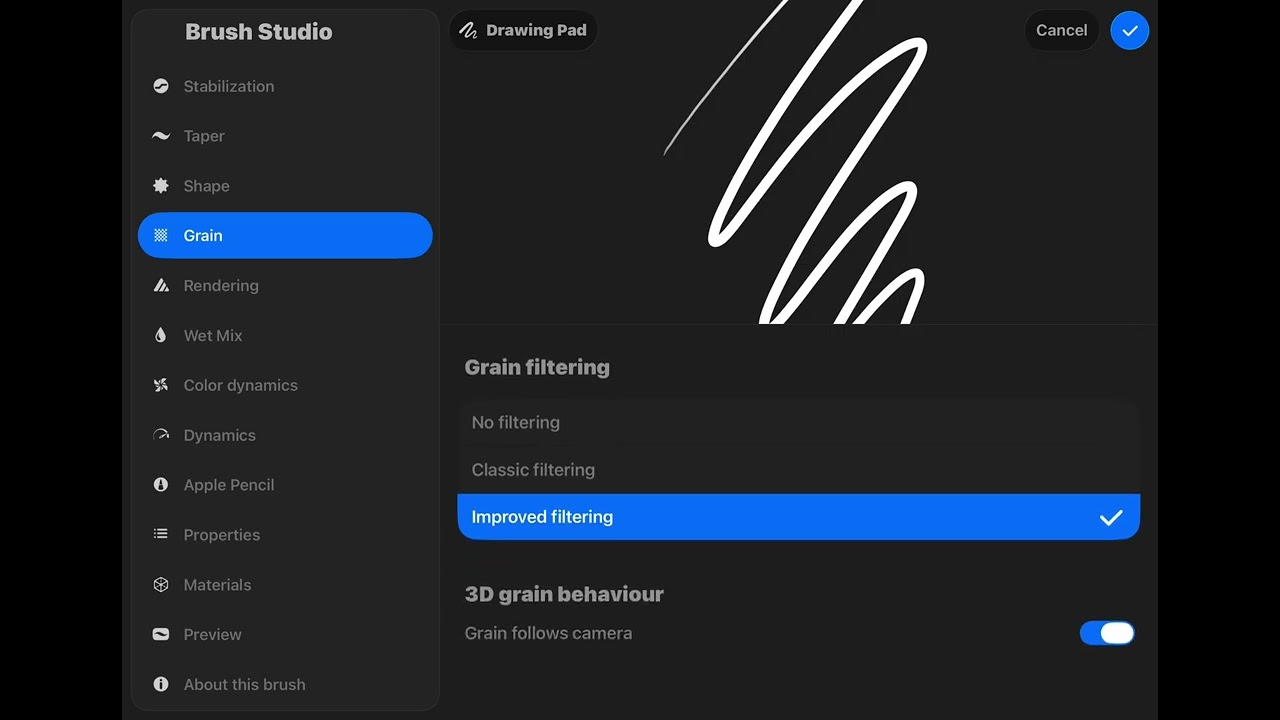
6.) Grain: Moving
Movement=Max/rolling
Scale=25%
Zoom=cropped/max
Rotation=0%
Depth=Max
Depth minimum=none
Depth jitter=none
Offset jitter is OFF
Blend mode on MULTIPLY
brightness=none
Contrast=0%
Grain filtering: improved filtering
Rendering mode=Intense mode

Blending:
Flow=Max
Wet edges & burnt edges= none
Burnt edges mode: multiply
Blend mode:normal
Luminance blending OFF
Threshold alpha off and 0% amount

7.) Wet Mix:
Dilution,charge,attack & grade,blur,blur jitter, wetness jitter= none
Pull=50%

8.) Color Dynamic:
All of this is NONE or 0%

9.) Dynamic
All of this is NONE or 0%
10.) Apple Pencil
Size=max
Opacity=max
Everything is none except Hover=16%
Hover fill= shape

11.) Properties
Smudge pull=92%
Max Size=21%
Minimum size=0%
Max opacity=MAX
Minimum opacity=1%

Комментарии

Информация по комментариям в разработке

Похожие видео

  • О нас
  • Контакты
  • Отказ от ответственности - Disclaimer
  • Условия использования сайта - TOS
  • Политика конфиденциальности

video2dn Copyright © 2023 - 2025

Контакты для правообладателей [email protected]