Logo video2dn
  • Сохранить видео с ютуба
  • Категории
    • Музыка
    • Кино и Анимация
    • Автомобили
    • Животные
    • Спорт
    • Путешествия
    • Игры
    • Люди и Блоги
    • Юмор
    • Развлечения
    • Новости и Политика
    • Howto и Стиль
    • Diy своими руками
    • Образование
    • Наука и Технологии
    • Некоммерческие Организации
  • О сайте

Скачать или смотреть Editing a list of contacts (part 1)

  • Vesa Karvonen
  • 2017-11-27
  • 162
Editing a list of contacts (part 1)
calmm
  • ok logo

Скачать Editing a list of contacts (part 1) бесплатно в качестве 4к (2к / 1080p)

У нас вы можете скачать бесплатно Editing a list of contacts (part 1) или посмотреть видео с ютуба в максимальном доступном качестве.

Для скачивания выберите вариант из формы ниже:

  • Информация по загрузке:

Cкачать музыку Editing a list of contacts (part 1) бесплатно в формате MP3:

Если иконки загрузки не отобразились, ПОЖАЛУЙСТА, НАЖМИТЕ ЗДЕСЬ или обновите страницу
Если у вас возникли трудности с загрузкой, пожалуйста, свяжитесь с нами по контактам, указанным в нижней части страницы.
Спасибо за использование сервиса video2dn.com

Описание к видео Editing a list of contacts (part 1)

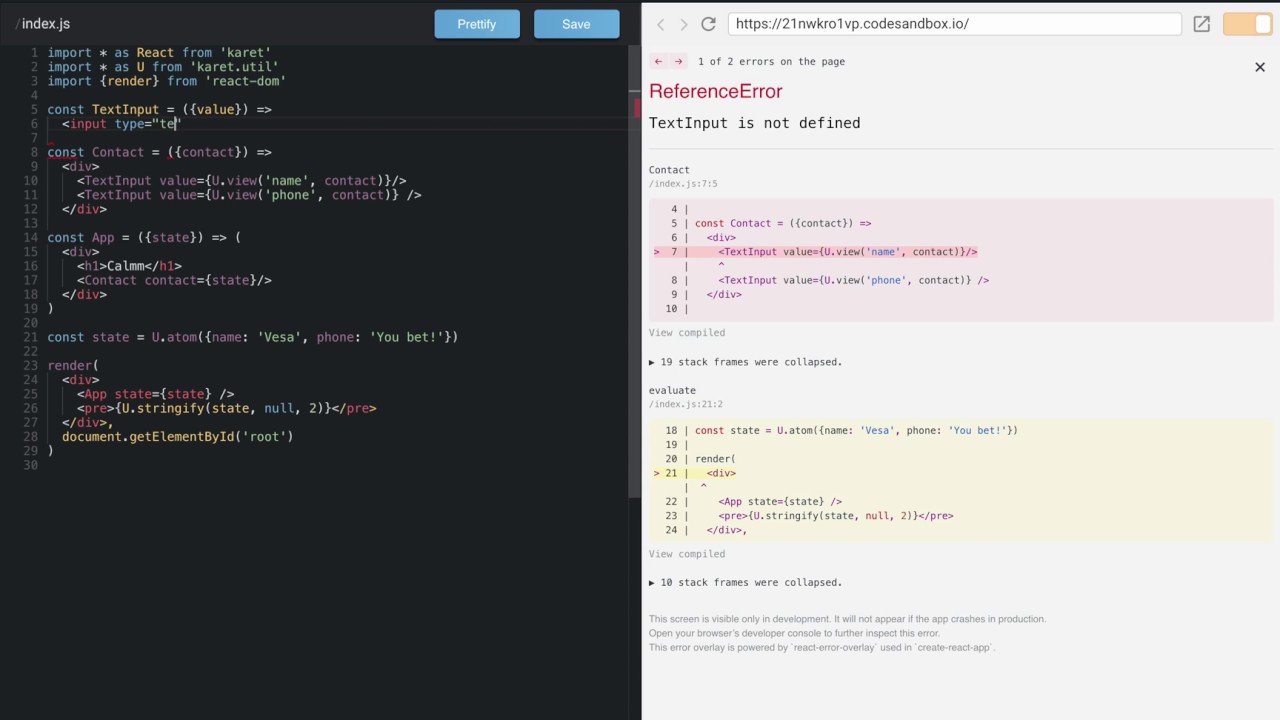
In this lesson we'll start working on a simple application for editing a list of contacts.

End of lesson sandbox: https://codesandbox.io/s/21nwkro1vp

Transcript:

Hello, In this lesson we'll start working on a simple application for editing a list of contacts.

I'll start by forking the Calmm Starter application on CodeSandbox.

A contact has a name and a phone number.

The Contact component gets the state of a contact as an argument.

It then passes the state of the name to a TextInput component.

And the same goes for the state of the phone number.

We can now edit the contact through the UI.

The TextInput component is just a single function from the state of the input to the UI, including not just the visual elements of the UI, but also the actions that the user can invoke.

It is important to understand that the `value` parameter is not just a plain value. It is an observable, first-class object called an atom.

The TextInput component itself is stateless. This is also why we can so easily use the TextInput component on both the name and phone number of a contact.

We can understand the whole TextInput component simply by looking at the function.

The same applies to the Contact component. It is just a single function from the state of a contact to the UI.

The Contact component decomposes the contact state by creating views of the name and the phone number substates of the contact state.

This concludes the lesson. Thank you for listening!

Комментарии

Информация по комментариям в разработке

Похожие видео

  • О нас
  • Контакты
  • Отказ от ответственности - Disclaimer
  • Условия использования сайта - TOS
  • Политика конфиденциальности

video2dn Copyright © 2023 - 2025

Контакты для правообладателей [email protected]