Logo video2dn
  • Сохранить видео с ютуба
  • Категории
    • Музыка
    • Кино и Анимация
    • Автомобили
    • Животные
    • Спорт
    • Путешествия
    • Игры
    • Люди и Блоги
    • Юмор
    • Развлечения
    • Новости и Политика
    • Howto и Стиль
    • Diy своими руками
    • Образование
    • Наука и Технологии
    • Некоммерческие Организации
  • О сайте

Скачать или смотреть Introduction to Virtual Processor

  • Sohail Selky
  • 2020-12-15
  • 84
Introduction to Virtual Processor
  • ok logo

Скачать Introduction to Virtual Processor бесплатно в качестве 4к (2к / 1080p)

У нас вы можете скачать бесплатно Introduction to Virtual Processor или посмотреть видео с ютуба в максимальном доступном качестве.

Для скачивания выберите вариант из формы ниже:

  • Информация по загрузке:

Cкачать музыку Introduction to Virtual Processor бесплатно в формате MP3:

Если иконки загрузки не отобразились, ПОЖАЛУЙСТА, НАЖМИТЕ ЗДЕСЬ или обновите страницу
Если у вас возникли трудности с загрузкой, пожалуйста, свяжитесь с нами по контактам, указанным в нижней части страницы.
Спасибо за использование сервиса video2dn.com

Описание к видео Introduction to Virtual Processor

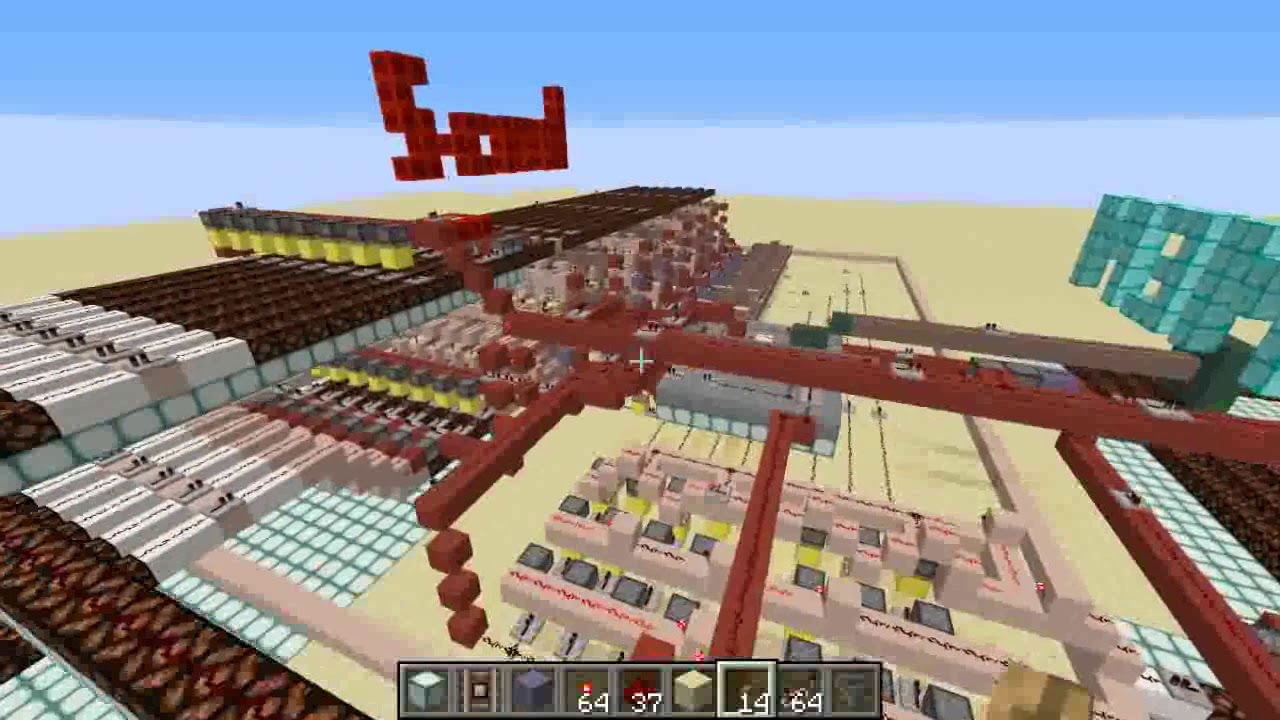
This is a brief video introducing the different data path elements and how they are connected to each other. I will hit some key points about the processor architecture but will not be going into much depth. The purpose of this video is familiarize viewers with the locations and basic concept of the processor elements so that future videos are understandable. This is not a demonstration of operation.

For reference, the processor has:
5 bit program counter for instruction memory of size 32
7 bit instructions
4 8bit registers ($1- $3 plus a $0)
8 8bit memory locations
8 bit ALU that can add or subtract

The instructions:
00[00000]
ADD: adds contents of $1 and $2 and writes result to $3
00[XXXXX]
ADDI: Changes the contents of $3 to X, 2c Range -16 to 15
01[00000]
SUB: Subtracts contents of $2 from $1, writes result to $3
01[XXXXX]
BNEZ: Branch not equal zero, 2c, range -16 to 15 + 1
100[XXX]0
LOAD: Sends value contained in memloc X to $3, range 0 to 7
101[XXX]0
STORE: Sends value contained in $3 to memloc X, range 0 to 7
110[XX][YY]
MOVE: Sends value contained in register $X to register $Y
111[1111]
End: Plays a chime, indicates the program is over

Комментарии

Информация по комментариям в разработке

Похожие видео

  • О нас
  • Контакты
  • Отказ от ответственности - Disclaimer
  • Условия использования сайта - TOS
  • Политика конфиденциальности

video2dn Copyright © 2023 - 2025

Контакты для правообладателей [email protected]