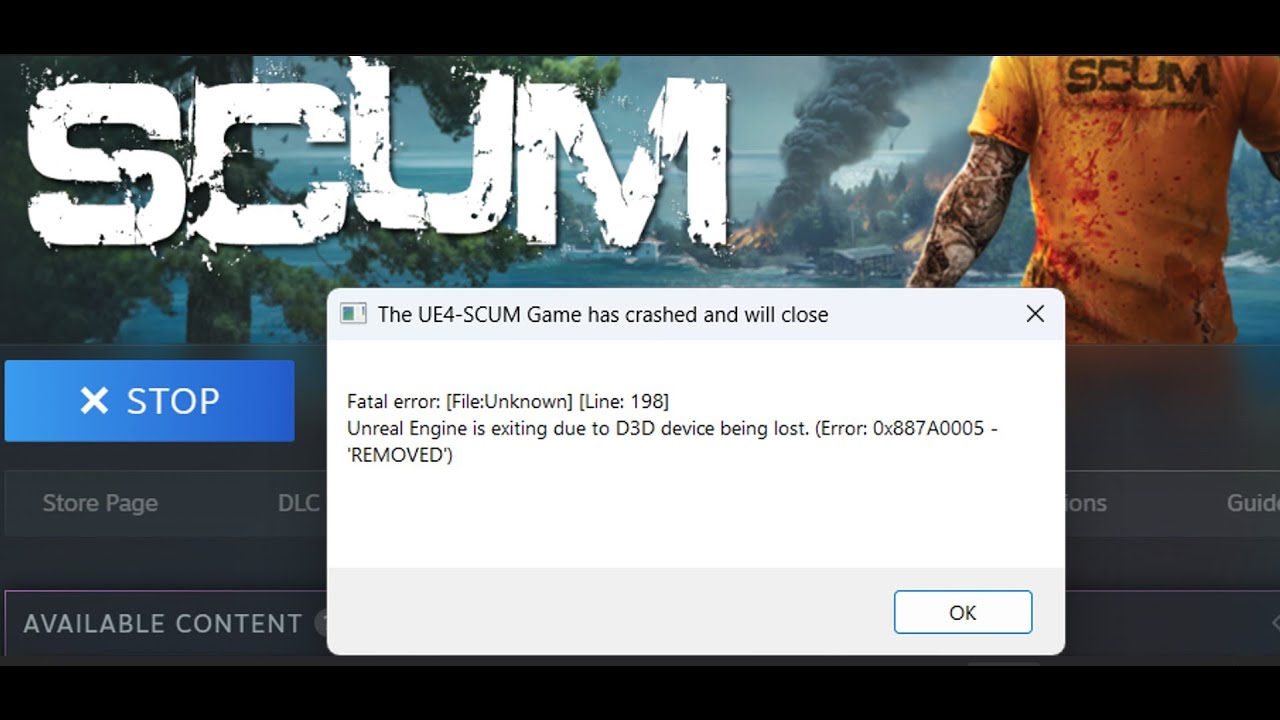
How To Fix SCUM Fatal Error On PC
Step 1) Restart Steam, Restart PC
Step 2) Try Vulkan/DirectX 12 Version
Step 3) Uninstall & Reinstall BattlEye
Step 4) Run SCUM_Launcher.exe as an administrator
Step 5) Allow the game exe file to Antivirus program Avast, Norton, bit defender, McAfee, Comodo, Webroot Secure Anywhere/Windows Security & firewall
Step 6) Run the game from game installation folder, try running as an administrator, try compatibility mode
Step 7) Delete the config folder (All saved settings will be lost), rename the save game files, create a backup first (You will lose all game progress)
Step 8) If Using Focusrite Audio Interface turn it off
Step 9) Turn off frame generation
Step 10) Perform a clean installation of latest graphics card driver
https://www.nvidia.com/Download/index...
https://www.amd.com/en/support
Step 11) Run the game on dedicated graphics card
Step 12) Roll back graphics driver (566.36)
Step 13) Install Visual C++ Files https://docs.microsoft.com/en-US/cpp/...
Step 14) Verify the game files
Step 15) Try -dx11/-dx12 in launch options
Step 16) Update Windows
Step 17) Increase the Virtual Memory
Step 18) Do not overclock (set it to default), close all the overclocking application MSI Afterburner/Rivatuner, disable Steam Overlay, close all the overlay apps (Discord, Nvidia App, Nvidia shadow play overlay, AMD overlay)
Step 19) Unplug External devices such as hotas, wheel, pedals, mouse, Razer Tartarus, disconnect all the additional USB adapter connected to PC, disconnect additional joystick/controllers connected, disconnect multiple monitors, turn off Razer Synapse (razor lighting effects) and MSI Dragon Center, corsair software, close third-party services such as nahimic services/lightingservice.exe etc. in task manager, remove the undervolt
Step 20) Update the system BIOS
Step 21) Uninstall the game, go to the game installation folder and delete the game folder, restart your PC, and reinstall the game to C Drive/if already installed to C drive, then install the game to another SSD

Информация по комментариям в разработке