Unboxing and Integration of DQ12 - Dynamic QR Code Display + SoundBox with Android App
In this video, we demonstrate how to unbox, set up, and integrate the DQ12 - Dynamic QR Code Display + SoundBox with an Android phone using a USB Type C Male to USB Female OTG Cable. This innovative device, paired with the Android app developed by Bonrix Software Systems, revolutionizes the way payments are managed, displayed, and recorded.
Step 1: Unboxing the DQ12 - Dynamic QR Code Display + SoundBox
Upon unboxing, you will find:
The DQ12 Dynamic QR Code Display + SoundBox device featuring a sleek 3.5-inch TFT LCD screen.
A 1.5m Type C USB cable for effortless connectivity.
A 3W HD loudspeaker built into the device for clear and loud audio notifications.
Physical push buttons for power, volume control, and resetting the device.
Step 2: Connecting the Device with an Android Phone
The integration process is straightforward:
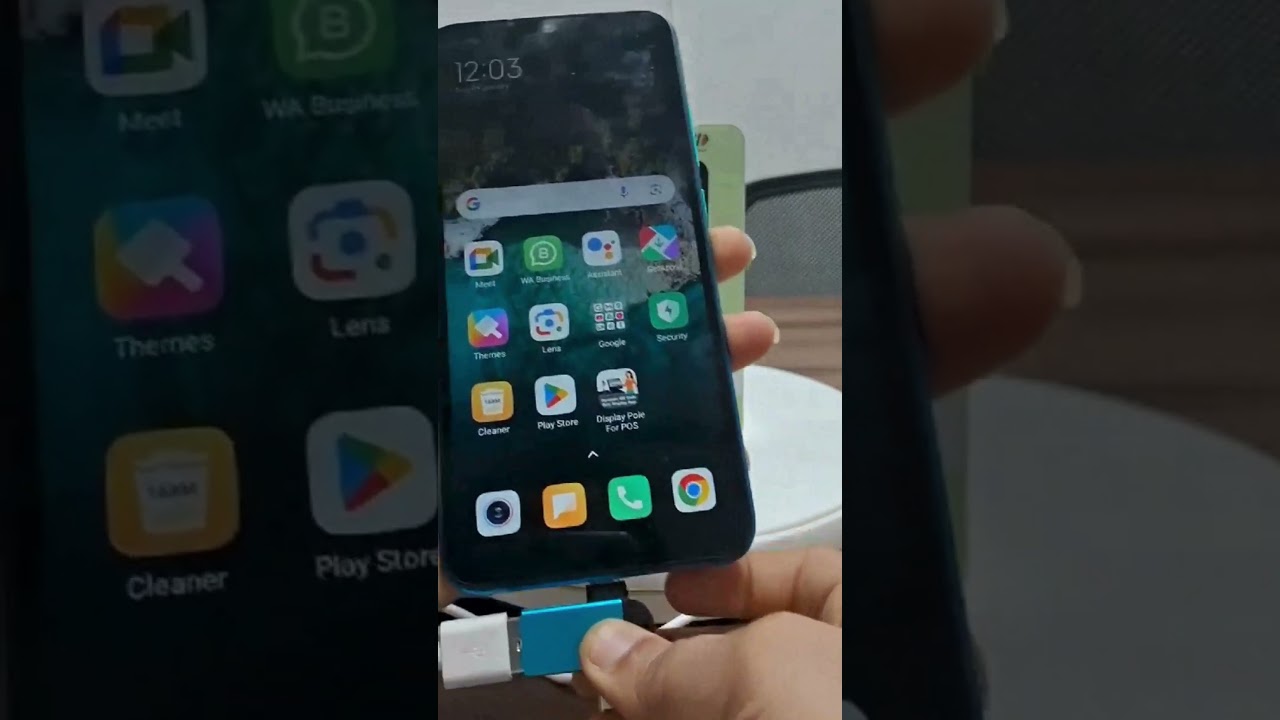
Use a USB Type C Male to USB Female OTG Cable to connect the DQ12 device to your Android phone.
Launch the Bonrix-developed Android app, which is designed for seamless integration and management of the DQ12 device.
Step 3: Key Features and Demonstration
Dynamic QR Code Generation: The app generates a dynamic QR code for each new order. The QR code, along with the transaction amount, is displayed on the 3.5-inch TFT LCD screen. This ensures the customer sees the exact payment amount for their transaction.
Audio Notifications: The built-in speaker announces the payment status. Whether it’s a successful transaction or a payment issue, the status is communicated audibly, providing instant feedback to both customers and merchants.
Real-Time Transaction Status: The Android app ensures that every transaction status, such as "Payment Received" or "Pending," is updated in real-time and displayed on the screen.
Order Recording: The system automatically keeps a record of each transaction, making it easy for merchants to track payments and reconcile accounts.
Audio Settings Customization:
The app allows audio settings to be adjusted at the device level.
When connected via the OTG cable, the device can play audio notifications, ensuring clear communication even in noisy environments.
Why Choose DQ12 for Payment Management?
The DQ12 Dynamic QR Code Display + SoundBox offers:
Cutting-edge Payment Solutions: Designed for use with popular UPI platforms such as Paytm, PhonePe, BharatPe, GPay, and bank-specific QR codes.
Ease of Use: With no manual input required by customers, every transaction is error-free and streamlined.
Versatility: Suitable for diverse business settings like grocery stores, retail outlets, hospitals, fuel stations, and eateries.
Convenience: Quick setup, dynamic QR code generation, and real-time payment confirmations.
Device Specifications at a Glance
Processor: 32-bit ARM for fast and reliable performance.
Display: 3.5-inch TFT LCD with 320x480 pixel resolution.
Audio Output: 3W HD speaker for crystal-clear sound.
Weight: Lightweight at 170g, making it portable and easy to handle.
Compatibility: Fully compatible with UPI systems and adaptable to future upgrades.
Conclusion
The DQ12 - Dynamic QR Code Display + SoundBox, integrated with Bonrix's Android app, is a game-changer for UPI payment collections. From generating dynamic QR codes to providing real-time transaction statuses and audio notifications, this system ensures a smooth and efficient experience for merchants and customers alike.
🚀 Transform your payment process today with the DQ12 Dynamic QR Code Display + SoundBox!
https://www.bonrix.co.in/dq12-dynamic...
#DynamicQRCodeDisplay #SoundBox #UPIPayments #DigitalTransactions #RetailTech #SmartPayments #CashlessRevolution #TechInRetail #DigitalIndia #BHIMUPI #UPIIntegration #QRDisplay #PaymentSolutions #RetailAutomation #CustomerExperience #TransactionEase #MerchantEmpowerment #SeamlessPayments #QRPayment #ContactlessPayments #InnovativeTech #CashlessEconomy #BusinessAutomation #RetailTechSolutions #SmartRetail #PaymentNotifications #DynamicQR #DigitalTransformation #UPIPaymentCollection #TechForRetail #smartbilling
#SoundPod #VoicePod #AudioPod #RetailPod #SmartPod #PaymentPod #DynamicPod #AudioPayment #RetailTechPod #SmartRetailPod #MerchantPod #VoiceAlertPod #NotificationPod #BusinessPod #UPIPod #TechPod #DigitalPod #CashlessPod #TransactionPod #RetailSoundPod #DigitalVoicePod #SmartAudioPod #RetailSolutionsPod #PaymentAlertPod #TechForRetailPod
#phonepe #gpay #paytm #amazonpay #bhim #razorpay #payu #ccavenue #billdesk #cashfree #instamojo #mobikwik #freecharge #airtel #jiopay #stripe #paypal #payoneer #hdfc #icici #sbi #axis #yes #kotak #federal #rupay #mastercard #visa #americanexpress #diners #oxigen #juspay #mswipe #ezetap #paymate #zestmoney #simpl #lazypay #cred #earlysalary #slice #unicards #ola #twid #pinelabs #payso #paynearby #novopay #mosambee #paynimo #paykun #zaakpay #atomtechnologies #direcpay #ebs #citruspay #payg #payumoney

Информация по комментариям в разработке