Logo video2dn
  • Сохранить видео с ютуба
  • Категории
    • Музыка
    • Кино и Анимация
    • Автомобили
    • Животные
    • Спорт
    • Путешествия
    • Игры
    • Люди и Блоги
    • Юмор
    • Развлечения
    • Новости и Политика
    • Howto и Стиль
    • Diy своими руками
    • Образование
    • Наука и Технологии
    • Некоммерческие Организации
  • О сайте

Скачать или смотреть iShowU V6 - recording specific applications

  • shinywhitebox
  • 2024-05-14
  • 111
iShowU V6 - recording specific applications
  • ok logo

Скачать iShowU V6 - recording specific applications бесплатно в качестве 4к (2к / 1080p)

У нас вы можете скачать бесплатно iShowU V6 - recording specific applications или посмотреть видео с ютуба в максимальном доступном качестве.

Для скачивания выберите вариант из формы ниже:

  • Информация по загрузке:

Cкачать музыку iShowU V6 - recording specific applications бесплатно в формате MP3:

Если иконки загрузки не отобразились, ПОЖАЛУЙСТА, НАЖМИТЕ ЗДЕСЬ или обновите страницу
Если у вас возникли трудности с загрузкой, пожалуйста, свяжитесь с нами по контактам, указанным в нижней части страницы.
Спасибо за использование сервиса video2dn.com

Описание к видео iShowU V6 - recording specific applications

V6 has three primary ways to record from your screen:

Entire screen (or a selection thereof)
Single window, and;
Applications

It's this last mode that this article will focus on.

How does it differ?

Entire screen is what it says it is. It's the entire display from your mac (with a special case of cropping some area from that)

Single window is again, just that. Just one window. Even if the app in question has many windows, only one of these will be captured.

Applications lets you capture a specific app, including all its windows, even if those windows come and go over the time of your recording.

A couple of examples: 

You are creating a tutorial for where the content spans more than one environment.  Lets say you've a Visual Studio Code window open, as well as a preview of the running app from the code in that window.  
Two Pages and Numbers documents, side by side (but you happen to have other apps on the desktop that you don't want recorded). 

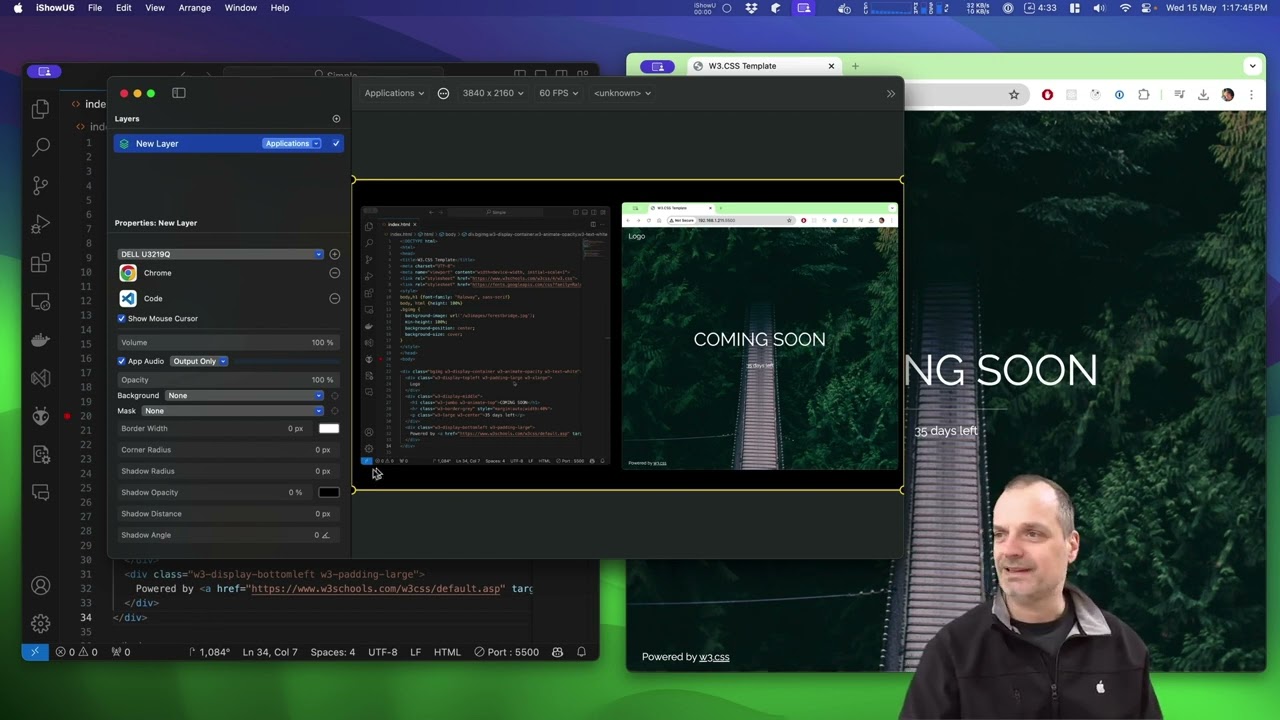
Lets use the code + preview as an example.

Example

I have some a small website doc + preview ready. Lets get those into iShowU.

Add a Applications layer
Choose the correct display! this is important. You can only grab apps from the selected display.

Add the apps. You can add multiple at once.


I'll drag my notes over, and you can see that they do not show up in the preview for the recording.

You can of course combine this with other layers. To spice this up lets add a phone, pointing to the same sight. My use case here would be to show how the page looks on a smaller device, next to the larger browser page.

Add my phone (its plugged in via a cable)
Reposition to fit

That's it!  Lets do a recording.


Where it might not work as you'd expect:

Apps like Safari, or Chrome. Any app that opens multiple windows, where each window might display some entirely unrelated content.

Комментарии

Информация по комментариям в разработке

Похожие видео

  • О нас
  • Контакты
  • Отказ от ответственности - Disclaimer
  • Условия использования сайта - TOS
  • Политика конфиденциальности

video2dn Copyright © 2023 - 2025

Контакты для правообладателей [email protected]