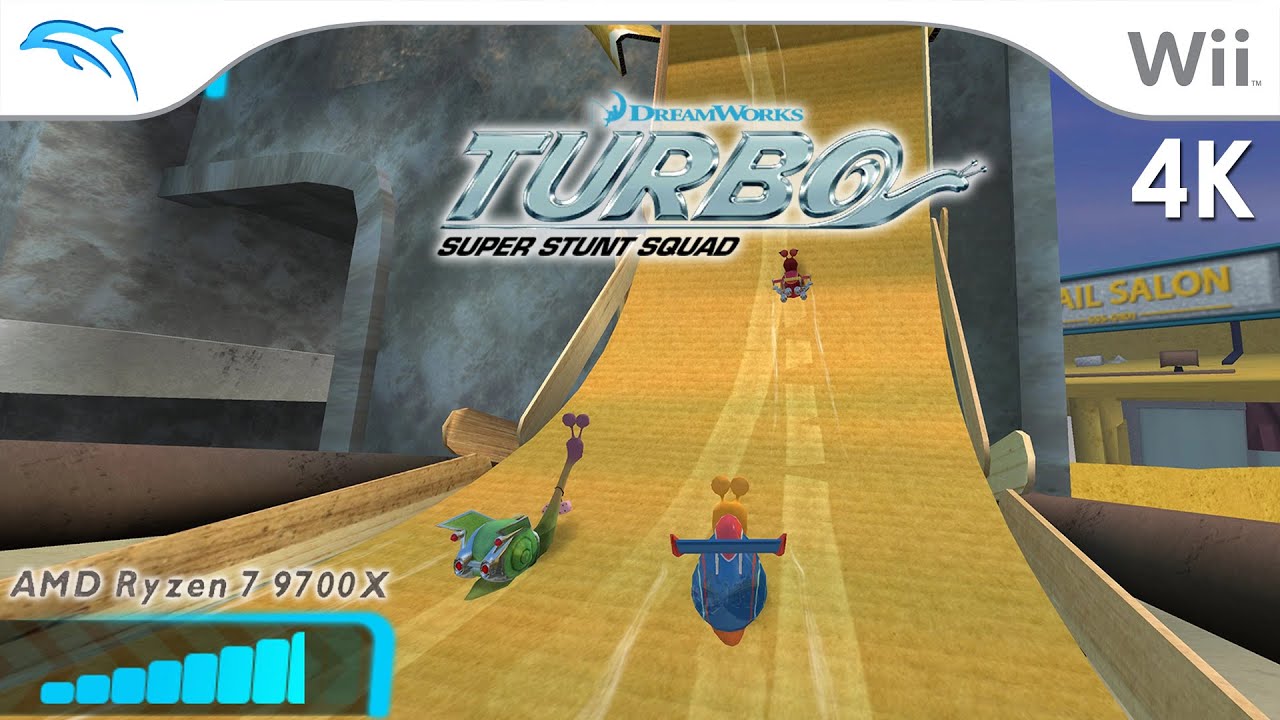
Turbo: Super Stunt Squad for the Nintendo Wii gameplay on Windows 11 PC via the Dolphin 2503-178 in 4K / UHD / 2160p / 60fps.
http://www.freeemulator.com/dolphin-e...
Official Dolphin emulator website: https://dolphin-emu.org/
---------
Below you'll find my PC build/specs (updated Jan. 1, 2025) with Amazon affiliate links.
As an Amazon Associate, I earn commission from qualifying purchases.
AMD Ryzen 7 9700X AM5 CPU (37,152 multithread / 4,654 single thread PassMark score)
https://amzn.to/4gAkZ7I
NVIDIA RTX 3060 12GB GPU (Emulation is mostly CPU reliant--this GPU still does well)
https://amzn.to/41S08bl
MSI B650 Gaming Plus WiFi AM5 ATX Motherboard
https://amzn.to/3BTmOgT
32GB DDR5 6000MT/s G.SKILL Ripjaws S5 Series Desktop Memory
https://amzn.to/3ZWeVze
2TB Samsung 980 Pro NVMe SSD
https://amzn.to/4iYQeeo
be quiet! Pure Base 500DX ATX Midi Tower PC case
https://amzn.to/4gA4f0p
-be quiet! Pure Rock 2 FX 150W TDP CPU Cooler | ARGB
https://amzn.to/40izNlS
Windows 11 (I finally updated from Windows 10 after I got my 9700X CPU on Jan. 1, 2025)
https://amzn.to/3BSBHQD
---------
The Dolphin emulator is officially available for Windows, Mac, Android, and Linux.
See all of our Nintendo Wii Dolphin gameplay videos:
http://bit.ly/1pehyII
http://bit.ly/1wnhIhO
With Dolphin you can play the best Wii games, such as Mario Galaxy 1 and 2, The Legend of Zelda: The Twilight Princess, Metroid Prime 3: Corruption, Super Smash Bros. Brawl, Kirby's Return to Dream Land, New Super Mario Bros. Wii, Wii Play, and Mario Kart Wii.
Here are my updated settings as of Jan. 1, 2025:
Options - Configuration - General:
[x] Enable Dual Core (speed)
Auto Update: Dev (multiple times a day)
Options - Configuration - Interface:
[x] Download Game Covers from GameTDB.com for Use in Grid Mode -- see the final setting below to enable this
[ ] Show On-Screen Display Messages -- I like to disable this to have a cleaner gameplay window
Options - Configuration - Audio:
[x] DSP HLE (fast) -- Sometimes I'll use the the DSP LLE Recompiler if I experience audio issues with HLE, but it is quite rare
Audio Backend: Cubeb
Options - Configuration - Wii:
Aspect Ratio: 16:9
Sensor Bar Position: Bottom
Options - Graphics Settings - General:
Backend: Direct3D 12 -- Direct3D 11 if having issues... but sometimes I'll test out OpenGL or Vulkan if D3D has issues (or if the Dolphin Wiki recommends it)
[x] V-Sync
[x] Hybrid Ubershaders -- The ubershaders option provides for better performance on high end machines. I sometimes use it, but if the game runs choppy then I'll just stick with the default Synchronous option.
[x] Compile Shaders Before Starting
Options - Graphics Settings - Enhancements:
Internal Resolution: 6x Native (3840x3168) for 4K
Anti-Aliasing: None
Texture Filtering: 1x (unless otherwise noted on the Dolphin Wiki for a particular game)
[x] Scaled EFB Copy
[x] Force 24-Bit Color
[x] Disable Copy Filter
As for the rest of the settings listed in "Enhancements," you'll only need to turn them on if a particular game needs them as per the Dolphin Wiki.
Options - Graphics Settings - Hacks:
[x] Skip EFB Access from CPU
Some games will need Skip EFB Access from CPU, but it can also break some. Check the Dolphin Wiki on a per-game basis.
[x] Ignore Format Changes
[x] Store EFB Copies to Texture Only
Texture Cache: Fast -- Some games need this set to Safe though to fix corrupted looking text and laggy/ghosty FMVs
[x] Store XFB Copies to Texture Only
[x] Skip Presenting Duplicate Frames
[x] Fast Depth Calculation
[x] Disable Bounding Box
[x] Save Texture Cache to State
*FOR USING THE MAYFLASH DOLPHINBAR (WHAT I USED)*
Options - Controller Settings:
[x] Emulate the Wii's Bluetooth adapter
Wii Remote 1: Real Wii Remote
[x] Enable Speaker Data
[x] Continuous Scanning
View:
[x] Grid View (if you'd like to do game cover view)
------------------
Intro BGM: "NINTENDO Mii Theme (Trap Remix)"
• NINTENDO Mii THEME (OFFICIAL TRAP REMIX) -...
Outro BGM: "Super Mario World Dubstep ▸ Game Over – Akosmo Remix ~ GameChops Spotlight"
• Super Mario World Dubstep ▸ Game Over – Ak...
http://www.FreeEmulator.com has been serving up the top-rated video game emulators for years. You will find an emulator for all of the following operating systems: Android, BlackBerry, iOS, Linux, Mac, Windows, & Windows Phone.
Free Emulator doesn't host roms, we only host emulators.
This video is meant for educational purposes. Brain in a Jar, Nordic Games, Virtual Play Games, and Nintendo are the authors of this game for the purpose of copyright. All rights reserved.
• Turbo: Super Stunt Squad (4K / 2160p / 60f...





![Turbo: Super Stunt Squad (Wii) - Gameplay [4K 60FPS]](https://i.ytimg.com/vi/GOe8RdPUXSc/maxresdefault.jpg)








Информация по комментариям в разработке