#googlegeminiaiphotoediting
#trending3daiediting
#instagramtrending3dphotoediting
#ai #aiphotoediting #gemini #trending #trendingphotoediting
Prompt
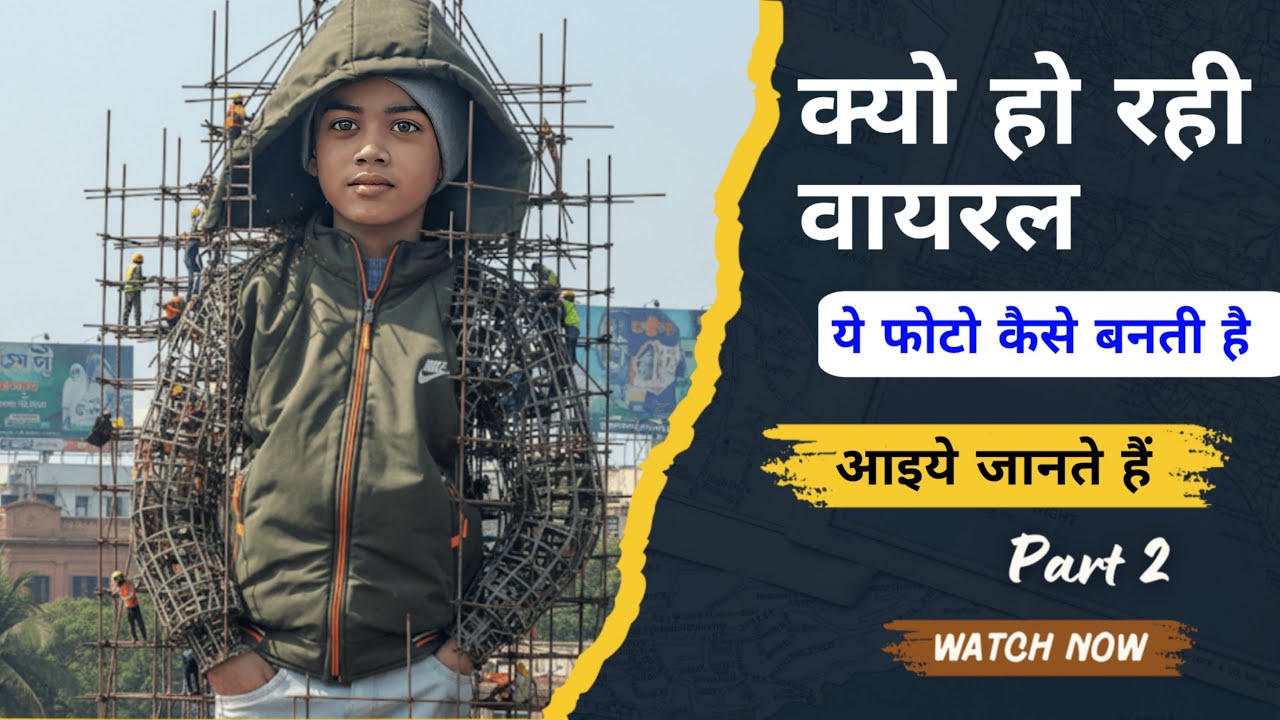
Create a giant hyper-realistic statue based on the given photo, keeping the original face exactly the same without changes. The statue stands tall in the middle of a roundabout in Dhaka, near a famous historical landmark. The statue is still under construction, surrounded by scaffolding, with many construction workers in yellow helmets and orange vests climbing, welding, and working on it. Parts of the statue's body are still exposed metal framework, while other sections are already detailed and finished.
The background shows the realistic atmosphere of (add here Your fav city name) city: crowded streets with colorful rickshaws, packed buses, and small cars circling the roundabout. Street vendors with tea stalls, fruit carts, and colorful umbrellas line the roadside. Shop signs, big billboards, and messy hanging electric wires crisscross above the streets, creating the typical Bangalore city vibe. The bright daytime sky shines above, with tropical trees and a bustling, lively atmosphere. Style: ph
In this video
Google's Gemini is an advanced AI model that powers a range of photo editing tools integrated into apps like Google Photos, the Gemini app, and devices such as the Pixel 9 series. It allows users to edit images conversationally—meaning you can describe changes in natural language (e.g., "remove the background clutter" or "change the wall color to blue")—without needing complex software. This feature leverages models like Gemini 2.0 Flash and the newer Nano Banana for generating, refining, and transforming photos. It's designed for both casual users and creators, handling tasks from basic tweaks to creative overhauls.
Key Features of Gemini AI Photo Editing
**Conversational Edits**: Upload a photo to the Gemini app or Google Photos and chat with the AI. For example, on Pixel devices, you can say, "Make this photo brighter and add a sunset filter," and it processes the request step-by-step.
**Object Manipulation**: Remove or add elements, like erasing distracting objects, replacing backgrounds, or inserting new items (e.g., putting a hat on a pet). It maintains consistency in faces and identities to avoid unnatural results.
**Style Transformations**: Apply artistic styles, such as turning a photo into a cartoon, watercolor painting, or retro gaming character. Nano Banana excels here, creating high-resolution edits like superhero comics or vintage portraits.
**Multi-Turn Editing**: Make iterative changes to the same image. Start with one edit (e.g., wallpaper a room), then refine (e.g., add furniture) in follow-up prompts.
**Integration with Google Photos**: On Pixel phones, features like Magic Editor use Gemini for advanced edits, including unblurring photos, adjusting poses, or enhancing food photography. It's available via the "Ask Photos" tool for natural-language requests.
**Image Generation and Blending**: Combine multiple photos (e.g., merge a person from one image with an object from another) or generate new elements based on prompts. All edited images include a SynthID watermark for authenticity.
How to Use Gemini AI Photo Editing
1. **Via the Gemini App (Web or Mobile)**:
Go to gemini.google.com or open the Gemini app.
Upload an image using the upload button.
Enter a prompt like: "Edit this photo to make it look like a professional headshot in black and white."
Gemini generates the edited version; refine with follow-up chats.
2. **In Google Photos (Pixel Devices)**:
Open the Google Photos app on a Pixel 9 or later.
Select a photo, tap Edit, and choose Magic Editor (powered by Gemini).
Describe changes in the chat interface, e.g., "Remove the messy clothes in the background."
3. **Tips for Better Results**:
Be specific in prompts: Include details like style (e.g., "photorealistic"), subject actions, and settings.
For people-focused edits, it handles facial expressions and poses well but may need tweaks for complex scenes like food.
Free users get limited generations (e.g., 100 images/day); Gemini Advanced subscribers have higher limits.
Video Related topic
Google Gemini AI 3D photo editing kaise karen
Google Gemini 3D photo editing
Google Gemini 3D editing prompt
Google Gemini se 3D photo edit kaise karte hain
Google Gemini ke dwara 3D edit photo kaise karen
Google Gemini AI app kaise download Karen
Google Gemini app kya hai
Google Gemini AI se 3D photo Instagram trending kaise banaen
Instagram trending 3D photo editing AI
AI 3D photo editing Google Gemini
statue photo kaise banaye
statue photo kaise banaen
statue image editing
statue image 3d ai
ai statue image kaise banaye
ai statue photo kaise banaye
trending statue ai wala photo kaise banaye
statue photo gemini
statue image gemini
statue ai photo gemini se kaise banaye

Информация по комментариям в разработке