Logo video2dn
  • Сохранить видео с ютуба
  • Категории
    • Музыка
    • Кино и Анимация
    • Автомобили
    • Животные
    • Спорт
    • Путешествия
    • Игры
    • Люди и Блоги
    • Юмор
    • Развлечения
    • Новости и Политика
    • Howto и Стиль
    • Diy своими руками
    • Образование
    • Наука и Технологии
    • Некоммерческие Организации
  • О сайте

Скачать или смотреть Automate Bulk Power BI Updates with AI (Completely Free!)

  • Power BI with Akshay
  • 2025-12-30
  • 758
Automate Bulk Power BI Updates with AI (Completely Free!)
Power BIData VisualizationData AnalysisDAXPower BI TutorialPower BI Modeling MCP ServerMCP ServerAgentic AIModel Context Protocol
  • ok logo

Скачать Automate Bulk Power BI Updates with AI (Completely Free!) бесплатно в качестве 4к (2к / 1080p)

У нас вы можете скачать бесплатно Automate Bulk Power BI Updates with AI (Completely Free!) или посмотреть видео с ютуба в максимальном доступном качестве.

Для скачивания выберите вариант из формы ниже:

  • Информация по загрузке:

Cкачать музыку Automate Bulk Power BI Updates with AI (Completely Free!) бесплатно в формате MP3:

Если иконки загрузки не отобразились, ПОЖАЛУЙСТА, НАЖМИТЕ ЗДЕСЬ или обновите страницу
Если у вас возникли трудности с загрузкой, пожалуйста, свяжитесь с нами по контактам, указанным в нижней части страницы.
Спасибо за использование сервиса video2dn.com

Описание к видео Automate Bulk Power BI Updates with AI (Completely Free!)

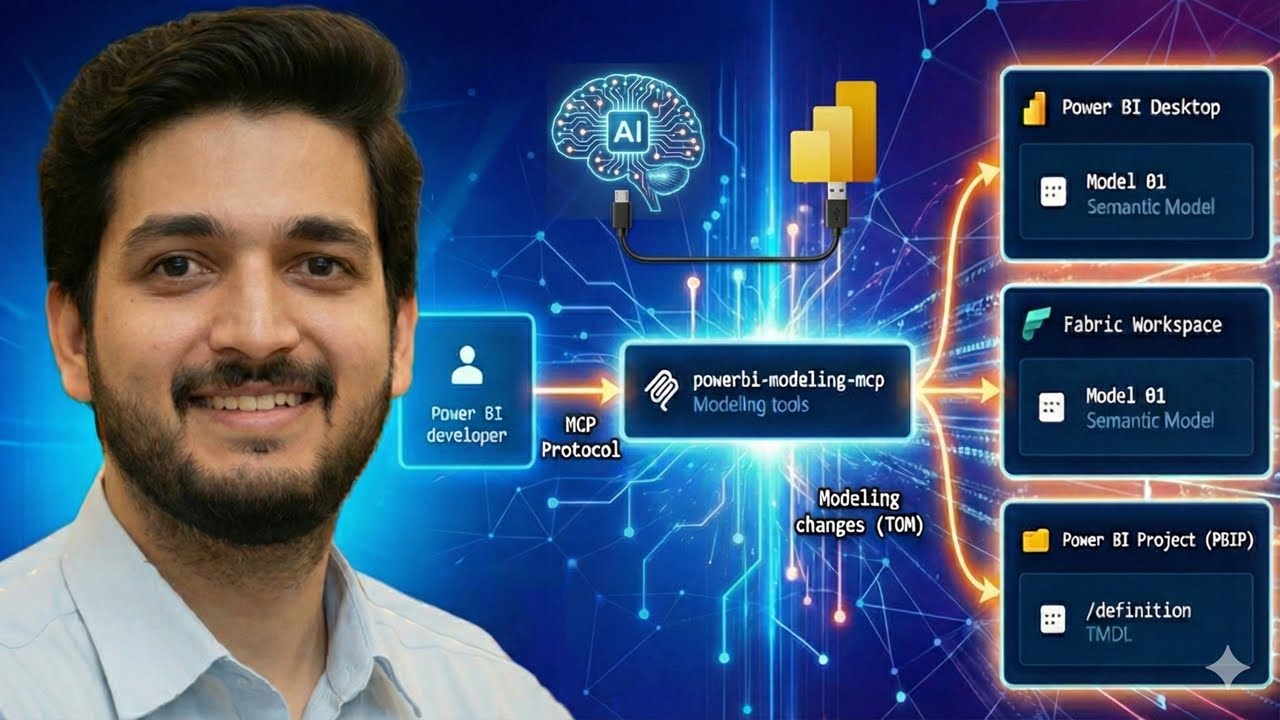
In this video, we dive deep into the game-changing Power BI Modeling MCP Server. Learn how to leverage Agentic AI to automate bulk updates, document your tables, and even "self-heal" broken DAX expressions using the Model Context Protocol (MCP).

Whether you are a data architect or a Power BI developer, this will save you hours of tedious work by allowing you to interact with your semantic models using simple natural language prompts within VS Code.

🕒 Timestamps:
0:00 - Intro: The end of manual Power BI updates?
0:29 - What is an MCP Server? (Model Context Protocol explained)
1:05 - Step 1: Setting up VS Code & GitHub Copilot
2:05 - Step 2: Connecting your .pbix file via the MCP Server
3:20 - Demo 1: Getting a list of all DAX measures
3:50 - Demo 2: Bulk renaming measures for standardization
5:36 - Demo 3: Renaming Fact and Dimension tables in seconds
7:11 - Demo 4: Automated documentation (AI table descriptions)
8:16 - Demo 5: Self-healing DAX (Fixing issues)
9:50 - Demo 6: Professional DAX formatting
10:40 - Final Thoughts

— — — — — — — — — — — — — — — — — — — — — — —

🚀 Resources & Links:
Step by Step Guide: https://akshaymishrabi.medium.com/bul...

— — — — — — — — — — — — — — — — — — — — — — —

Subscribe for more Power BI Tips:    / @powerbiwithakshay  

— — — — — — — — — — — — — — — — — — — — — — —

Related Video (Power BI & DAX Tutorial):    • Power BI Tutorials | DAX Tutorials  

— — — — — — — — — — — — — — — — — — — — — — —

✨Master DAX:
Blogs:   / akshaymishrabi  

— — — — — — — — — — — — — — — — — — — — — — —
Power BI, Power BI Tutorial, Power BI Modeling MCP Server, Power BI MCP Server, Model Context Protocol, Power BI AI Automation, Agentic AI Power BI, GitHub Copilot, Power BI, VS Code Power BI Extension, Semantic Model Automation

XMLA Endpoint Power BI, Tabular Object Model, Bulk Rename Power BI Measures, Automated Data Documentation, Fix Broken DAX AI, DAX Formatting Automation, Microsoft Fabric AI

How to use Power BI MCP Server, Power BI development workflow 2025, AI for Data Analysts, Power BI productivity hacks, Automate Power BI documentation
— — — — — — — — — — — — — — — — — — — — — — —
#PowerBI #powerbitutorial #AgenticAI #MCPserver #DataModeling #DAX #MicrosoftFabric #VSCode #GitHubCopilot #PowerBIAutomation #SemanticModel #DataEngineering #BusinessIntelligence

✨Master DAX:
Blogs:   / akshaymishrabi  

Комментарии

Информация по комментариям в разработке

Похожие видео

  • О нас
  • Контакты
  • Отказ от ответственности - Disclaimer
  • Условия использования сайта - TOS
  • Политика конфиденциальности

video2dn Copyright © 2023 - 2025

Контакты для правообладателей [email protected]