Logo video2dn
  • Сохранить видео с ютуба
  • Категории
    • Музыка
    • Кино и Анимация
    • Автомобили
    • Животные
    • Спорт
    • Путешествия
    • Игры
    • Люди и Блоги
    • Юмор
    • Развлечения
    • Новости и Политика
    • Howto и Стиль
    • Diy своими руками
    • Образование
    • Наука и Технологии
    • Некоммерческие Организации
  • О сайте

Скачать или смотреть 2013 Nissan LEAF - Headlights and Exterior Lights

  • Nissan Owner Channel
  • 2015-04-18
  • 2608
2013 Nissan LEAF - Headlights and Exterior Lights
HeadlightsExteriorLightsControlcars2013NissanLEAFEQRGElectronicQuickReferenceGuidehowtoelectric carleafreference videoshybrid
  • ok logo

Скачать 2013 Nissan LEAF - Headlights and Exterior Lights бесплатно в качестве 4к (2к / 1080p)

У нас вы можете скачать бесплатно 2013 Nissan LEAF - Headlights and Exterior Lights или посмотреть видео с ютуба в максимальном доступном качестве.

Для скачивания выберите вариант из формы ниже:

  • Информация по загрузке:

Cкачать музыку 2013 Nissan LEAF - Headlights and Exterior Lights бесплатно в формате MP3:

Если иконки загрузки не отобразились, ПОЖАЛУЙСТА, НАЖМИТЕ ЗДЕСЬ или обновите страницу
Если у вас возникли трудности с загрузкой, пожалуйста, свяжитесь с нами по контактам, указанным в нижней части страницы.
Спасибо за использование сервиса video2dn.com

Описание к видео 2013 Nissan LEAF - Headlights and Exterior Lights

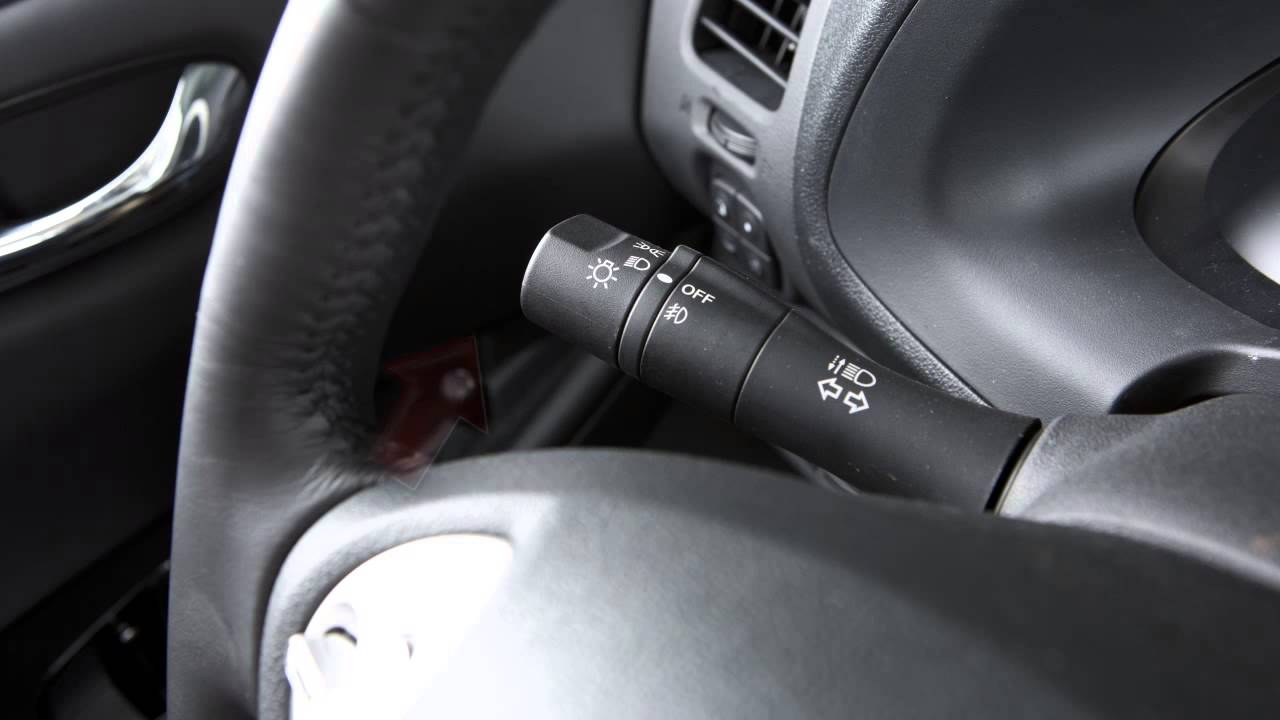
To turn ON your front parking lights, side marker, tail lights, license plate light and instrument panel lights, turn the headlight switch to THIS position. To turn ON the front headlights, turn the switch to THIS position. All the other lights will stay ON. To turn ON your high beam headlights, push this lever forward. Pull it back toward you to select low beam. To make your high beam headlights flash ON and OFF, pull the lever toward you and release it.

To signal turns, move it upward for a right turn, down for a left turn. When you've completed the turn, the signal cancels automatically. To signal a lane change, push this lever lightly up or down, not as far as for a complete turn.

Fog lights create a wide beam pattern, focused lower than the headlights. This minimizes reflected light and helps you see better in foggy conditions. If your vehicle is equipped with fog lights, here's how to activate them. Your headlights must be ON and low beam selected. Then rotate the switch to THIS position and your fog lights will come ON. Turn the switch to OFF to return to low beam and deactivate the fog lights. If you turn the high beam headlights ON, the fog lights will automatically turn OFF.

If your vehicle is equipped with the Autolight system, you can preset the headlights to automatically operate based on exterior lighting conditions. The headlights will also turn ON automatically if the windshield wipers are operated continuously. To activate this system, simply turn the headlight switch to the AUTO position, then turn ON the vehicle. To turn the system OFF, turn the headlight switch to any other setting. The Autolight system will also keep the headlights ON for a period of time after you turn the vehicle OFF and close all doors. There is a light sensor that controls the Autolight system on the top of the instrument panel. Keep that area clear of papers and other material.

Комментарии

Информация по комментариям в разработке

Похожие видео

  • О нас
  • Контакты
  • Отказ от ответственности - Disclaimer
  • Условия использования сайта - TOS
  • Политика конфиденциальности

video2dn Copyright © 2023 - 2025

Контакты для правообладателей [email protected]