Logo video2dn
  • Сохранить видео с ютуба
  • Категории
    • Музыка
    • Кино и Анимация
    • Автомобили
    • Животные
    • Спорт
    • Путешествия
    • Игры
    • Люди и Блоги
    • Юмор
    • Развлечения
    • Новости и Политика
    • Howto и Стиль
    • Diy своими руками
    • Образование
    • Наука и Технологии
    • Некоммерческие Организации
  • О сайте

Скачать или смотреть SEO Manager - Google Webmaster tools CSV import

  • mogulecm
  • 2012-10-25
  • 1075
SEO Manager - Google Webmaster tools CSV import
SEOFriendly URLSEOManagerSEO ManagerMogulEPiServerEpiCMSR2Software Tutorial
  • ok logo

Скачать SEO Manager - Google Webmaster tools CSV import бесплатно в качестве 4к (2к / 1080p)

У нас вы можете скачать бесплатно SEO Manager - Google Webmaster tools CSV import или посмотреть видео с ютуба в максимальном доступном качестве.

Для скачивания выберите вариант из формы ниже:

  • Информация по загрузке:

Cкачать музыку SEO Manager - Google Webmaster tools CSV import бесплатно в формате MP3:

Если иконки загрузки не отобразились, ПОЖАЛУЙСТА, НАЖМИТЕ ЗДЕСЬ или обновите страницу
Если у вас возникли трудности с загрузкой, пожалуйста, свяжитесь с нами по контактам, указанным в нижней части страницы.
Спасибо за использование сервиса video2dn.com

Описание к видео SEO Manager - Google Webmaster tools CSV import

As an EPiServer administrator I want to import a CSV file with links from Google webmaster tools.

Welcome to this video about SEO Manager for EPiServer.
I'm going to show you how to import a CSV file with URLs from Google Webmaster tools.
I will start by going to Google Webmaster tools and there selecting my site.
What I want to do now is to export all URLs that Google marks as Not Found pages.
I will simply mark all URLs in the list and export them as a CSV file.
Now it's time to go to SEO Manager and import the URLs.
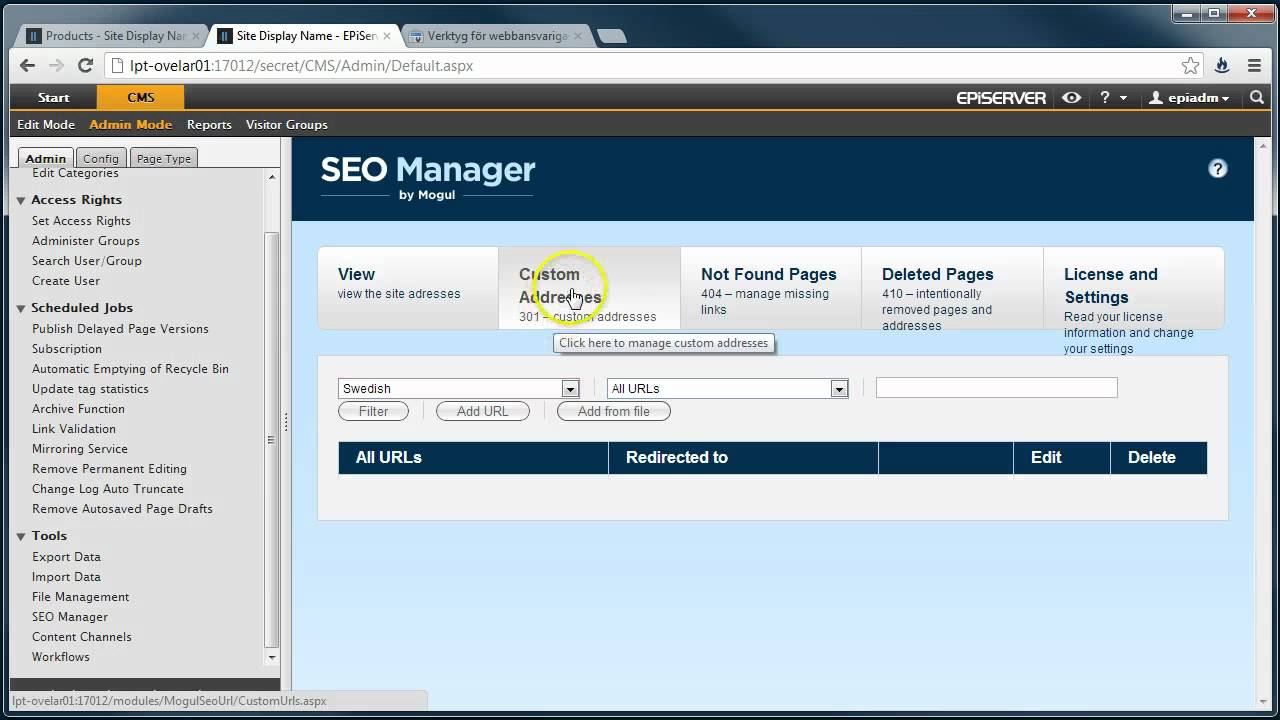
We will go to "custom addresses" because we want to redirect these URLs to existing pages.
Be sure to select the correct language.
Click on "Add from file", then select the CSV file from your disc and click on "upload file".
When the file has been uploaded and parsed you will get information about the URLs in the file. Click "Commit and save".
When we have closed the import window you can see that the list has been updated with the imported URLs. The URLs have no redirections yet so we need to edit the URLs and specify where they should be redirected.
After that, just click on the URL to see that the redirection works.

More information: http://www.mogul.com/en/seo-manager

Комментарии

Информация по комментариям в разработке

Похожие видео

  • О нас
  • Контакты
  • Отказ от ответственности - Disclaimer
  • Условия использования сайта - TOS
  • Политика конфиденциальности

video2dn Copyright © 2023 - 2025

Контакты для правообладателей [email protected]