Logo video2dn
  • Сохранить видео с ютуба
  • Категории
    • Музыка
    • Кино и Анимация
    • Автомобили
    • Животные
    • Спорт
    • Путешествия
    • Игры
    • Люди и Блоги
    • Юмор
    • Развлечения
    • Новости и Политика
    • Howto и Стиль
    • Diy своими руками
    • Образование
    • Наука и Технологии
    • Некоммерческие Организации
  • О сайте

Скачать или смотреть Xfer OTT tutorial

  • Andrei Martinez Agras
  • 2020-07-23
  • 23324
Xfer OTT tutorial
amagras musicAndrei Martinez Agras
  • ok logo

Скачать Xfer OTT tutorial бесплатно в качестве 4к (2к / 1080p)

У нас вы можете скачать бесплатно Xfer OTT tutorial или посмотреть видео с ютуба в максимальном доступном качестве.

Для скачивания выберите вариант из формы ниже:

  • Информация по загрузке:

Cкачать музыку Xfer OTT tutorial бесплатно в формате MP3:

Если иконки загрузки не отобразились, ПОЖАЛУЙСТА, НАЖМИТЕ ЗДЕСЬ или обновите страницу
Если у вас возникли трудности с загрузкой, пожалуйста, свяжитесь с нами по контактам, указанным в нижней части страницы.
Спасибо за использование сервиса video2dn.com

Описание к видео Xfer OTT tutorial

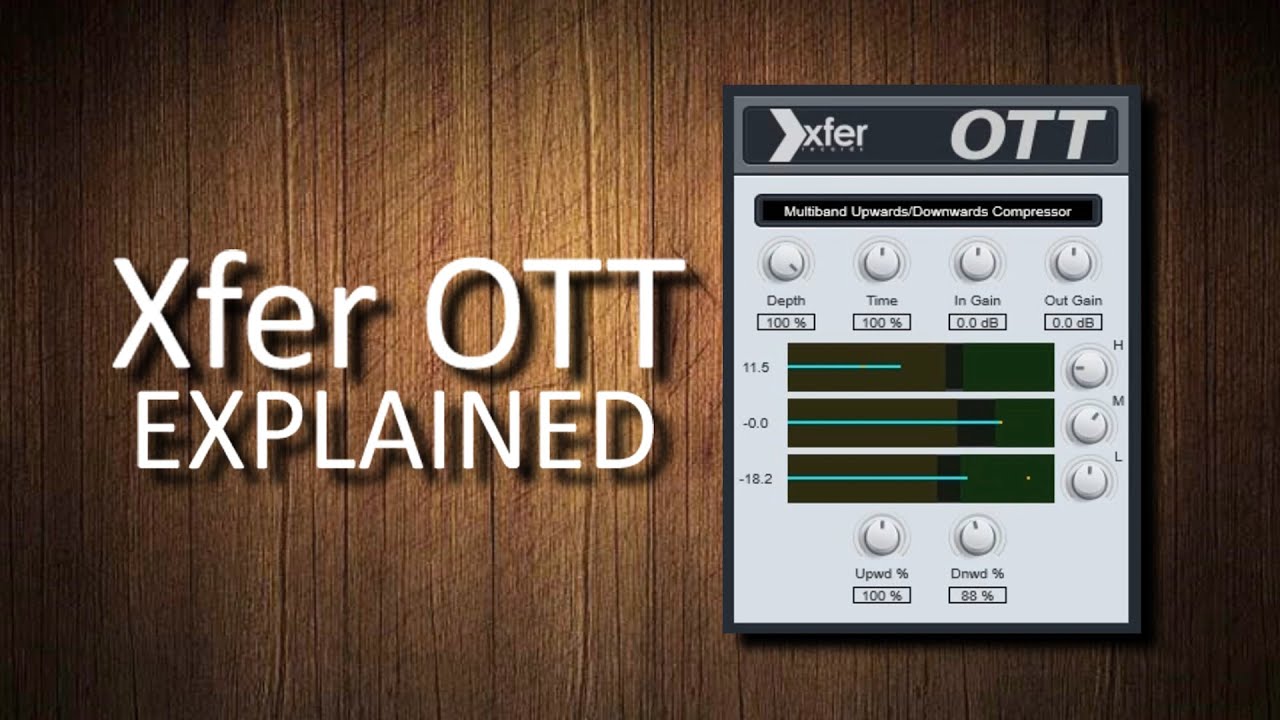
Please note that when we mention "expansion" we are talking about upward compression, it means that the softer notes will be increased in volume as opposed to traditional compression where the loudest notes are reduced or traditional upward expansion where the loudest notes are increased even more. Thx NMHindman for noticing!

When activating OTT
we don't hear what we
would normally expect
from a multiband
compressor.

DEPTH is a
normal wet-dry control
that when at minimum
is the equivalent of the
bypass button.

OTT divides the signal
into three frequency
bands with volume
controls on the right
that will allow us to
isolate them for our
analysis.

The original audio is
the little yellow dot. The
light green list indicates
how far the compressor
is carrying the new
audio away from the
original.

If the yellow dot falls in
the olive green area, the
signal will be expanded
(increased).

As in this case the
yellow dot is in the olive
area (expander) the list
surpasses it for being
increased.

That's what expanders do.

If the yellow dot falls in
the dark green area, the
signal will be
compressed (reduced).

Here we see that the
green list is reduced
(compressed) below
the dot, the reason
that it stops as soon
as it hits the dark
green is the high ratio
of this compressor.

Once the type and
amount of compression
has been decided, the
level of the band can be
adjusted, even to Unity
Gain!

The best way to reduce
the compression of a
band is to put the dot
inside the black space
between the two
thresholds.

In very dynamic signals
there will always be a
little compression
and / or expansion,
but who cares?

Especially since you are almost certainly going
to want to use all of this in parallel with Depth.

To decrease the amount
of compression, simply
move the threshold
closer to the yellow dot.
To increase it, move it
away.

Parallel to all of this you
may be using the
volume controls
creatively as opposed to
using them to return
channels to Unity Gain.

This behavior is
encouraged.

Upwd will control the
amount of expansion.
This will only cause a
visible change in the
bands that are using
their expanders.

If we decrease it we can
see how the light green
list on the Hi band
approaches the yellow
dot and both move
more similarly. This
means less expansion.

If we increase it we
will see how the list
increases in volume
and it moves more
freely. This means
more expansion.

If we decrease Dnwd
to the maximum we
will see how the light
green list and the dot
are joined, there is no
compression.

If we increase it, we will
notice that although the
Mid band is also being
compressed, the clear
list slightly exceeds the
threshold, this is not a
ratio indicator but is
caused by the volume
control that is above
zero.

By using Depth and Out
gain in combination we
will be bringing back
part of the original
sound in parallel. Most
times it might better to
define depth at the
beginning.

Time changes the
reaction times (attack
and release, we assume
relatively) of all
compressors at once.

It seems to us that it
sounds more punchy
at the minimum and
softer at the maximum.
What do you hear?

Ctrl + Click (PC)
to reset to the
initial value.

Now is the time to
hear in context and
create a truly usable
timbre.

Start with the volume
controls on the bands
to sculpt the sound.
Keep the volume at
Unity with Out gain.

OTT crossovers have
been specially placed
so that you have
independent power
over the pure bass
area (L), punch (M)
and brightness (H).

By moving the
thresholds instead you
are going to change
the projection of these
three bands and with
amazing ease also
change the timbre...
and what could
possibly be the
generation of some
new harmonics.

All of these controls
can inflict a great
change in sound, so
the plugin can also be
used intuitively without
thinking and achieve as
good results as
otherwise.

*All the music featured in this channel is our own unless otherwise stated. Reproduction is prohibited without the express consent of the authors.

Enjoy!
http://amagrasmusic.com

Get the music:
https://thewit.bandcamp.com

Use this link to save an additional 10% off any purchase at Waves Audio with code YNY23: https://waves.alzt.net/OW4GW

Комментарии

Информация по комментариям в разработке

Похожие видео

  • О нас
  • Контакты
  • Отказ от ответственности - Disclaimer
  • Условия использования сайта - TOS
  • Политика конфиденциальности

video2dn Copyright © 2023 - 2025

Контакты для правообладателей [email protected]