Logo video2dn
  • Сохранить видео с ютуба
  • Категории
    • Музыка
    • Кино и Анимация
    • Автомобили
    • Животные
    • Спорт
    • Путешествия
    • Игры
    • Люди и Блоги
    • Юмор
    • Развлечения
    • Новости и Политика
    • Howto и Стиль
    • Diy своими руками
    • Образование
    • Наука и Технологии
    • Некоммерческие Организации
  • О сайте

Скачать или смотреть QPSX - Playstation 1 emulator for SF2000 / GB300 - Cheap Retro Handhelds

  • PSI-Q
  • 2026-01-16
  • 90
QPSX - Playstation 1 emulator for SF2000 / GB300 - Cheap Retro Handhelds
  • ok logo

Скачать QPSX - Playstation 1 emulator for SF2000 / GB300 - Cheap Retro Handhelds бесплатно в качестве 4к (2к / 1080p)

У нас вы можете скачать бесплатно QPSX - Playstation 1 emulator for SF2000 / GB300 - Cheap Retro Handhelds или посмотреть видео с ютуба в максимальном доступном качестве.

Для скачивания выберите вариант из формы ниже:

  • Информация по загрузке:

Cкачать музыку QPSX - Playstation 1 emulator for SF2000 / GB300 - Cheap Retro Handhelds бесплатно в формате MP3:

Если иконки загрузки не отобразились, ПОЖАЛУЙСТА, НАЖМИТЕ ЗДЕСЬ или обновите страницу
Если у вас возникли трудности с загрузкой, пожалуйста, свяжитесь с нами по контактам, указанным в нижней части страницы.
Спасибо за использование сервиса video2dn.com

Описание к видео QPSX - Playstation 1 emulator for SF2000 / GB300 - Cheap Retro Handhelds

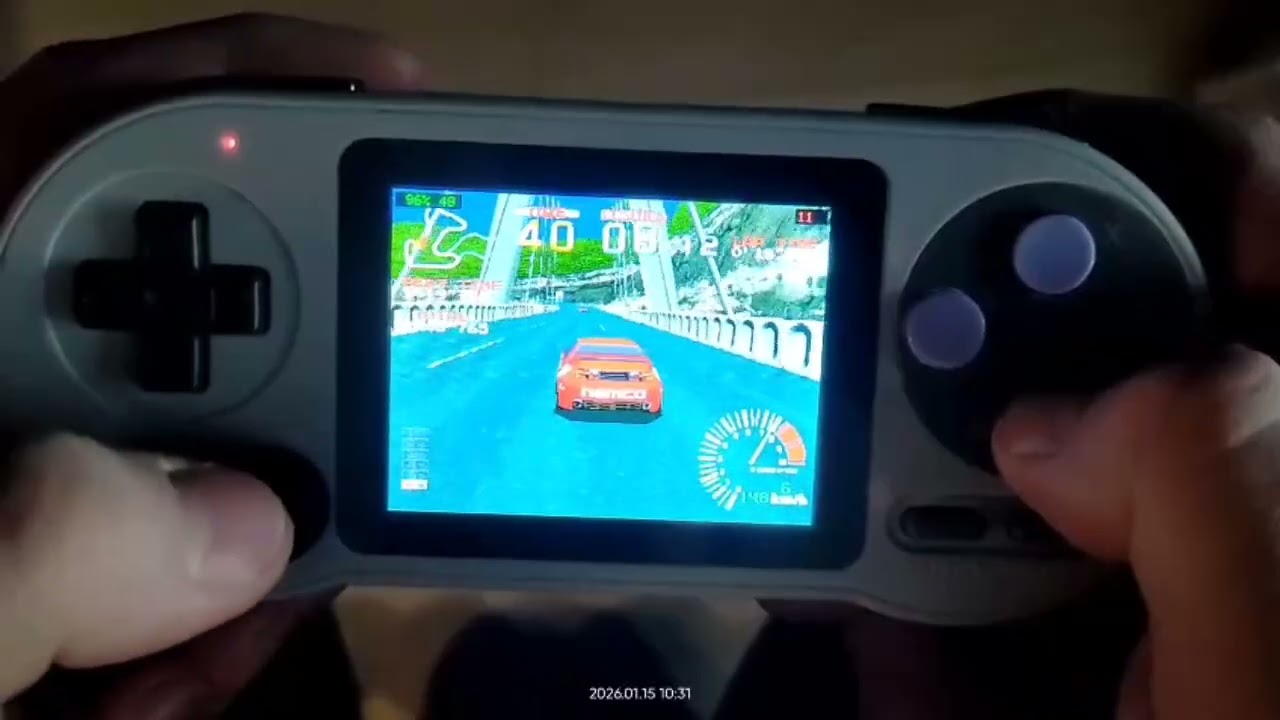
So I got PSX games running on the SF2000/GB300. Here's the deal.

Download: https://github.com/angree/sf2000-qpsx...

The technical stuff

This is a PCSX4ALL port with MIPS-to-MIPS dynamic recompilation. Since the SF2000's CPU is also MIPS architecture, the dynarec translates PSX code almost directly to native instructions. That's the only reason this works at all on such weak hardware.

Requires multicore v0.1+ and games in CUE/BIN format.

What actually runs

Smooth gameplay: GTA 1, Rayman, Ridge Racer, Tekken 1, Crash Bandicoot, Wipeout 3, most 2D titles with some frameskip

Playable with tweaking: Many 3D games if you find the right settings

Forget about it: Soul Blade, Colin McRae 2 (though CM1 works better weirdly), GTA 2

Reality check: most 3D games hit 6-10 FPS. Some can be pushed above that with the right Cycles setting and become genuinely playable. Others just won't cooperate.

Tips I learned the hard way

Audio crackling in 3D games? Increase cycles! It slows down gameplay but with significant chunk of games you can reduce that effect to near zero. Lower the Target Speed to 70-80% and experiment with it, but it comes at a cost to the performance.

Frameskip seems useless. That's because CPU emulation is the bottleneck, not GPU. Frameskip helps in 2D games and simple 3D stuff, but won't save heavy titles. Avoid it when your real FPS (top right corner) is already low so in most 3d games.

Pick PAL versions when possible - slightly lower CPU requirements than NTSC.

CD audio as is was slowing down the emulation. (card i/o bottleneck) The emulator can compress audio tracks to ADPCM (shrinks them massively). I forgot to include PC converter in this release but you will find it with older release (requires node.js). You can also compress it into adpcm on the device inside of CDDA Toolkit, but it takes 10-40 minutes instead of 0.5-2 minutes like on the pc. There's also a preload option that loads short tracks entirely into RAM for gapless playback. We save like 16x space by changing audio to 22khz mono and compressing with ADPCM. Some cheaper cards can have slowdowns while playing music non stop so this option becomes very useful with chinesium card that you should have replaced, but didn't.

Current limitations
Memory card saves only (no save states)
Trial and error to find what works and what is playable

I'm working on automatic game presets for future versions - the emulator will load optimal Frameskip/Cycles settings per game automatically. (at least for the 150 titles that I am testing now)

Setup

Core goes to cores/qpsx/, BIOS to bios/, (bios is not necessary, 95%+ of the games that run on real BIOS also with run with built-in HLE bios) games need subfolders in ROMS/qpsx/ with stub files (check the README, it's a specific structure). Basically you need to copy only .cue file there, create a folder with the same name (just without ".cue" part) and then place all files (cue+bin) into that folder. This is not to produce 60 shortcuts to a game in multicore version of the emulator. Remember to run the bat from the main card's folder to refresh the game list.

There is also a FrogUI version now that doesn't crash when you press start+select.

Hold START for 3 secs to open settings menu in-game. Setup menu now opens automatically before start. I will probably leave this as an option. Remember many options (cycles, or reducing frameskip from 1 to 0) require emulator restart.

GitHub: https://github.com/angree/sf2000-qpsx...

Good luck!

---

It won't replace your childhood PS1, but GTA on a device that costs less than a pizza? I'll take it.

Комментарии

Информация по комментариям в разработке

Похожие видео

  • О нас
  • Контакты
  • Отказ от ответственности - Disclaimer
  • Условия использования сайта - TOS
  • Политика конфиденциальности

video2dn Copyright © 2023 - 2025

Контакты для правообладателей [email protected]