Logo video2dn
  • Сохранить видео с ютуба
  • Категории
    • Музыка
    • Кино и Анимация
    • Автомобили
    • Животные
    • Спорт
    • Путешествия
    • Игры
    • Люди и Блоги
    • Юмор
    • Развлечения
    • Новости и Политика
    • Howto и Стиль
    • Diy своими руками
    • Образование
    • Наука и Технологии
    • Некоммерческие Организации
  • О сайте

Скачать или смотреть Preventing Spotlight from Finding Apps and Files in Parallels Virtual Machines

  • Tom Nash
  • 2016-02-09
  • 2160
Preventing Spotlight from Finding Apps and Files in Parallels Virtual Machines
Mac OS XMacParallelsSpotlightTipHow-To
  • ok logo

Скачать Preventing Spotlight from Finding Apps and Files in Parallels Virtual Machines бесплатно в качестве 4к (2к / 1080p)

У нас вы можете скачать бесплатно Preventing Spotlight from Finding Apps and Files in Parallels Virtual Machines или посмотреть видео с ютуба в максимальном доступном качестве.

Для скачивания выберите вариант из формы ниже:

  • Информация по загрузке:

Cкачать музыку Preventing Spotlight from Finding Apps and Files in Parallels Virtual Machines бесплатно в формате MP3:

Если иконки загрузки не отобразились, ПОЖАЛУЙСТА, НАЖМИТЕ ЗДЕСЬ или обновите страницу
Если у вас возникли трудности с загрузкой, пожалуйста, свяжитесь с нами по контактам, указанным в нижней части страницы.
Спасибо за использование сервиса video2dn.com

Описание к видео Preventing Spotlight from Finding Apps and Files in Parallels Virtual Machines

This was driving me nuts. I use Mac OS X Spotlight all the time to launch apps. A quick CMD+Spacebar and type in a few letters to launch an app. It's great. However I use Parallels for some work sh1t that requires I run Windows. So Spotlight finds apps and files that are in my virtual machine and launches them by accident.

For example I type in SL to get Slack to come up in Spotlight. I see "Slack" for a brief second so I hit Return to launch but it then quickly changes to SL Launcher which is some windows app installer and now Parallels launches, my Virtual Machine starts to launch to get that installer to run. Yikes.

So here I show you how to prevent Spotlight from finding and launching those apps that are in your Parallels virtual machines.

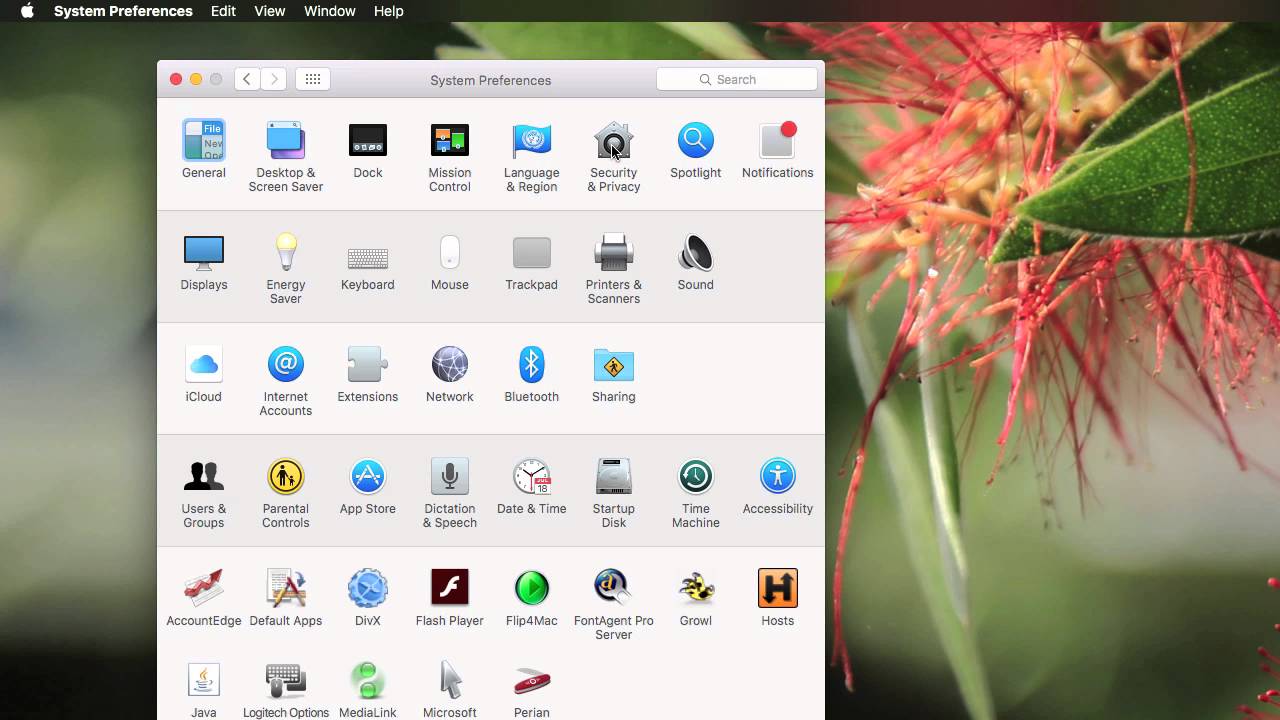
Go to system preferences, click on Spotlight. Then head to the Privacy tab. From here, click the + button to add a location to exclude. Now navigate to your user directory and find a directory called "Applications (Parallels)" and choose that. This is the location where there are alias to Windows apps in Parallels.

Комментарии

Информация по комментариям в разработке

Похожие видео

  • О нас
  • Контакты
  • Отказ от ответственности - Disclaimer
  • Условия использования сайта - TOS
  • Политика конфиденциальности

video2dn Copyright © 2023 - 2025

Контакты для правообладателей [email protected]