Logo video2dn
  • Сохранить видео с ютуба
  • Категории
    • Музыка
    • Кино и Анимация
    • Автомобили
    • Животные
    • Спорт
    • Путешествия
    • Игры
    • Люди и Блоги
    • Юмор
    • Развлечения
    • Новости и Политика
    • Howto и Стиль
    • Diy своими руками
    • Образование
    • Наука и Технологии
    • Некоммерческие Организации
  • О сайте

Скачать или смотреть How to: Overlay molecules in Mercury

  • CCDCCambridge
  • 2024-07-11
  • 1692
How to: Overlay molecules in Mercury
  • ok logo

Скачать How to: Overlay molecules in Mercury бесплатно в качестве 4к (2к / 1080p)

У нас вы можете скачать бесплатно How to: Overlay molecules in Mercury или посмотреть видео с ютуба в максимальном доступном качестве.

Для скачивания выберите вариант из формы ниже:

  • Информация по загрузке:

Cкачать музыку How to: Overlay molecules in Mercury бесплатно в формате MP3:

Если иконки загрузки не отобразились, ПОЖАЛУЙСТА, НАЖМИТЕ ЗДЕСЬ или обновите страницу
Если у вас возникли трудности с загрузкой, пожалуйста, свяжитесь с нами по контактам, указанным в нижней части страницы.
Спасибо за использование сервиса video2dn.com

Описание к видео How to: Overlay molecules in Mercury

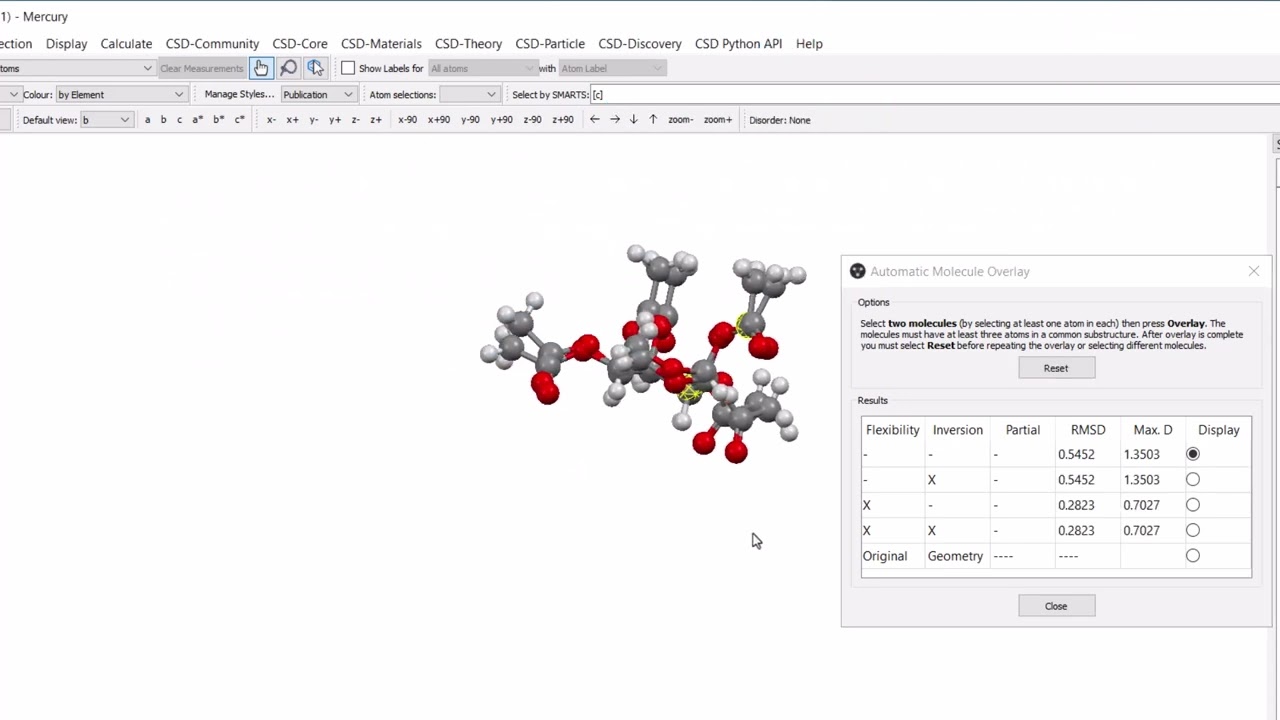
In this video, Tomas Cervenka demonstrates how to use the Molecule Overlay tool in Mercury. The Molecule Overlay tool is useful for comparing chirality and stereochemistry of two molecules as it incorporates both inversion and flexibility in the overlay calculation. The molecule overlay can be performed on molecules in the same or different structures and comparisons can be made between non-identical molecules (based on a substructure match).

In this video:
-00:04 Introduction and overview of Molecule Overlay functionality in Mercury
-00:50 Chirality: comparing enantiomers of alanine from two separate crystal structures using the Molecule Overlay tool
-02:07 Flexibility: comparison of the conformations of independent molecules within the asymmetric unit of a crystal structure
-03:06 Application of Molecule Overlay to a high-pressure crystallography study

For further instructions on how to use Multiple Structures feature shown in this video, see    • How to: Overlay structures in Mercury  

The recodes of the CSD entries used in video are:
Alanine: LALNIN23 (L-enantiomer) and ALUCAL05 (D-enantiomer)
1,2,3,4-Tetra-O-acetyl-alpha-D-ribopyranose: AADRIB
Dibromo-(1,2-phenylenebis(dimethylphosphine))-germanium: NAKCIN01 (9.4 GPa) and NAKCIN02 (1 atm)

You can grow your skills with using Mercury for visualizing structures using the free CSDU module “Visualization 101 – Visualizing structural chemistry data with Mercury” here: https://www.ccdc.cam.ac.uk/community/...

Follow us on social media and subscribe to our YouTube channel.
Instagram: @ccdc_cambridge
X: @ccdc_cambridge
Facebook: Cambridge Crystallographic Data Centre (CCDC) (ccdc.cambridge)

Комментарии

Информация по комментариям в разработке

Похожие видео

  • О нас
  • Контакты
  • Отказ от ответственности - Disclaimer
  • Условия использования сайта - TOS
  • Политика конфиденциальности

video2dn Copyright © 2023 - 2025

Контакты для правообладателей [email protected]