Logo video2dn
  • Сохранить видео с ютуба
  • Категории
    • Музыка
    • Кино и Анимация
    • Автомобили
    • Животные
    • Спорт
    • Путешествия
    • Игры
    • Люди и Блоги
    • Юмор
    • Развлечения
    • Новости и Политика
    • Howto и Стиль
    • Diy своими руками
    • Образование
    • Наука и Технологии
    • Некоммерческие Организации
  • О сайте

Скачать или смотреть How to install JQ command-line JSON processor on windows.

  • commerce word
  • 2025-03-15
  • 356
How to install JQ command-line JSON processor on windows.
  • ok logo

Скачать How to install JQ command-line JSON processor on windows. бесплатно в качестве 4к (2к / 1080p)

У нас вы можете скачать бесплатно How to install JQ command-line JSON processor on windows. или посмотреть видео с ютуба в максимальном доступном качестве.

Для скачивания выберите вариант из формы ниже:

  • Информация по загрузке:

Cкачать музыку How to install JQ command-line JSON processor on windows. бесплатно в формате MP3:

Если иконки загрузки не отобразились, ПОЖАЛУЙСТА, НАЖМИТЕ ЗДЕСЬ или обновите страницу
Если у вас возникли трудности с загрузкой, пожалуйста, свяжитесь с нами по контактам, указанным в нижней части страницы.
Спасибо за использование сервиса video2dn.com

Описание к видео How to install JQ command-line JSON processor on windows.

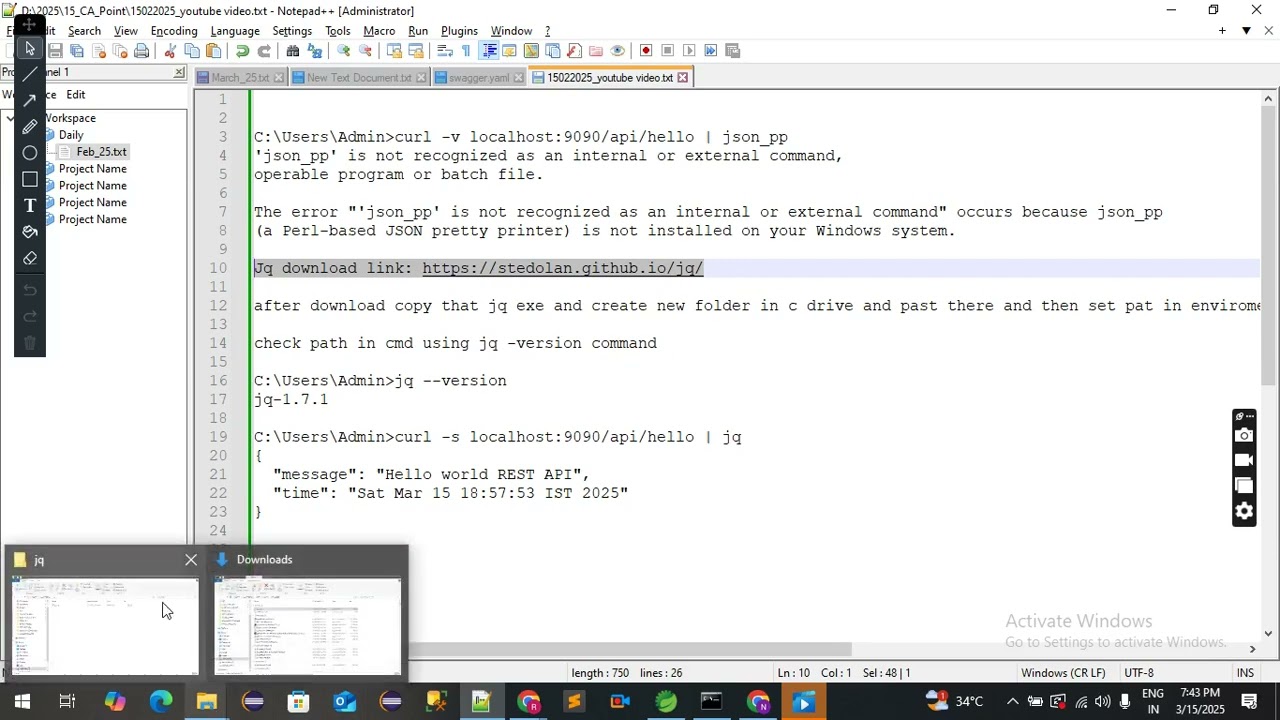
In this video, I will show you how to install and use jq, a command-line JSON processor, on Windows.

✅ Download Link: https://stedolan.github.io/jq/

📌 Steps to Install jq on Windows:
1️⃣ Download jq.exe:

Go to the official jq download page:
🔗 https://stedolan.github.io/jq/
Scroll down to Windows section.
Download jq-win64.exe (for 64-bit Windows).
Rename the file to jq.exe.
2️⃣ Create a Folder and Move jq.exe:

Create a new folder C:\jq.
Move the downloaded jq.exe into C:\jq.
3️⃣ Set Environment Variable for JQ:

Press Win + R, type SYS, and hit Enter.
Go to the Advanced tab → Click Environment Variables.
Under System Variables, find Path, select it, and click Edit.
Click New and add:
makefile
Copy code
C:\jq
Click OK to save changes.
4️⃣ Verify Installation:

Open Command Prompt (CMD) and run:
c
Copy code
JQ --version
✅ Output should be:
Copy code
jq-1.7.1
📌 Using JQ to Pretty Print JSON
Once installed, you can use JQ with curl to format JSON output.

🔹 Example Command:

CMD
Copy code
curl -s localhost:9090/API/hello | JQ
✅ Expected Output:

JSON
Copy code
{
"message": "Hello world REST API",
"time": "Sat Mar 15 18:57:53 IST 2025"
}
🎥 Subscribe for More Tutorials! 👍
🔔 Turn on notifications so you don't miss new videos!

🚀 #jq #JSON #Windows #CommandLine

Комментарии

Информация по комментариям в разработке

Похожие видео

  • О нас
  • Контакты
  • Отказ от ответственности - Disclaimer
  • Условия использования сайта - TOS
  • Политика конфиденциальности

video2dn Copyright © 2023 - 2025

Контакты для правообладателей [email protected]