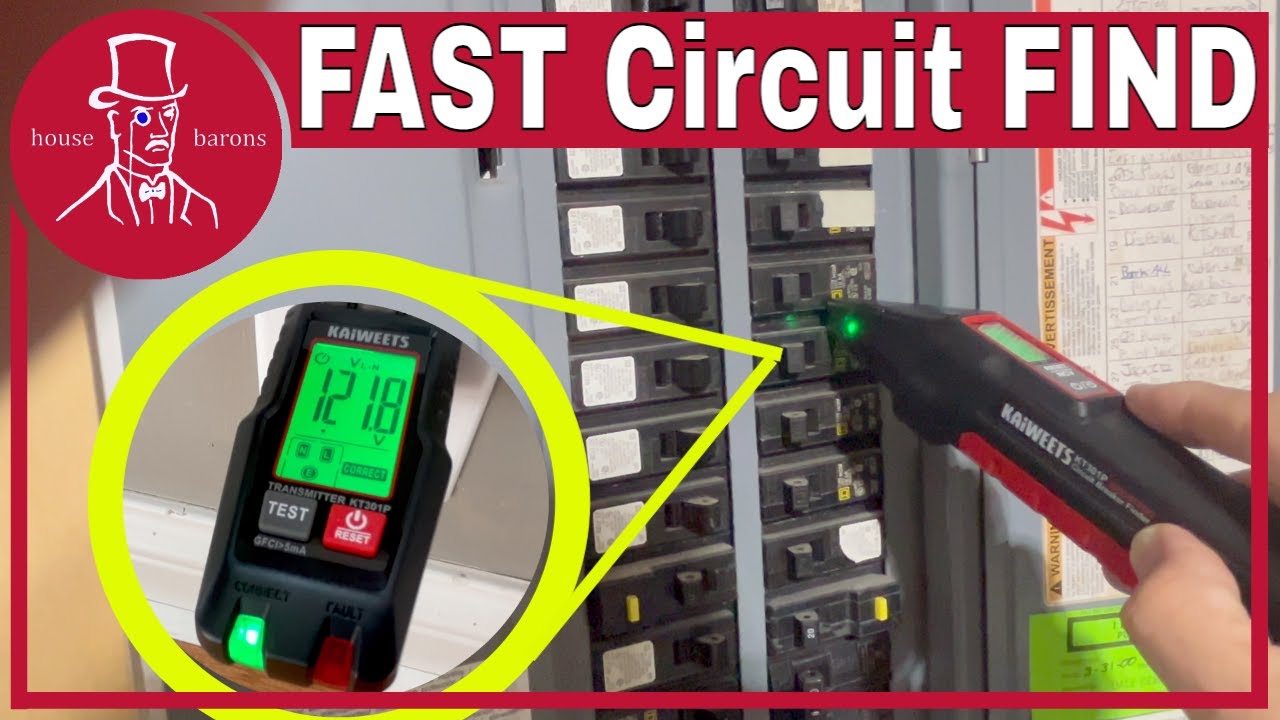
Ever stared at your breaker panel, wondering which switch controls that mystery outlet in the garage? Say goodbye to guesswork and hello to precision with the Kaiweets KT301P Circuit Breaker Finder! You can find it on Amazon:
KAIWEETS Circuit Breaker Finder with LCD Display, GFCI Outlet Tester, Electrical Circuit Tracer Tool with NCV Test & Flashlight, Includes Carrying Case and Adapters- KT301P
https://amzn.to/47VYuXS
In this beginner-friendly guide, we'll walk you through tracing wires like a pro—no prior electrical experience required.What You'll Learn:Quick Setup & Basics: Unbox the KT301P and get it powered up in under 2 minutes.
Step-by-Step Tracing: How to transmit signals, scan your panel, and pinpoint the exact breaker for any circuit.
Pro Tips for Accuracy: Avoid false positives, handle tricky multi-wire setups, and safely test outlets or lights.
Common Pitfalls: What to watch out for in older homes or busy panels.
Whether you're a DIY homeowner prepping for a reno or just curious about your home's wiring, this tool saves hours of frustration (and potential sparks!). The KT301P's auto-scan and LED indicators make it a game-changer for quick, reliable results. Gear Spotlight: Kaiweets KT301P – Affordable, portable, and packed with features like voltage detection and a carrying case.Drop a like if this demystifies your breaker box, subscribe for more hands-on electrical tutorials, and comment below: What's the trickiest circuit you've ever hunted down? Let's troubleshoot together!#CircuitBreakerFinder #ElectricalDIY #WireTracing #Kaiweets #HomeRepair #BeginnerGuide(Video runtime: 8:45 | Tools needed: None – just the finder!)
Basic Steps to learn exactly how to use the Kaiweets KT301P Circuit Breaker Finder to trace wires and identify circuits in minutes—no guesswork, no flipping random switches!
Full Hands-On Tutorial
Step 1: Unbox & Power Up Open the Kaiweets KT301P kit: transmitter, receiver, batteries, and carrying case.
Insert 2 batteries into both units (LEDs will flash to confirm power).
Step 2: Plug in the Transmitter Plug the transmitter directly into the outlet or light socket you want to trace.
Pro Tip: For hardwired lights, use the included light socket adapter.
The transmitter sends a unique signal through the wire to your breaker panel.
Step 3: Scan the Breaker Panel Turn on the receiver and hold it near the breakers.
First - scan every breaker ignoring all beeps - let the finder detect and learn. Repeat a second time - this time listening for a continuous tone.
Press the SCAN button – the KT301P auto-calibrates sensitivity.
Slowly move across each breaker. The green LED + low tone means "close," while red LED + solid tone = exact match.
Step 4: Verify & Label Flip the identified breaker OFF – the outlet/light should lose power.
Label the breaker with the included stickers or a permanent marker.
Bonus: GFCI & Voltage Detection Use the receiver’s non-contact voltage (NCV) mode to detect live wires behind walls.
Test GFCI outlets – the transmitter will still trace even if the GFCI trips.
Troubleshooting TipsFalse signals? Turn off nearby electronics (Wi-Fi routers, fluorescents).
Older wiring? Increase receiver sensitivity with the + button.
Multi-gang outlets? Test each plug separately.
The Kaiweets KT301P is compact, beginner-safe, and under $40 – perfect for DIYers labeling panels, installing smart switches, or prepping for renovations. Tools Used: Kaiweets KT301P (links in description)
Like if this saved your sanity, subscribe for weekly DIY electrical tips, and comment: Which room are you tracing first? #CircuitBreakerFinder #KaiweetsKT301P #WireTracingTutorial #ElectricalDIY #BreakerPanel #homewiring
THANKS FOR WATCHING!
Also, if you are in the market for any tools, check out our Amazon store front or the links below.
Visit our amazon store front for our recommendations for tools and supplies for DIY success!
https://www.amazon.com/shop/housebarons
If you click on any of the listed amazon links there or in this description and buy, we thank you for helping us out as a channel. We are Amazon affiliates and can earn from qualifying purchases and no extra cost for you. Thanks for the help in supporting our channel and enabling us to keep us making videos!

Информация по комментариям в разработке