Logo video2dn
  • Сохранить видео с ютуба
  • Категории
    • Музыка
    • Кино и Анимация
    • Автомобили
    • Животные
    • Спорт
    • Путешествия
    • Игры
    • Люди и Блоги
    • Юмор
    • Развлечения
    • Новости и Политика
    • Howto и Стиль
    • Diy своими руками
    • Образование
    • Наука и Технологии
    • Некоммерческие Организации
  • О сайте

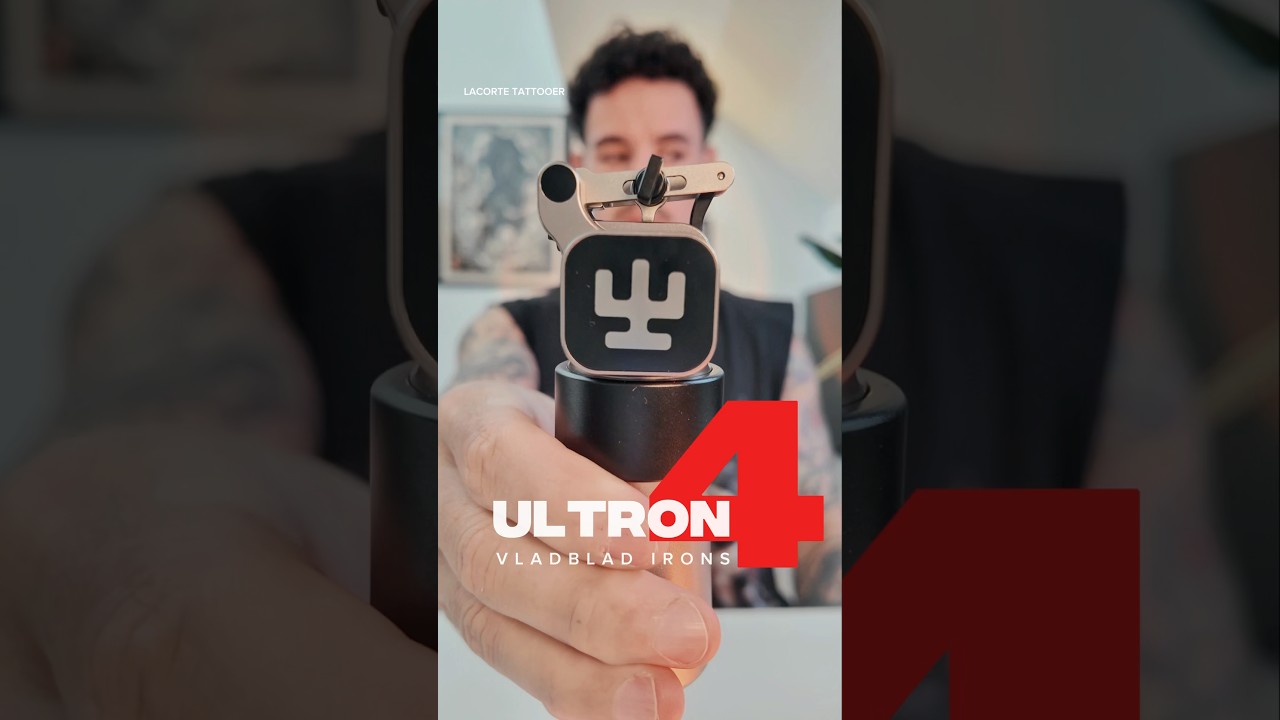
Скачать или смотреть A quick overview on the Ultron 4 tattoo machine from VladBlad Irons

  • Lacorte Tattooer
  • 2025-05-27
  • 4664
A quick overview on the Ultron 4 tattoo machine from VladBlad Irons
  • ok logo

Скачать A quick overview on the Ultron 4 tattoo machine from VladBlad Irons бесплатно в качестве 4к (2к / 1080p)

У нас вы можете скачать бесплатно A quick overview on the Ultron 4 tattoo machine from VladBlad Irons или посмотреть видео с ютуба в максимальном доступном качестве.

Для скачивания выберите вариант из формы ниже:

  • Информация по загрузке:

Cкачать музыку A quick overview on the Ultron 4 tattoo machine from VladBlad Irons бесплатно в формате MP3:

Если иконки загрузки не отобразились, ПОЖАЛУЙСТА, НАЖМИТЕ ЗДЕСЬ или обновите страницу
Если у вас возникли трудности с загрузкой, пожалуйста, свяжитесь с нами по контактам, указанным в нижней части страницы.
Спасибо за использование сервиса video2dn.com

Описание к видео A quick overview on the Ultron 4 tattoo machine from VladBlad Irons

MultiStroke System

Stroke adjustment from 3.2 mm to 5.5 mm — six different stroke options that feel like six different machines. You can change the stroke on the fly, right in the middle of a session, no need to take the machine apart.
The internal system has been redesigned to reduce both noise and vibration.
Ultron 4 Pro has the widest stroke range of any pen-style machine out there — and the largest max stroke on the market. That’s a fact.


SmartHit System

– Automatic Hit Adaptation in short works like this: every time you turn on the machine, it calibrates itself to the membrane tension and needle hang of your cartridge. It does this by comparing the speed shown on the screen to the actual motor RPMs (there are speed sensors inside), and adjusts accordingly to give you exactly the speed you asked for.
This recalibration happens every time you press any button. So if you change cartridges or needle depth — just tap any button, and the machine will instantly readjust.
Once calibrated, the Ultron 4 Pro adapts its behavior depending on the mode you're using:
Stable – Keeps the hit power consistent, no matter how stiff the membrane is or how hard you press. The speed stays solid even under pressure, so the machine won’t slow down no matter how heavy your hand is.
Soft 1 / Soft 2 / Soft 3 – The harder you press, the softer the hit.
This protects the skin and helps prevent blowouts. The system senses your pressure and reduces power depending on the level selected.
Sharp 1 / Sharp 2 / Sharp 3 – More pressure = stronger hit.
The machine recognizes when you need more punch and delivers it instantly — great for crisp lines and solid fills that go in on the first pass. The higher the Sharp level, the more aggressive the power boost.
– You don’t need to dive into a menu to use any of this — all modes can be switched on the fly during a session (just press Left+Middle or Right+Middle buttons simultaneously with a firm touch).
– To keep things simple, there are three memory slots — save your favorite setups for different techniques and switch between them with a long press of the middle button.
How is this different from other brands’ machines?
Other machines don’t actually “know” what their motor is doing. Their chips don’t have access to motor sensors.
Almost all of them can only offer hit softening — not sharpening. And almost all of these systems react with a MASSIVE delay, so artists often ignore them completely.
Ultron 4 Pro is different — its response is instant, both when softening and when boosting power. That’s why these modes actually work and are worth using.

Balance & Ergonomics

We switched the center of gravity as low as possible and made the upper part of the machine as light as we could — giving you perfect weight balance in hand. Ultron 4 Pro is the shortest wireless pen with the most powerful battery on the market.
Vibration is now even lower than in the Avenger 3 Pro, thanks to lightweight yet durable titanium and carbon components.
It’s also our quietest machine that features stroke adjustment.
You’ll find three conveniently placed control buttons — intuitive, comfortable, no extra movements needed.
No need to rotate the whole grip to adjust needle depth — just turn the adjustment ring. That way, the screen always stays in the same position relative to the cartridge, giving you a clear view.
The machine’s shape keeps it from rolling off your workstation — helping prevent accidental drops and reducing the risk of damage.


Asymmetrical Cartridge Slot

We offset the cartridge opening to give you better visibility. With thicker grips, it’s often hard to see the stencil underneath the needle — the grip blocks your view, making you twist your neck or tilt the machine at the wrong angle to the skin.
The asymmetrical grip improves your line of sight and naturally supports a more comfortable, ergonomic hold.

Комментарии

Информация по комментариям в разработке

Похожие видео

  • О нас
  • Контакты
  • Отказ от ответственности - Disclaimer
  • Условия использования сайта - TOS
  • Политика конфиденциальности

video2dn Copyright © 2023 - 2025

Контакты для правообладателей [email protected]