Logo video2dn
  • Сохранить видео с ютуба
  • Категории
    • Музыка
    • Кино и Анимация
    • Автомобили
    • Животные
    • Спорт
    • Путешествия
    • Игры
    • Люди и Блоги
    • Юмор
    • Развлечения
    • Новости и Политика
    • Howto и Стиль
    • Diy своими руками
    • Образование
    • Наука и Технологии
    • Некоммерческие Организации
  • О сайте

Скачать или смотреть Shopify Transactions - Refund for Fulfilled Order

  • Integration Hub and SAP B1 Intercompany Solution
  • 2021-01-26
  • 235
Shopify Transactions - Refund for Fulfilled Order
  • ok logo

Скачать Shopify Transactions - Refund for Fulfilled Order бесплатно в качестве 4к (2к / 1080p)

У нас вы можете скачать бесплатно Shopify Transactions - Refund for Fulfilled Order или посмотреть видео с ютуба в максимальном доступном качестве.

Для скачивания выберите вариант из формы ниже:

  • Информация по загрузке:

Cкачать музыку Shopify Transactions - Refund for Fulfilled Order бесплатно в формате MP3:

Если иконки загрузки не отобразились, ПОЖАЛУЙСТА, НАЖМИТЕ ЗДЕСЬ или обновите страницу
Если у вас возникли трудности с загрузкой, пожалуйста, свяжитесь с нами по контактам, указанным в нижней части страницы.
Спасибо за использование сервиса video2dn.com

Описание к видео Shopify Transactions - Refund for Fulfilled Order

In this demonstration, we are going to show how refund for fulfilled orders from Shopify are integrated to SAP Business One.
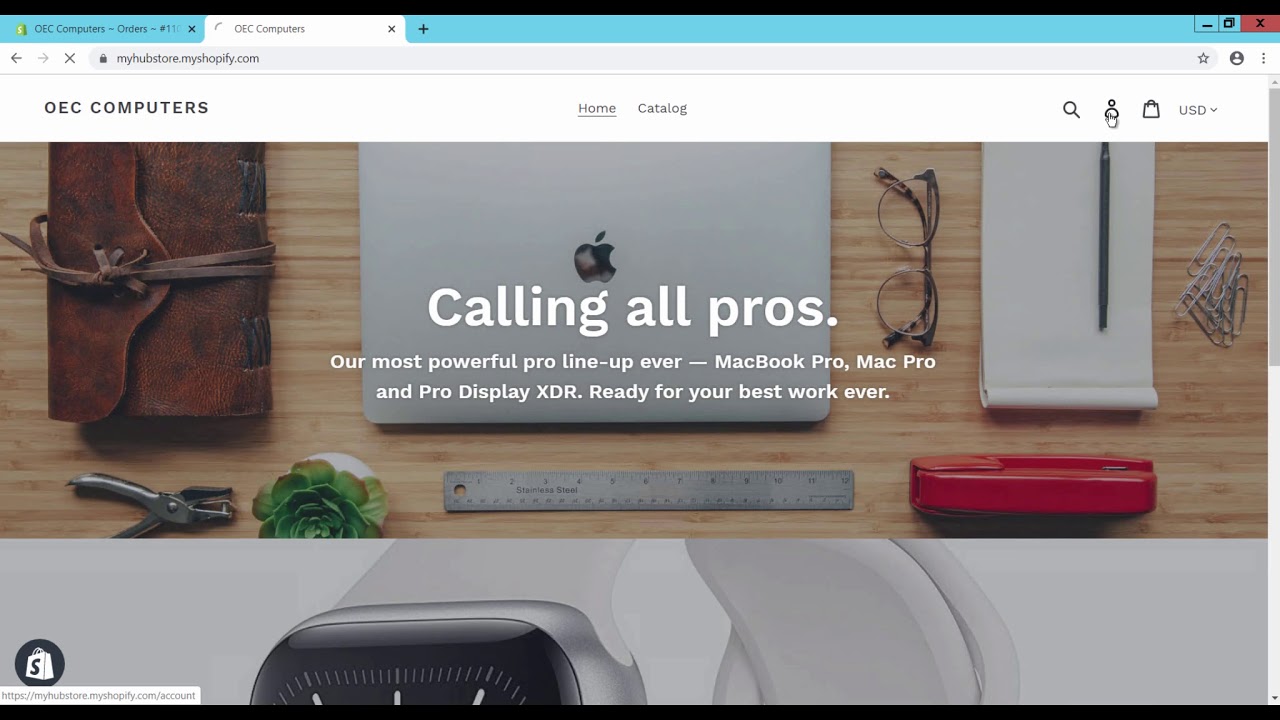
To perform this, we first login Shopify store as customer. Now we are in home page of Shopify Store URL for Customer. We navigate to Catalog and search items, select items to add to cart and checkout to proceed further for order creation. Click on continue to shipping, select the shipping method and click on continue to payment to enter payment page. Provide payment details and click on pay now button. An order is created.
Login Shopify store admin page to check the status of order. The payment status is paid and fulfilment status is Unfulfilled. We now Open the sales order and click on Mark as fulfilled; fulfilment page appears. Enter tracking details such as tracking number and Shipping carrier details and complete the fulfilment by clicking on Fulfill items. The order is now fulfilled.
You can now check the status of the order in Shopify store customer page. Fulfilment status is fulfilled and tracking details are updated against the order and products.
We login SAP Business One. The order can be integrated in SAP Business One automatically if the synchronization schedule cycle for object Sales Order is saved.
To take an immediate effect for integrating orders, select Administration Module, select the menu item Integration Hub and click on sub menu item Shopify Settings. Click on Synchronization tab. Select Object Sales Order and click on Sync now button. Alerts for Sales Order, A/R Reserve Invoice, Incoming Payments and Delivery appears. Open the sales order by clicking on the link. Verify the order details. Right click on sales order and click on relationship map to see the linked documents against the sales order. We see Sales Order, A/R Reserve Invoice, Incoming Payments and Delivery. Open the A/R Reserve Invoice and verify the details. Open the incoming payment and verify the payment details. Open the Delivery and verify the details, verify tracking details such as shipping type and tracking number.
Now switch to admin page, In the order click on Refund. In the refund page. Update quantities and amounts for refund. You can update shipping charges and reason for refund if required. The refund button displays the refund amount. Click on Refund button. The order is refunded.
You can now check the status of the order in Shopify store customer page. Payment status is refunded.
Switch to SAP Business One, to take an immediate effect for integrating orders we click on Sync now button in Synchronization tab of Shopify Settings.
Alert for A/R Credit Memo and Outgoing Payment appears. Open the A/R Credit Memo by clicking on the link. Verify the reference details. Right click on A/R Credit Memo and click on relationship map. We see only A/R Credit Memo and Outgoing Payments. Open the outgoing payments and verify the reference details.
This concludes the demonstration of how refund for fulfilled orders from Shopify are integrated to SAP Business One.
Thank you for watching.

Комментарии

Информация по комментариям в разработке

Похожие видео

  • О нас
  • Контакты
  • Отказ от ответственности - Disclaimer
  • Условия использования сайта - TOS
  • Политика конфиденциальности

video2dn Copyright © 2023 - 2025

Контакты для правообладателей [email protected]