IMPORTANT STEPS (FAILING TO PERFORM THESE MAY DAMAGE YOUR PRINTER)
1. Remove cardboard protectors inside the printer by opening front hatch.
2. After opening front hatch (not the scanner), you will see a orange bolt assembly. Slide that and bring it in the middle.
3. When the bolt attached assembly is in the middle, turn the bolt right side (its okay you can use force for a bit). The bolt will pop out off the assembly, we won't need the bolt again to set up the printer (but keep it aside).
4. Unpack the print heads, and push the tricolour printhead on the left, and black printhead on the right (black printhead will require some extra push to get inside). After they r secured, close the blue hatch (tip top mechanism).
5. DO NOT SLIDE THE ASSEMBLY TO ITS INITIAL POSITION AGAIN, machine will do it itself. Close the black covers and that's it.
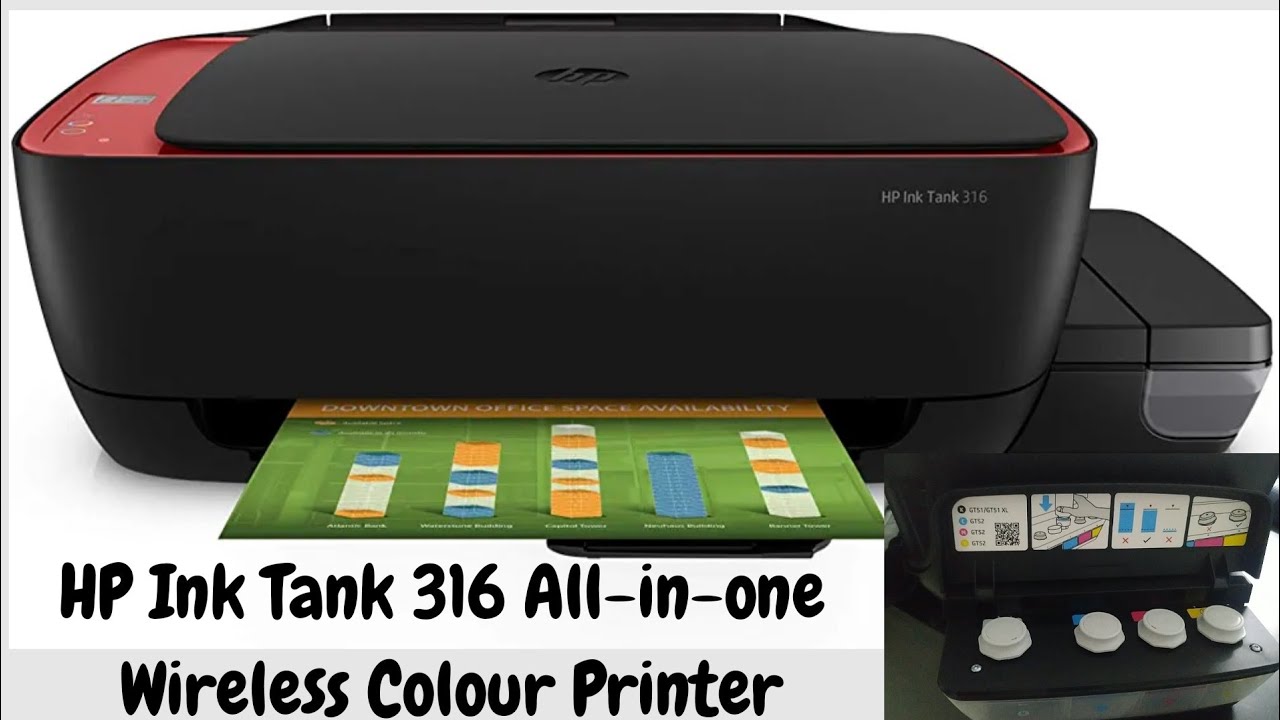
6. Start filling up your ink tank. You must fill all of the ink tanks not just one. Remember you dont have to completely fill it, mind the minimum level and the ink level should be above that but not necessarily on the maximum level. As for the ink bottles, remove the white cap completely and break the seal, DO NOT DAMAGE THE BOTTLE NUZZLE JAM, it workes like a vulve.
STARTING UP YOUR MACHINE
1. Connect the machine to power. DO NOT CONNECT IT TO THE PC YET! Turn on power button, printer will start ink priming now and make some Conjuring 3 noises (its normal).
2. Pull out paper loading tray from the back of the printer. Use A4 paper, slide the blue hook to left load the paper (keep the paper stack to right side. Not in the middle, not in the left, but in the right). Secure the paper pulling blue hook to the right again.
3. If you see any blinking icon (any) in the control panel, push and hold resume button for 3 seconds and you're almost done.
4. Printer will print 2 pages at first automatically. Open the scanner, allign any one of the pages on the glass (printed side faces the glass) in the bottom right corner. Close the scanner and press the colour copy button once. Printer will copy the page (first 2-3 printouts maybe weird no need to panic). Now your printer finished ink priming completely.
5. Connect it to your PC now. Download HP smart app from Microsoft store (its completely free). And if you have already fed up the windows update just like me then, my friend, you have to re-install your windows.
6. Once HP smart app is installed create your account and that's it use its interface to print normally, make sure you're using proper page size.
You're welcome!
Features & details
Inktank Printer
Functionality: Printer, Scanner, Copier |
Print output: Colour and Monochrome | Connectivity: Hi-Speed USB 2.0
OS Compatibility: Windows 11; Windows 10; Windows 7
Maximum Print Speed (color): 5 ppm, Maximum Print Speed (Monochrome): 12 ppm as per ISO standards
Maximum Print Resolution (Color): Up to 4800 x 1200 optimized dpi
Maximum Print Resolution (Monochrome): Up to 1200 x 1200 rendered dpi
Media Type: Plain paper, Matte Brochure Papers, Glossy Brochure Papers, Photo papers, Envelopes, Other specialty inkjet papers
Media Size: Custom (metric): 88.9 x 127 to 215.9 x 355.6 mm Supported (metric): A4; B5; A6; DL envelope, legal
Media Weight : Plain paper: 60 to 90 g/m²; Envelopes: 75 to 90 g/m²; Cards: up to 200 g/m²; Photo paper: up to 300 g/m²
Included Components: HP Ink Tank 316 All-in-One Printer; HP GT53XXL Black Original ink Bottle; HP GT52 Cyan Original Ink bottle; HP GT52 Magenta Original Ink bottle; HP GT52 Yellow Original Ink bottle; HP Black Printhead; HP Tri-color Printhead; Power cord; Ink caution flyer; Setup guide; Reference guide; Regulatory flyers; Warranty flyers
Get up to 7,500 black and 8,000 colour pages in the Box.
Product information:
Operating System Windows 10
Item Weight 4670 Grams
Product Dimensions 15.8D x 52.5W x 31H Centimeters
Printer Media Size Maximum A4
Included Components HP Ink Tank 316, HP GT51XXL Black Ink bottle, HP GT52 Magenta Ink bottle, HP GT52 Yellow ink bottle
Style USB, 7.5k Black and 8k Colour Prints
Print media Envelopes
Scanner Type Flatbed
Max Input Sheet Capacity 60
Compatible Devices Printer
Sheet Size A4 Hundredths Inches
Wattage 2.1 Watts
Duplex Manual
Hardware Interface PictBridge
Resolution 4800 x 1200 DPI, 1200 x 1200 DPI
Additional Printer functions
All In One
Manufacturer Cal-Comp Optical Electronics YUEYANG Co., Ltd No.8, Xinjinbao Road, Cal-Comp Optical Electronics YUEYANG Co., Ltd No.8, Xinjinbao Road,Yueyang Chenglingji CBZ,Hunan Province, 414000, China/ HonGFUJIN Precision Electronics(Chong Qing) Co., Ltd No.1, 1st E District RD. Shapingba District Chongqing 401332, P.R. China
Form Factor All-in-One
Item model number HP 316
Connectivity Type Wi-Fi
Manufacturer Cal-Comp Optical Electronics YUEYANG Co., Ltd No.8, Xinjinbao Road
Country of Origin India
Item Weight 4 kg 670 g


Информация по комментариям в разработке