Logo video2dn
  • Сохранить видео с ютуба
  • Категории
    • Музыка
    • Кино и Анимация
    • Автомобили
    • Животные
    • Спорт
    • Путешествия
    • Игры
    • Люди и Блоги
    • Юмор
    • Развлечения
    • Новости и Политика
    • Howto и Стиль
    • Diy своими руками
    • Образование
    • Наука и Технологии
    • Некоммерческие Организации
  • О сайте

Скачать или смотреть How to Set Up OPTRAFFIC VMS Sign in Minutes?

  • OPTRAFFIC CO., LTD.
  • 2025-11-27
  • 81
How to Set Up OPTRAFFIC VMS Sign in Minutes?
  • ok logo

Скачать How to Set Up OPTRAFFIC VMS Sign in Minutes? бесплатно в качестве 4к (2к / 1080p)

У нас вы можете скачать бесплатно How to Set Up OPTRAFFIC VMS Sign in Minutes? или посмотреть видео с ютуба в максимальном доступном качестве.

Для скачивания выберите вариант из формы ниже:

  • Информация по загрузке:

Cкачать музыку How to Set Up OPTRAFFIC VMS Sign in Minutes? бесплатно в формате MP3:

Если иконки загрузки не отобразились, ПОЖАЛУЙСТА, НАЖМИТЕ ЗДЕСЬ или обновите страницу
Если у вас возникли трудности с загрузкой, пожалуйста, свяжитесь с нами по контактам, указанным в нижней части страницы.
Спасибо за использование сервиса video2dn.com

Описание к видео How to Set Up OPTRAFFIC VMS Sign in Minutes?

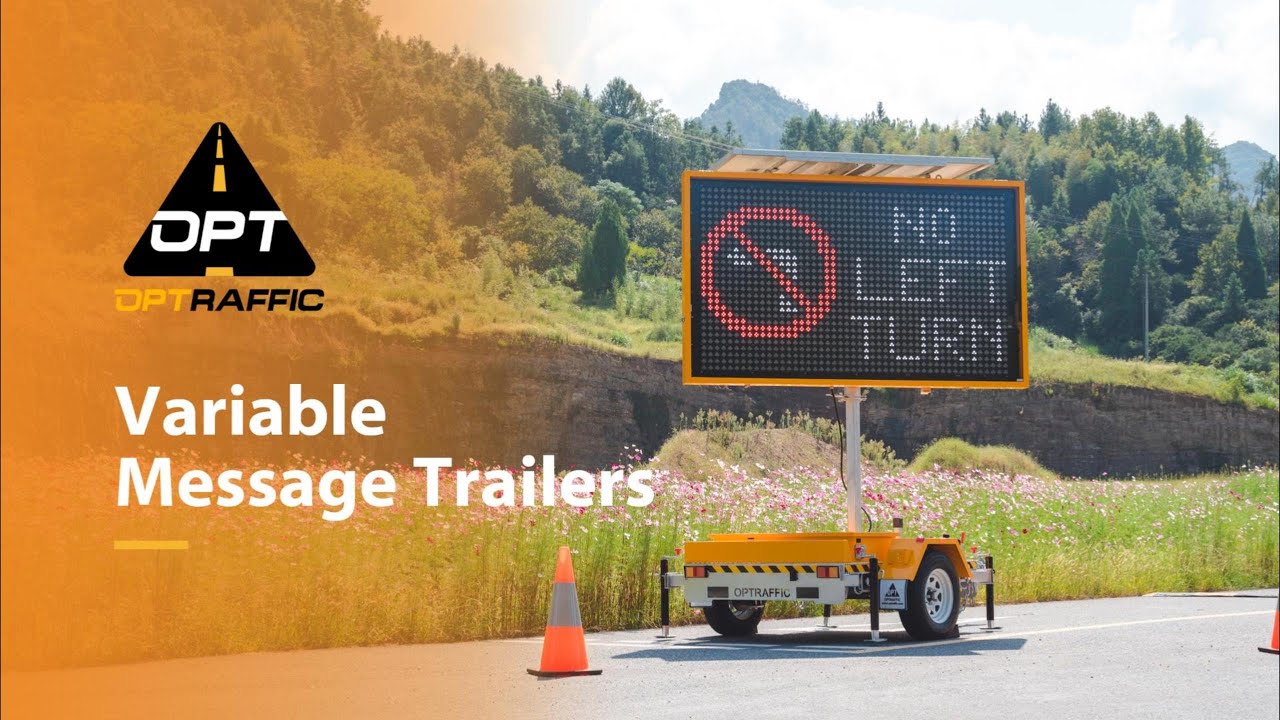
Looking for a quick and reliable way to set up your OPTRAFFIC VMS Signs? In this video, we walk you through the 6 simple steps to deploy a variable message sign safely and efficiently:
Step 1: Deploy the four jacks and adjust the height for maximum stability
Step 2: Retract the wheel jack and towing arm
Step 3: Tilt the solar panel for optimal sunlight (if rotatable)
Step 4: Raise the VMS screen to the desired height
Step 5: Adjust the screen angle for perfect visibility
Step 6: Send messages via the mobile app or web platform—instant remote control!

With OPTRAFFIC VMS Signs, you get:
NTCIP-compliant full-matrix LED display
24/7 uninterrupted solar power supply with maintenance-free operation
Hot-dip galvanized steel frame with anti-UV and anti-corrosion protection
Hydraulic lifting system with quick adjustment
Real-time remote control via PC, laptop, tablet, or phone (4G connection)
User-friendly software and WEB system interface
Integrated GPS location system

Have questions? Want to see more tutorials?
Drop a comment below—we’d love to hear from you!

Explore more of our VMS Boards solutions:
Visit our official website: www.optraffic.com

If you find this video helpful, don’t forget to like, subscribe, and share!

Комментарии

Информация по комментариям в разработке

Похожие видео

  • О нас
  • Контакты
  • Отказ от ответственности - Disclaimer
  • Условия использования сайта - TOS
  • Политика конфиденциальности

video2dn Copyright © 2023 - 2025

Контакты для правообладателей [email protected]