Logo video2dn
  • Сохранить видео с ютуба
  • Категории
    • Музыка
    • Кино и Анимация
    • Автомобили
    • Животные
    • Спорт
    • Путешествия
    • Игры
    • Люди и Блоги
    • Юмор
    • Развлечения
    • Новости и Политика
    • Howto и Стиль
    • Diy своими руками
    • Образование
    • Наука и Технологии
    • Некоммерческие Организации
  • О сайте

Скачать или смотреть Clear Canon Check Ink E13, E16, U162, U163, 1686 and 1688 Error Messages (Low Ink Warning)

  • Refresh Cartridges
  • 2014-02-27
  • 323225
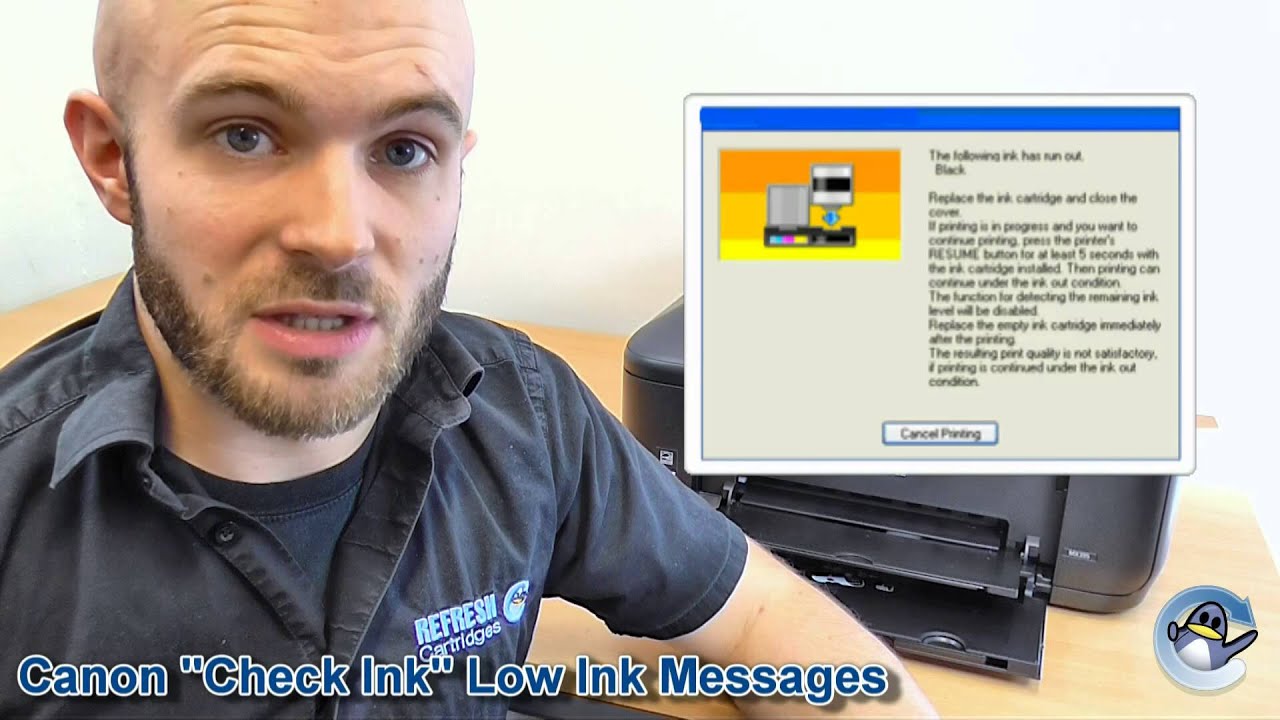
Clear Canon Check Ink E13, E16, U162, U163, 1686 and 1688 Error Messages (Low Ink Warning)
canonprintercheck inklow inkmay have run outempty
  • ok logo

Скачать Clear Canon Check Ink E13, E16, U162, U163, 1686 and 1688 Error Messages (Low Ink Warning) бесплатно в качестве 4к (2к / 1080p)

У нас вы можете скачать бесплатно Clear Canon Check Ink E13, E16, U162, U163, 1686 and 1688 Error Messages (Low Ink Warning) или посмотреть видео с ютуба в максимальном доступном качестве.

Для скачивания выберите вариант из формы ниже:

  • Информация по загрузке:

Cкачать музыку Clear Canon Check Ink E13, E16, U162, U163, 1686 and 1688 Error Messages (Low Ink Warning) бесплатно в формате MP3:

Если иконки загрузки не отобразились, ПОЖАЛУЙСТА, НАЖМИТЕ ЗДЕСЬ или обновите страницу
Если у вас возникли трудности с загрузкой, пожалуйста, свяжитесь с нами по контактам, указанным в нижней части страницы.
Спасибо за использование сервиса video2dn.com

Описание к видео Clear Canon Check Ink E13, E16, U162, U163, 1686 and 1688 Error Messages (Low Ink Warning)

You can read about these messages in more detail here: http://bit.ly/1eqawJa

In which I show you how to continue printing once you have received a Check Ink E13, E16, U162, U163, 1686 or 1688 low ink error message on your Canon printer. Although this message stops you from printing initially once you have given a prompt your Canon printer will continue printing until the ink physically runs out.

This advice applies to a variety of Canon printers that are compatible with the Canon PG-37, CL-38, PG-40, CL-41, PG-50 and CL51 range of ink cartridges. These printers include the Canon Fax JX200, MultiPass 450, MultiPass MP150, MultiPass MP160, MultiPass MP170, Pixma iP1200, Pixma iP1300, Pixma iP1600, Pixma iP1700, Pixma iP1800, Pixma iP1900, Pixma iP2200, Pixma iP2400, Pixma iP2500, Pixma iP2600, Pixma MP140, Pixma MP150, Pixma MP160, Pixma MP170, Pixma MP180, Pixma MP190, Pixma MP210, Pixma MP220, Pixma MP450, Pixma MP460, Pixma MP470, Pixma MX300 and Pixma MX310. Which of these six possible cartridges your printer takes will depend entirely upon the model of your printer.

Along with the printer models mentioned above this reset button can be used to continue printing using the PG-510, CL-511, PG-512 and CL-513 range of ink cartridges. The following printers are all compatible with these black and colour cartridges, the Canon Pixma iP2700, Pixma iP2702, Pixma MP230, Pixma MP240, Pixma MP250, Pixma MP252, Pixma MP260, Pixma MP270, Pixma MP272, Pixma MP280, Pixma MP282, Pixma MP330, Pixma MP480, Pixma MP490, Pixma MP492, Pixma MP495, Pixma MP499, Pixma MX320, Pixma MX330, Pixma MX340, Pixma MX350, Pixma MX410 and Pixma MX420.

You can even use the above advice to bypass the 1686 and 1688 errors with the Canon Pixma MG2150, Pixma MG2250, Pixma MG3150, Pixma MG3155, Pixma MG3250, Pixma MG3550, Pixma MG4150, Pixma MG4250, Pixma MX375, Pixma MX395, Pixma MX435, Pixma MX455, Pixma MX515 and Pixma MX525. These printers take the relatively new Canon PG-540, Cl-541, PG-540XL and CL-541XL ink cartridges.

We hope you have found this guide useful. Be sure to also keep up with us on Facebook (http://on.fb.me/hZ1r4T) and Twitter (http://bit.ly/gtJNlw).

Комментарии

Информация по комментариям в разработке

Похожие видео

  • О нас
  • Контакты
  • Отказ от ответственности - Disclaimer
  • Условия использования сайта - TOS
  • Политика конфиденциальности

video2dn Copyright © 2023 - 2025

Контакты для правообладателей [email protected]