I recorded the entire process, from MO2 to Skyrim to test it. Bear with me.
No voice, just recording.
I removed textures for reasons. Used it wrong one time, though. Sorry.
No clue why the video is green. Is is just with me?
Requirements:
Bodyslide and Outfit Studio.
I also used the optional file "BHUNP Bodyslider Modder's Resources" from BHUNP mod page.
Process:
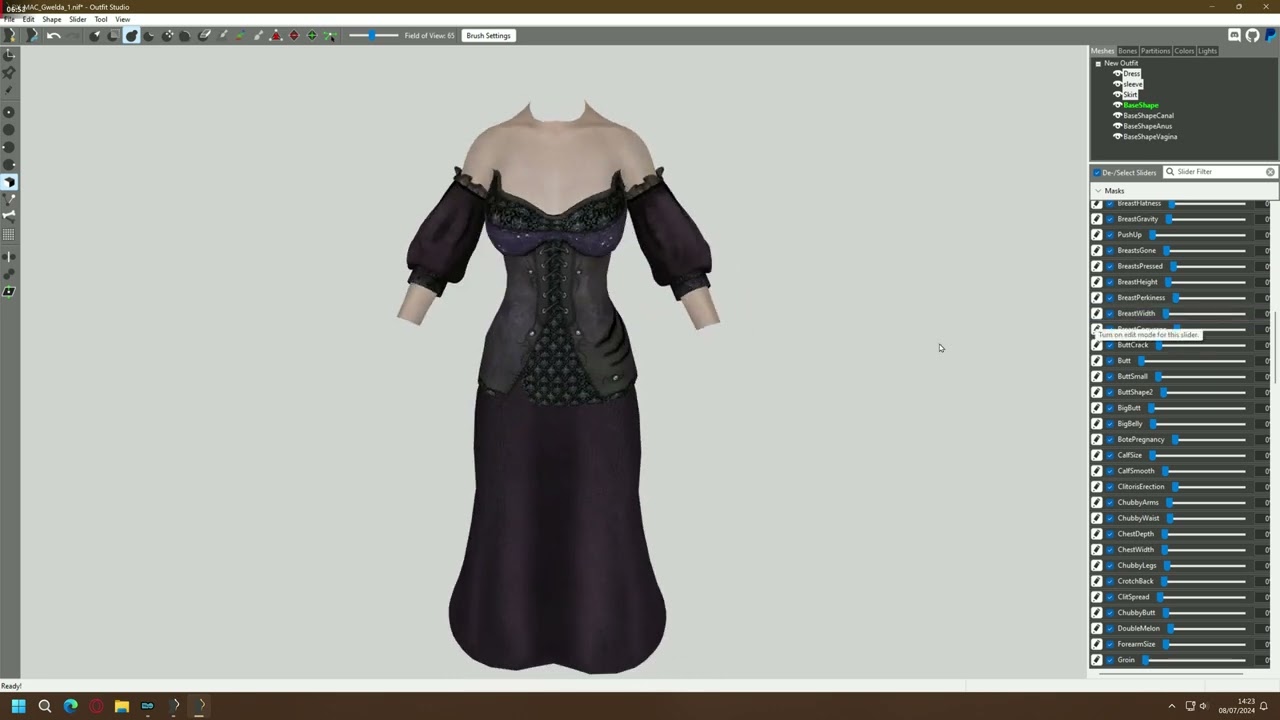
• Open Outfit Studio. New project. Clear reference, select the nif file you want to convert, load it all.
• Delete the Body that comes with the outfit, the selec Convert/Replace Reference.
• For a UNP body, Convert UNP to BHUNP, and new reference should be the v4 Body. You can also try the Uniboob conversion for some outfits.
• Select all outfit meshes only, then use the tool to inflate the areas where the body is clipping through, and deflate where the outfit is too big. I recommend doing clicks instead of holding button, for max precision. You can disable the option to edit both sides equally for better management.
• Go to Slider, Conform Selected (assuming you have all outfit parts selected, or just use Conform All). The Convert function should do this automatically, but just in case.
• On the selected Outfit parts, Copy Bone Weight, then Mask Weighted Vertices. 5 is usually fine for most outfits, but not dresses. Just try higher numbers if not everything is masked, repeating the process. For this one, i had to use 20 and still do it manually...
• To do it manually, go to Bones section and select relevant bones.You'll see the colors, just paint with the mouse over areas that make sense. Yes, i don't know what i'm doing exactly here.
• After everything is masked with Mask Weighted Vertices, save the outfit. Take good care with the naming (it gave me trouble at the end of the video...).
• For maximum compatibility, create a Zap Slider. Just select the Mask tool, and mask the body parts that are not visible (under the outfit). Then, invert mask, go to Slider, add a Zap slider. For this one, I recommend checking the option to start zapped.
• Check the sliders, for fun.
• Save project again. Open Bodyslide, and make sure you remember the name you used for the outfit... Then test it out!
I guess all those wasted minutes looking at file names dumbly can help you to troubleshoot if something goes wrong with you too. Sorry.

Информация по комментариям в разработке