Logo video2dn
  • Сохранить видео с ютуба
  • Категории
    • Музыка
    • Кино и Анимация
    • Автомобили
    • Животные
    • Спорт
    • Путешествия
    • Игры
    • Люди и Блоги
    • Юмор
    • Развлечения
    • Новости и Политика
    • Howto и Стиль
    • Diy своими руками
    • Образование
    • Наука и Технологии
    • Некоммерческие Организации
  • О сайте

Скачать или смотреть Redhat Linux 9: Tóm tắt chương 7: Permissions Management

  • Le Hoang Long Long
  • 2023-09-04
  • 11
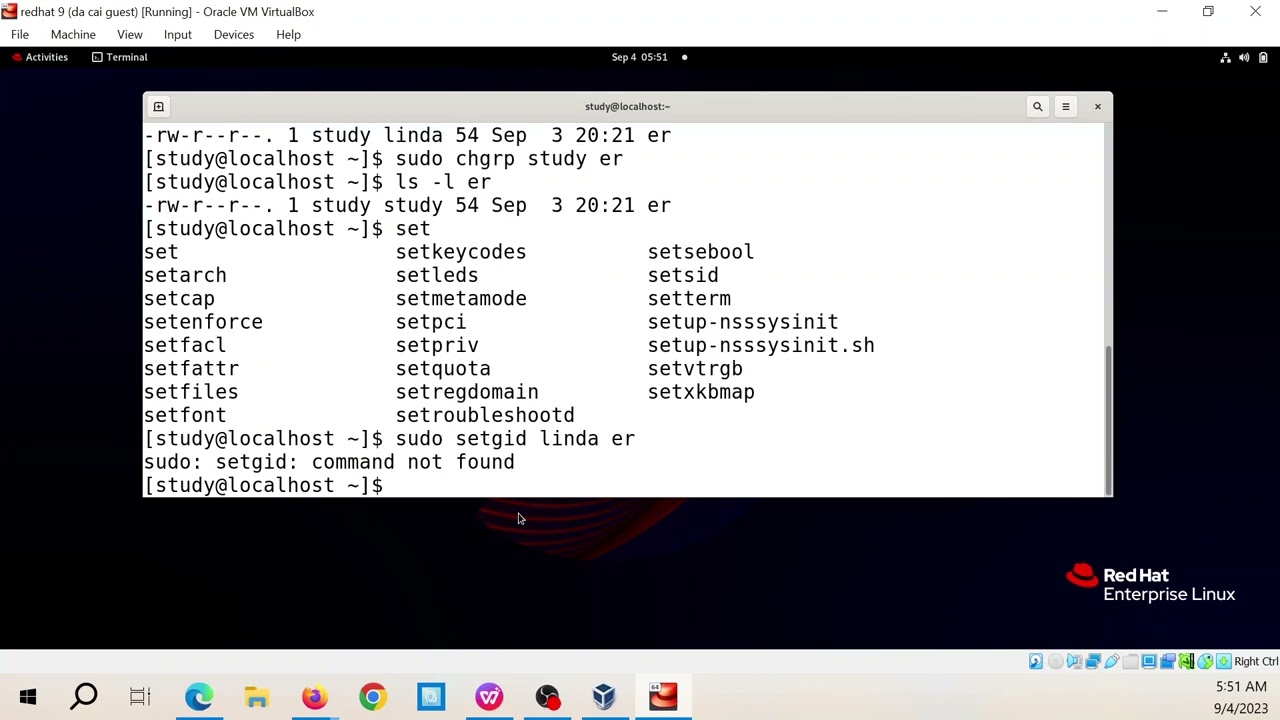
Redhat Linux 9:  Tóm tắt chương 7:  Permissions Management
redhatlinuxbootsystemctlRed Hat Certified System AdministratorRHCSAstudy guideLPIC
  • ok logo

Скачать Redhat Linux 9: Tóm tắt chương 7: Permissions Management бесплатно в качестве 4к (2к / 1080p)

У нас вы можете скачать бесплатно Redhat Linux 9: Tóm tắt chương 7: Permissions Management или посмотреть видео с ютуба в максимальном доступном качестве.

Для скачивания выберите вариант из формы ниже:

  • Информация по загрузке:

Cкачать музыку Redhat Linux 9: Tóm tắt chương 7: Permissions Management бесплатно в формате MP3:

Если иконки загрузки не отобразились, ПОЖАЛУЙСТА, НАЖМИТЕ ЗДЕСЬ или обновите страницу
Если у вас возникли трудности с загрузкой, пожалуйста, свяжитесь с нами по контактам, указанным в нижней части страницы.
Спасибо за использование сервиса video2dn.com

Описание к видео Redhat Linux 9: Tóm tắt chương 7: Permissions Management

Link playlist
Red Hat Enterprise Linux Administration
   • Red Hat Enterprise Linux 9 Administration  
2023 09 04 05 44 06

A user needs to work in a session where all new files that the
user creates will be group-owned by the group sales, until the
session is closed. Which command would do that?
1. chgrp sales
2. setgid sales
3. newgrp sales
4. setgroup sales
. Which command enables you to find all files on a system that
are owned by user linda?
1. find / -user linda
2. find / -uid linda
3. ls -l | grep linda
4. ls -R | find linda
. Which command does not set group ownership to the group
sales for the file myfile?
1. chgrp sales myfile
2. chown .sales myfile
3. chgrp myfile sales
4. chown :sales myfile
. Which command would be used to allow read and write
permissions to the user and group owners and no permissions
at all to anyone else?
1. chown 007 filename
2. chmod 077 filename
3. chmod 660 filename
4. chmod 770 filename
. You want to apply the execute permission recursively, such that
only all subdirectories and not the files in these directories will
get the execute permission assigned. How can you do this?
1. Use chmod +x */
2. Use chmod +X *
3. Use umask 444, and then use chmod +x *
4. Use umask 444, and next use chmod +X *
. Which command enables you to set the SGID permission on a
directory?
1. chmod u+s /dir
2. chmod g-s /dir
3. chmod g+s /dir
4. chmod 1770 /dir
. While observing current permission settings, you notice that
the passwd program file has the execute permission set. What
should you do?
1. Run a security scan on your system, because something
obviously is wrong.
2. Check the system logs to find out who has wrongly applied
this permission.
3. Check whether the execute permission is also set. If that is
not the case, it’s not a big deal.
4. Nothing, because the passwd program file needs the SUID
permission to be able to update passwords in the secured
/etc/shadow file.
. How can you make sure that the root user has a different
umask than ordinary users?
1. You don’t have to do anything; this happens by default.
2. Set the default umask in /etc/login.defs.
3. Set a specific umask for the root user in the ~/bash_profile
file.
4. Use an if statement to apply a specific umask for the root
user in the /etc/profile file.
. Which of the following umask settings meets the following
requirements?
Grants all permissions to the owner of the file
Grants read permissions to the group owner of the file
Grants no permissions to others
1. 740
2. 750
3. 027
4. 047
. Which command enables you to check all attributes that are
currently set on myfile?
1. ls --attr myfile
2. getattr myfile
3. lsattr myfile
4. listattr myfile

Chapter 7
. C. The newgrp command is used to set the effective primary
group, which will affect default group ownership on new files
until the current shell session is ended. The chgrp command is
used to set the group owner of an existing file; chgrp is not
related to any user account, and it affects newly created files
only.
. A. The find / -user linda command searches all files that are
owned by user linda. Notice that find also has a -uid option that
allows you to locate files based on a specific UID setting. This
does not allow you to search files based on a username, but it
will let you find files based on the UID of a specific user.
. C. chgrp myfile sales does not set group ownership for the file
myfile. The order in this command is wrong; chgrp first needs
the name of the group, followed by the name of the owner that
needs to be set.
. C. When used in relative mode, the three digits are used to
specify user, group, and others permissions. The value 6 is used
to apply read and write.
. D. The essence to the answer is the use of uppercase X, also
known as “special X.” This changes the permission on the
directory, but not on files.
. C. The chmod g+s /dir command adds (+) the SGID permission
to /dir; chmod u+s /dir adds SUID to the directory; chmod g-s
/dir removes the SGID permission; and the 1 in chmod 1770
/dir would set the sticky bit and not SGID.
. D. The passwd command needs the SUID permission to be set,
to make it possible to write changes to the /etc/shadow file.
. A. The root user needs a higher level of security, and for that
reason has a different umask than regular users.
. C. The umask 027 will give all permissions to the file owner,
read permissions to the group, and no permissions to others.
. C. The lsattr command shows current attribute settings to files.
The ls command is not capable of showing file attributes, and
the other commands that are listed do not exist.

Комментарии

Информация по комментариям в разработке

Похожие видео

  • О нас
  • Контакты
  • Отказ от ответственности - Disclaimer
  • Условия использования сайта - TOS
  • Политика конфиденциальности

video2dn Copyright © 2023 - 2025

Контакты для правообладателей [email protected]