Logo video2dn
  • Сохранить видео с ютуба
  • Категории
    • Музыка
    • Кино и Анимация
    • Автомобили
    • Животные
    • Спорт
    • Путешествия
    • Игры
    • Люди и Блоги
    • Юмор
    • Развлечения
    • Новости и Политика
    • Howto и Стиль
    • Diy своими руками
    • Образование
    • Наука и Технологии
    • Некоммерческие Организации
  • О сайте

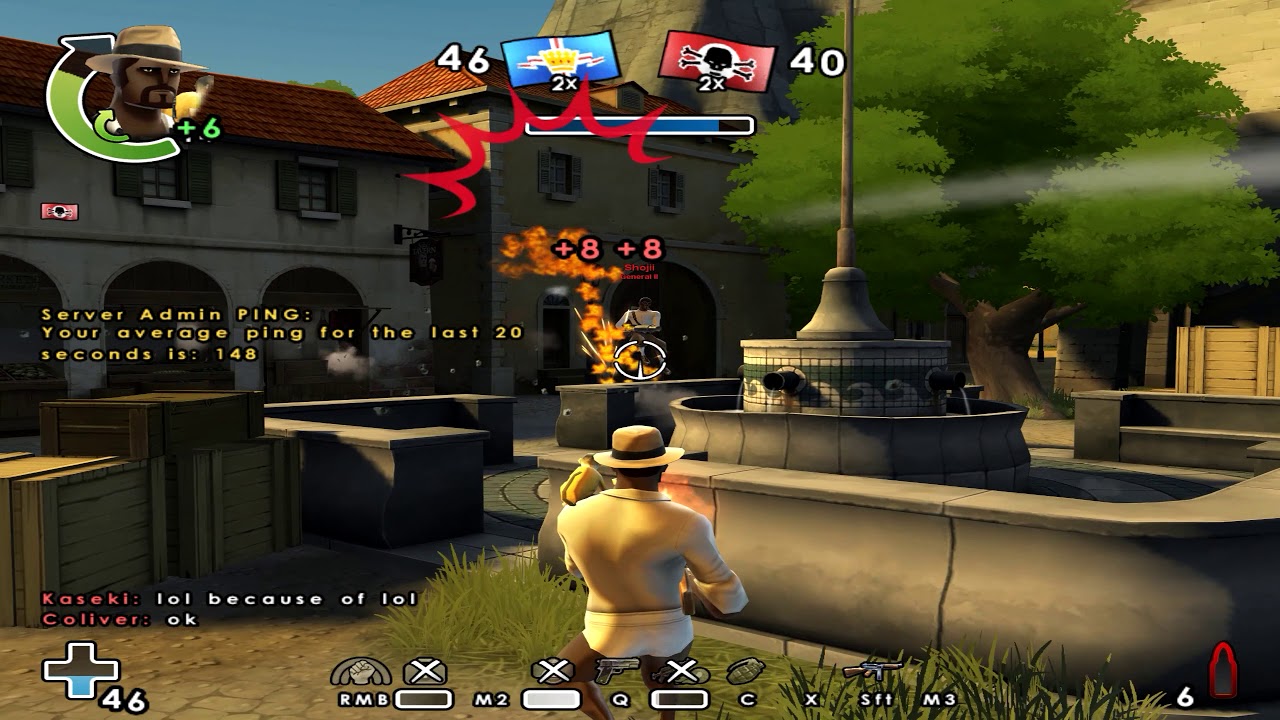
Скачать или смотреть Revive Heroes Beta ★ Clips: Reminisce (+ How to unlock FPS)

  • Delezatro
  • 2017-10-06
  • 5053
Revive Heroes Beta ★ Clips: Reminisce (+ How to unlock FPS)
  • ok logo

Скачать Revive Heroes Beta ★ Clips: Reminisce (+ How to unlock FPS) бесплатно в качестве 4к (2к / 1080p)

У нас вы можете скачать бесплатно Revive Heroes Beta ★ Clips: Reminisce (+ How to unlock FPS) или посмотреть видео с ютуба в максимальном доступном качестве.

Для скачивания выберите вариант из формы ниже:

  • Информация по загрузке:

Cкачать музыку Revive Heroes Beta ★ Clips: Reminisce (+ How to unlock FPS) бесплатно в формате MP3:

Если иконки загрузки не отобразились, ПОЖАЛУЙСТА, НАЖМИТЕ ЗДЕСЬ или обновите страницу
Если у вас возникли трудности с загрузкой, пожалуйста, свяжитесь с нами по контактам, указанным в нижней части страницы.
Спасибо за использование сервиса video2dn.com

Описание к видео Revive Heroes Beta ★ Clips: Reminisce (+ How to unlock FPS)

Last video for the week, I am not at home this weekend and used all left clips in this one so new vids are going to take a while. Hopefully the new patch is going to be live by then.
Also I decided to share my new way of unlocking the framerate in this game despite the risk of it getting fixed after I exposed this.

····················································································

How to unlock FPS right now:

1.) Get Process Explorer (alternative task manager by Microsoft, official download here: https://docs.microsoft.com/en-us/sysi..., install it and launch it.

2.) Start Battlefield Heroes from the Revive Heroes website like you normally would.

3.) While the client is running, go to C:\Battlefield Heroes (or wherever it is installed)\files\mods\bfheroes\settings\ and open the usersettings.con with an editor like Notepad++

4.) Create a new line at the end of the file and insert the following: "game.lockfps 0" (without the ""). 0 unlocks the FPS completely, 300 caps it to 300 FPS, ...

5.) Save the file, right-click it, go to properties and make it read-only.

6.) Search the BFHeroes.exe process in ProcessExplorer, right-click it and select "Restart".

7.) The client will restart itself and you can enjoy the additional frames. You can close ProcessExplorer now if you want.

This might work with the default task manager as well but I prefer ProcessExplorer because it is a much better program overall and I have been using this for years now.

After you are done playing, you will have to either delete the usersettings.con again or remove the read-only attribute of the file. Otherwise the Revive launcher will be stuck in a loop and won't launch the game for you. This obviously means you have to repeat these steps every time you want to play or you do it like me and copy the ready usersettings.con with read-only attribute somewhere else and paste it every time after you launch the game for the first time.

Enjoy it while it lasts, in case this is "fixed" (aka won't work anymore) by the time I come back, I will take another break until I find a new workaround or until the FPS unlock gets implemented in the next update.

····················································································

Music information:
1.)
Reminisce by A Himitsu   / a-himitsu  
Creative Commons — Attribution 3.0 Unported— CC BY 3.0
http://creativecommons.org/licenses/b...
Music provided by Audio Library    • Reminisce – A Himitsu (No Copyright Music)  

2.)
Pyres by Broken Elegance   / brokenelegance  
Creative Commons — Attribution 3.0 Unported— CC BY 3.0
http://creativecommons.org/licenses/b...
Music provided by Audio Library    • Pyres – Broken Elegance (No Copyright Music)  

····················································································

My Battlefield Heroes settings:
http://imgur.com/a/Jr2pW
1600 DPI @ 0.08675 ingame (via config file) on a Logitech G403

····················································································

FAQ regarding Revive Heroes (BFH): https://pastebin.com/00ZMY3s5
My equipment: https://pastebin.com/VWqMNkCr
My render settings: http://imgur.com/a/Bzx0Z

I use NVIDIA Shadowplay (part of Geforce Experience 2.11.4.0) to record (60FPS, 60Mbit Bitrate, 1440p resolution).

····················································································

Комментарии

Информация по комментариям в разработке

Похожие видео

  • О нас
  • Контакты
  • Отказ от ответственности - Disclaimer
  • Условия использования сайта - TOS
  • Политика конфиденциальности

video2dn Copyright © 2023 - 2025

Контакты для правообладателей [email protected]