Prompt:
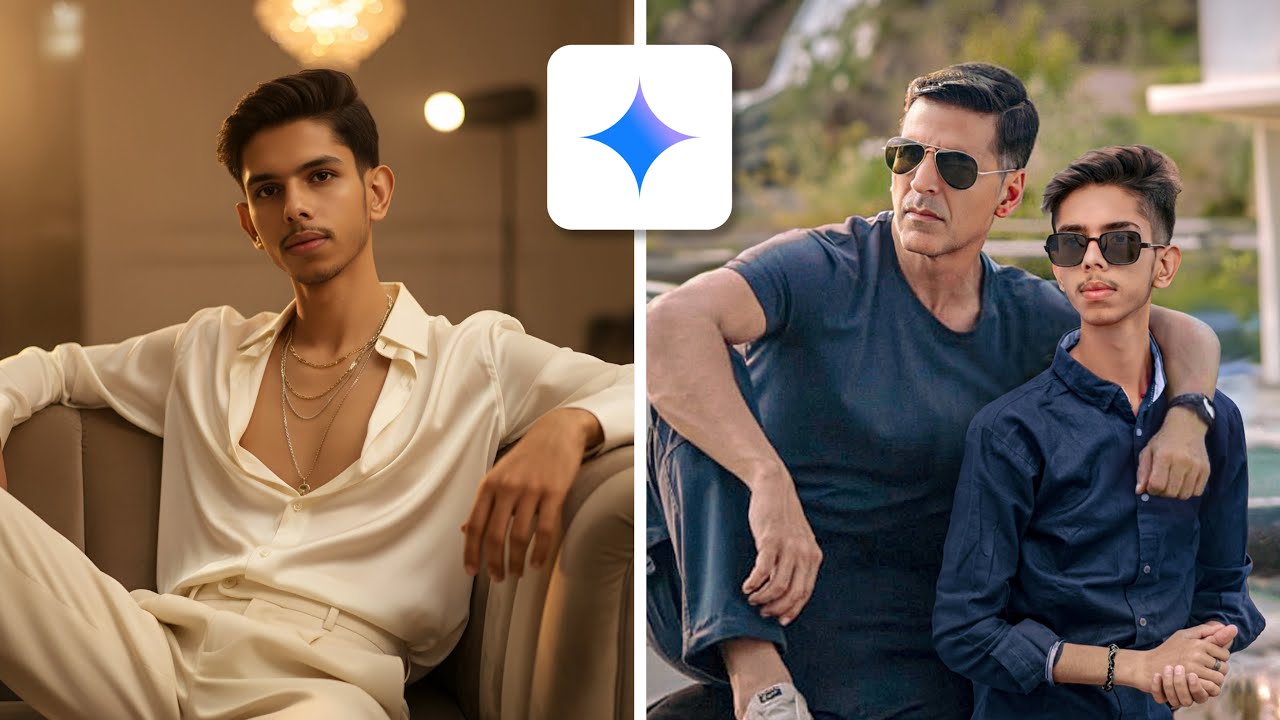
“Create a hyper-realistic photo based on my reference image. Keep the same background, lighting, color grading, and overall photo style exactly as in the reference. The main person (me) must look exactly identical to the original photo — same face, hairstyle, outfit, pose, and lighting direction.
Add a second person in the photo who matches the same visual style, lighting tone, and color balance. Both faces must remain exactly as in the reference photo, with no distortion or difference in facial structure, skin texture, or expression. The second person should blend naturally into the same environment with consistent shadows, highlights, and depth of field.
The photo should look completely natural, as if both people were photographed together in the same frame. Maintain realistic proportions, camera focus, and image clarity. Avoid over-editing or artificial effects — the result should appear like a genuine, professional photograph taken in the same session as the reference image.”
Optional Add-ons (you can include one if relevant):
If outdoor: “Keep the natural daylight and soft shadows consistent with the original photo’s direction and tone.”
If indoor: “Maintain the same indoor lighting, background warmth, and reflective details.”
If cinematic: “Use soft filmic tones, slight contrast boost, and cinematic color grading for a unified visual feel.”
⚙️ How to Use on Gemini
Upload your first (original) photo as the reference image.
Paste the above prompt text in the description box.
Optionally, mention where or how the second person should appear (e.g., “standing beside me,” “sitting on my left,” “looking at camera,” etc.).
What you learn in this Video:
Ever wondered how creators make those ultra-realistic edits with celebrities that look 100% real? In this video, I’ll reveal the exact tools, techniques, and pro secrets I use to blend any celebrity seamlessly into your photos — from lighting tricks to AI retouching and background matching.
Whether you’re a beginner or an experienced editor, this step-by-step guide will help you take your photo edits to the next level — clean, cinematic, and convincing!
🔥 What You’ll Learn:
How to generate photos from Gemini?
How to generate realistic photos?
Gemini se kese picture generate karwayn?
Gemini full tutorial.
100% Accurate Face
Gemini Prompts.
Unlimited prompts for Gemini.
How to match lighting, color, and perspective
Secret retouching techniques pros use
Common mistakes and how to fix them
My favorite workflow for fast, natural edits
🧠 Perfect for:
Content creators, editors, photographers, and anyone who wants to create eye-catching social media visuals or viral celebrity edits.
📸 Watch till the end for bonus tips that even pros forget to share!
💬 Let’s Connect!
Instagram: / sg_editor
TikTok: / sg_editor
YouTube : / @sg_editor
📩 Business inquiries: [email protected]
✨ Don’t forget to:
👍 Like the video
🔔 Subscribe for more editing secrets
💬 Comment your favorite celebrity you’d love to edit next!
#PhotoEditing #CelebrityEdit #AIEditing #PhotoshopTricks #EditingTutorial #SgEditor #CreativeEditing

Информация по комментариям в разработке