#musicapp #beatmaker #makemusic
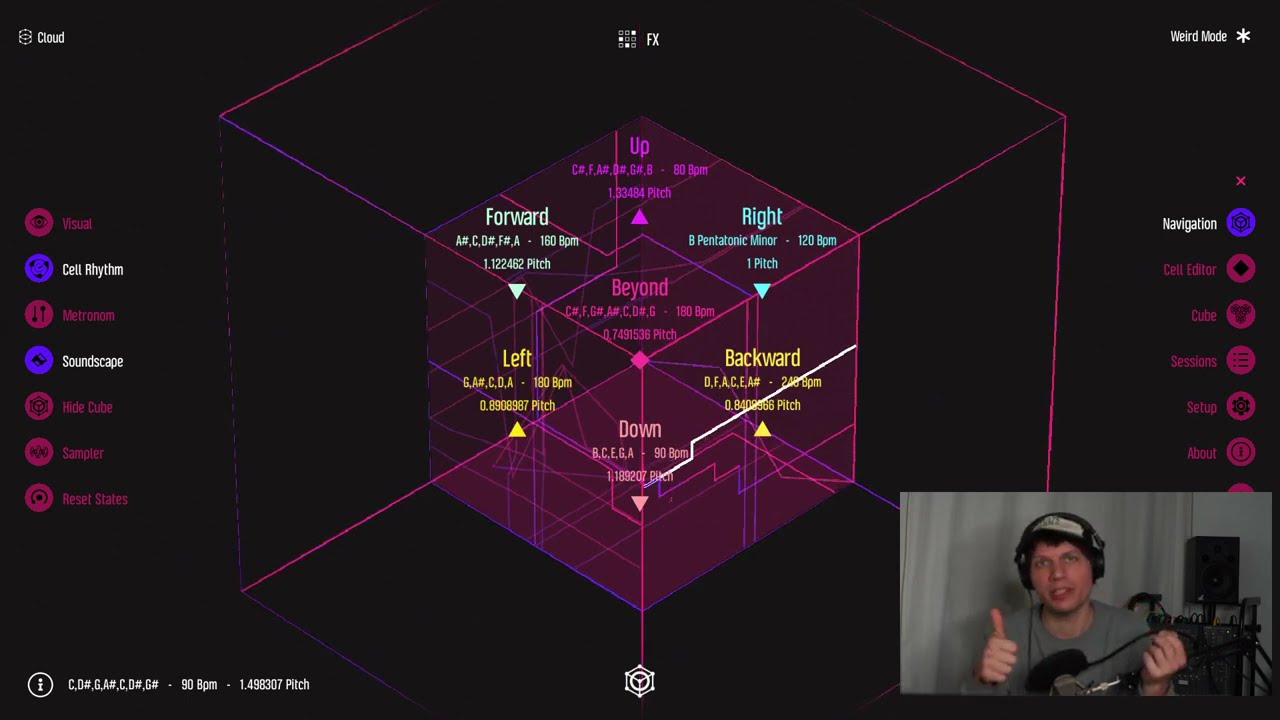
In this tutorial I walk through the basic functions of Mazetools Mutant.
00:00 Beginning
00:24 Start Menu
00:48 Enter the cube and basic overview
02:05 The cell editor
03:12 Starting with a Drum instrument loop: play drums, add envelopes and effects
06:24 Add another Perc drum layer
07:34 Add a Bass layer
08:35 Add an Arp layer
09:35 Add Synth and String instruments
10:24 Add Sampler instrument
11:22 Turn the Hypercube and change the musical perspective
14:34 The setup menu (turn on/ off background sound and cell rhythm)
15:22 Make a Snapshot, push it to the Cloud and mutate a Snapshot
17:56 Explaing the collab mode
19:24 Ending performance of the walkthrough session
Nevertheless all isn’t explained yet, however take your time to explore it yourself and support our work by your purchase. Thanks!
All backgrounds to the idea behind the app you find on:
https://mazetools.com/mutant
Links
App Store https://apps.apple.com/us/app/mazetoo...
Play Store https://play.google.com/store/apps/de...
Steam https://store.steampowered.com/app/11...
Mazetools Mutant Demo 2023 • Mazetools Mutant 2023
Mazetools Mutant Introduction 2020 • Introducing Mazetools Mutant
Dr.Eck - Fly (AV Performance with Mazetools Mutant, 2023)
• Dr. Eck - Fly (live performance with Mazet...
Dr.Eck - Bredlow (Album made with Mazetools Mutant, 2022)
https://lss-records.bandcamp.com/albu...
OVERVIEW
Mazetools Mutant enables loop-based music experience. The software features synths, drums, samplers, sequencers, filters, and effects, all of which can be played on a square surface. These instruments collectively form the Hypercube, a dynamic space that alters the music from various perspectives.
To illustrate, imagine a turntable playing a vinyl record at 33 or 45 RPM, resulting in a higher and faster sound. Conversely, the sound becomes slower and deeper from 45 to 33. Although the song remains the same, the altered conditions create a different experience. Mutant operates on a similar principle. By starting with a beat loop and turning the Hypercube, new perspectives emerge, leading to fresh ideas and outcomes in the musical process. Perfection is not necessary. Mutant is focused on experimentation, loop creation, and sound exploration. The session, moment, and audio recording are all important.
To capture the created loops, take a snapshot - an anchor point with all instruments that you can always return to. When you load your snapshot into the Cloud, you can position it in three dimensions with Mood, Energy & Structure. Choosing a different snapshot will alter it in a specific manner, resulting in numerous new perspectives. Although the Cloud is currently offline, it is technically designed to potentially become part of an online cloud for user data and content sharing. The storage system is compatible with machine learning. The project originated from the research project Mazetools Assist. For more information, visit Ectoplastic.com.
Collaboration: In Collab Mode, two Mutant users can create music together over a local network. All inputs are transmitted live, and each person plays instruments or effects.
Feature List
7 Cubes with different settings as a starting point for your session
Interactive, quantized loop machine within the cube cell
7 instruments with sequence-based note input, envelope, filter & effects
4 different synthesizers, 2 drum sequencers, 1 sampler with slice, granular, and pitch-shift modes
Optimized for loop input via multitouch
Sample library with user file integration
Instrument-cross interface for defining chords and scales
Main FX interface including echo, reverb, reverser, note envelope & flanger
Snapshot principle: captures the played loop; the snapshot list can be used like a playlist of different loops
Save session to store the snapshot list
Interactive cube cell navigation to switch from one cell to another and vary the musical perspective in key, tempo, and pitch
Snapshot Cloud: load your snapshot into a 3D cloud, defined by mood, energy, and structure Cloud navigation and snapshot filtering by author, key, and tempo
Snapshot Mutation Interface to merge two snapshots, creating infinitely many new perspectives
Audio recording as a .wav file
Ableton Link
Integration with Audiobus & Inter-App-Audio (experimental support)
Setup menu to define graphic and sound quality settings
Main zoom to adjust the overall size of the user interface
In-app guide in German and English
(c) Ectoplastic 2024

Информация по комментариям в разработке