How To Use Google Docs Offline On Windows 10
Use Google Docs, Sheets, and Slides offline
You can save the most recently opened documents on your computer.
Before you turn on offline access
You must be connected to the internet.
You must use the Google Chrome browser.
Don't use private browsing.
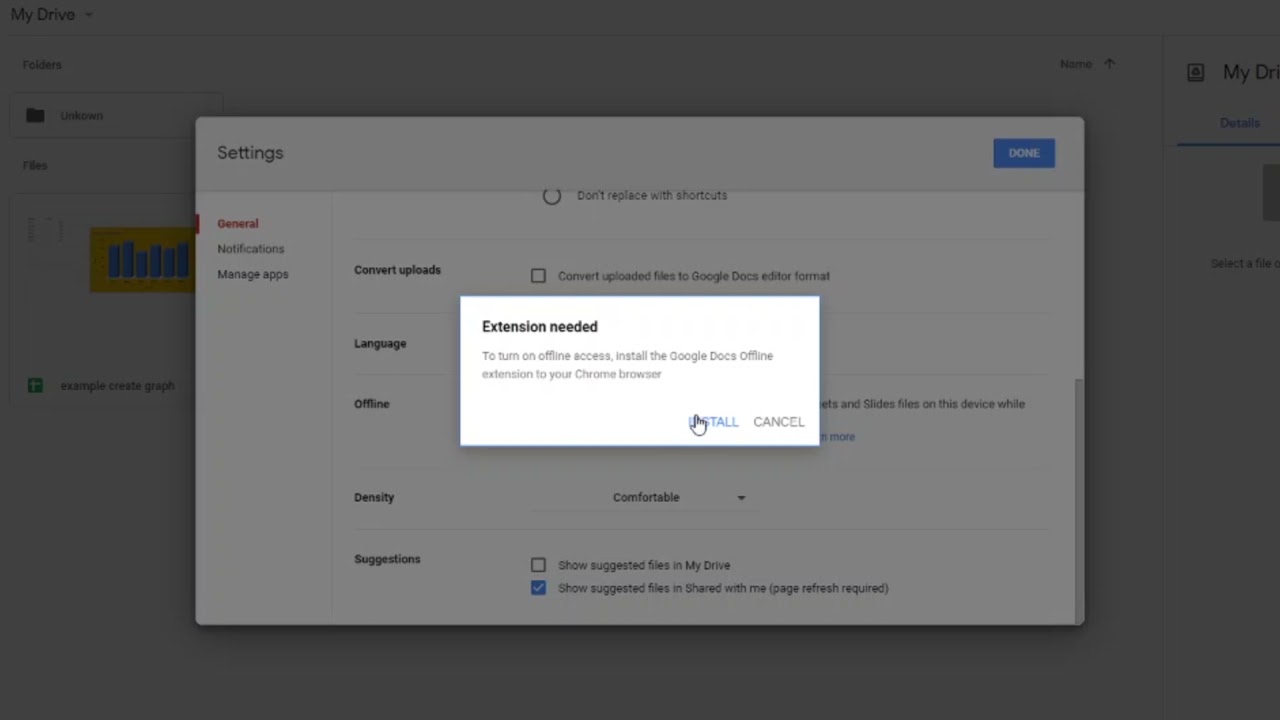
Install and turn on Google Docs Offline Chrome extension.
Make sure you have enough available space on your device to save your files.
How to turn on offline access
Open Google Drive.
At the top right, click Settings Settings and then Settings.
Turn on Offline setting.
To work offline, in your Chrome browser, open Google Docs, Sheets, or Slides.
Tip:
If you want to use offline access for another Google Account, make sure you're signed in to the right Chrome profile. Learn how to switch Chrome profiles.
You can also turn on offline access from Docs, Sheets, or Slides settings. If you turn on offline access for Docs, Sheets, Slides, or Drive, then the rest will also be available offline.
Alternatively, to turn on offline access, open any Google document, spreadsheet, or presentation, and click See document status Cloud done and then Turn on and then Turn on.
Turn off offline access
Open Google Docs.
Click Menu Menuand then Settings.
On the right, turn off Offline.
Make specific files available offline
If you have enough storage, some of your most recent files will be automatically saved offline. To manually select files to save offline:
Follow the steps above to turn on offline access in Google Drive.
Open the Google Docs, Sheets, or Slides home screen.
On the file you want to use offline, click More More.
Click Available offline. A check mark will appear in the bottom left corner to show that the file is available offline.
Tip: You can also make a file available offline by opening a Google document, spreadsheet, or presentation, and clicking File and then Make available offline.
Check if a document is ready for offline use
On your computer, open a file in Docs, Sheets, or Slides.
Click See document status Cloud done.
Tip: If your document is not ready to edit offline, an explanation will appear.
====
Learn to use Google docs offline on PC & Mac. Google Docs is one of the best word processors but it works in online mode, but if you want to use Google Docs Offline on PC or Mac then you can enable offline access. The offline mode allows you to sync the docs to your browser and sync back to the server when you get connected to the Internet.
Steps to Use Google Docs Offline -
1. Go to docs.google.com and open the settings, from there enable Offline mode.
2. Now install the Google Docs Offline extension on Google Chrome.
3. It will take some time to sync your documents to the Computer.
After this, if you go offline then you can still access your Google documents by going to docs.google.com on Google Chrome.
You can even close the chrome after creating, editing the doc and it will keep them saved on your PC.
Whenever you would go online it will automatically sync all the documents on Google drive.
How To Use Google Docs Offline On Windows 10
How do I get Google Docs to work offline?
How do I use Google Docs on Windows 10?
Can you download Google Docs on Windows 10?
Why is Google Docs not working offline?
Where are Google Drive offline files stored Windows 10?
How do I put Google Docs on my desktop?
Will Google Docs save offline?
How do I make Google Docs my default app in Windows 10?
Is Google Docs offline safe?
How do I make Google Docs my default app?
How do I open Google Docs on my computer?

Информация по комментариям в разработке