Logo video2dn
  • Сохранить видео с ютуба
  • Категории
    • Музыка
    • Кино и Анимация
    • Автомобили
    • Животные
    • Спорт
    • Путешествия
    • Игры
    • Люди и Блоги
    • Юмор
    • Развлечения
    • Новости и Политика
    • Howto и Стиль
    • Diy своими руками
    • Образование
    • Наука и Технологии
    • Некоммерческие Организации
  • О сайте

Скачать или смотреть How Group Cards power-up work in Flow-e

  • Flow-e
  • 2018-04-30
  • 1054
How Group Cards power-up work in Flow-e
perosnal kanbankanbanemailemail management tipspersonal kanban softwarekanban softwareemail managementinbox zerogtdmerlin mannmerlin mann inbox zerozero inboxworkflowemail vizualizationemail feedkanban viewgetting things done
  • ok logo

Скачать How Group Cards power-up work in Flow-e бесплатно в качестве 4к (2к / 1080p)

У нас вы можете скачать бесплатно How Group Cards power-up work in Flow-e или посмотреть видео с ютуба в максимальном доступном качестве.

Для скачивания выберите вариант из формы ниже:

  • Информация по загрузке:

Cкачать музыку How Group Cards power-up work in Flow-e бесплатно в формате MP3:

Если иконки загрузки не отобразились, ПОЖАЛУЙСТА, НАЖМИТЕ ЗДЕСЬ или обновите страницу
Если у вас возникли трудности с загрузкой, пожалуйста, свяжитесь с нами по контактам, указанным в нижней части страницы.
Спасибо за использование сервиса video2dn.com

Описание к видео How Group Cards power-up work in Flow-e

Video transcript:
Hey Flow-e project managers,
I know this sounds familiar. Multiple emails covering the same topic scattered all over the inbox. I know it is very hard to manage that and that’s with Flow-e we make it possible actually to group things together. Let me show you how that works first.

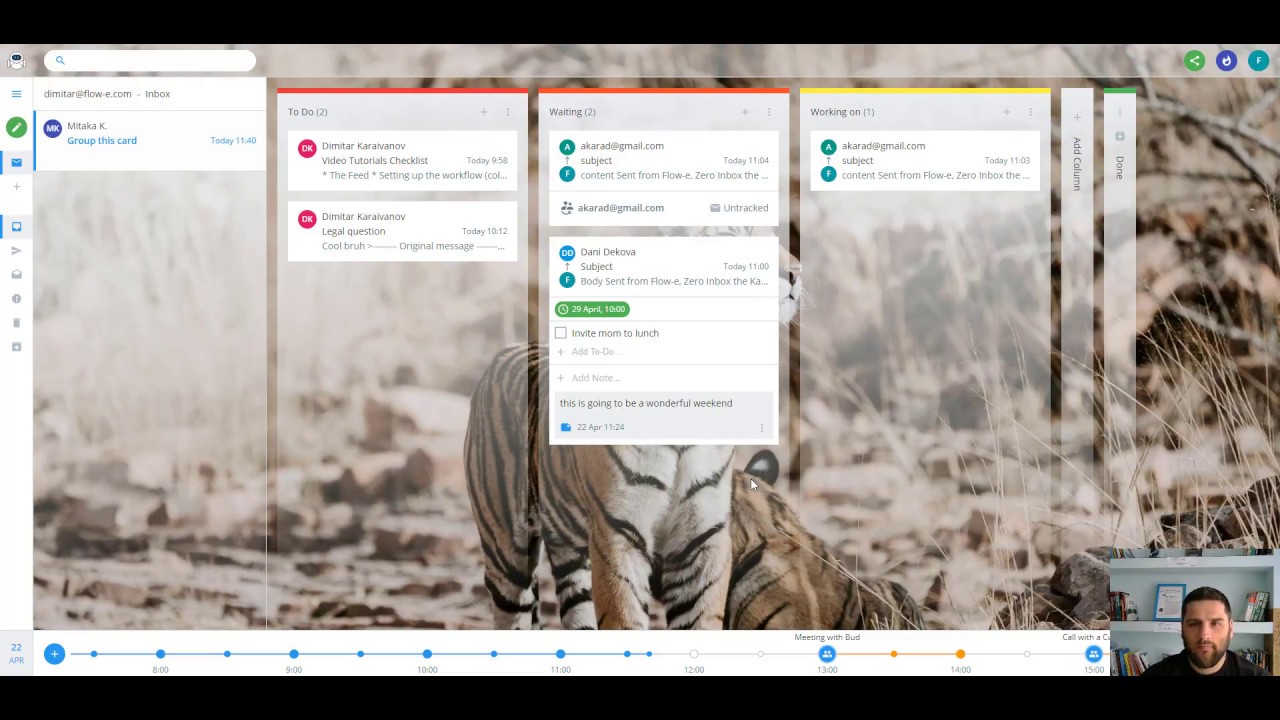
First of all, you need to enable the grouping power up. So you go to power-ups, scroll down a little, and you see the group cards and make sure it is enabled. When you do that you will have a new work item menu right here, it’s called group cards.

You click on the group cards, and then you see a placeholder where you can put more cards into. So let me take this new email and just drag it over here, and now I have a project that’s containing multiple, well, in this case, is just one, but they could be multiple group cards.

And if I go ahead and select a setting for appearance to show me the compact view of the cards, it will now look like this. I know I have one group card and if I click on it, I see the details. And then if I don’t want to see the details, I just collapse it.

This saves my day, oh, all day!

Resources:
1) Flow-e is FREE. Try it out here - https://flow-e.com
2) Learn how to use Flow-e with GTD - https://flow-e.com/gtd/
3) Learn how to use Flow-e with personal Kanban - https://flow-e.com/personal-kanban/
4) Learn how to use Flow-e with Inbox Zero - https://flow-e.com/inbox-zero/
5) All fresh updates and news from Flow-e - https://flow-e.com/blog/

We are social! Follow us:
Facebook:   / flowehq  
Twitter -   / flowehq  

Комментарии

Информация по комментариям в разработке

Похожие видео

  • О нас
  • Контакты
  • Отказ от ответственности - Disclaimer
  • Условия использования сайта - TOS
  • Политика конфиденциальности

video2dn Copyright © 2023 - 2025

Контакты для правообладателей [email protected]