#PCI_SMART_Card_for_Motherboard_Tester
PCI Analyzer Debug card Error Code | Bangla
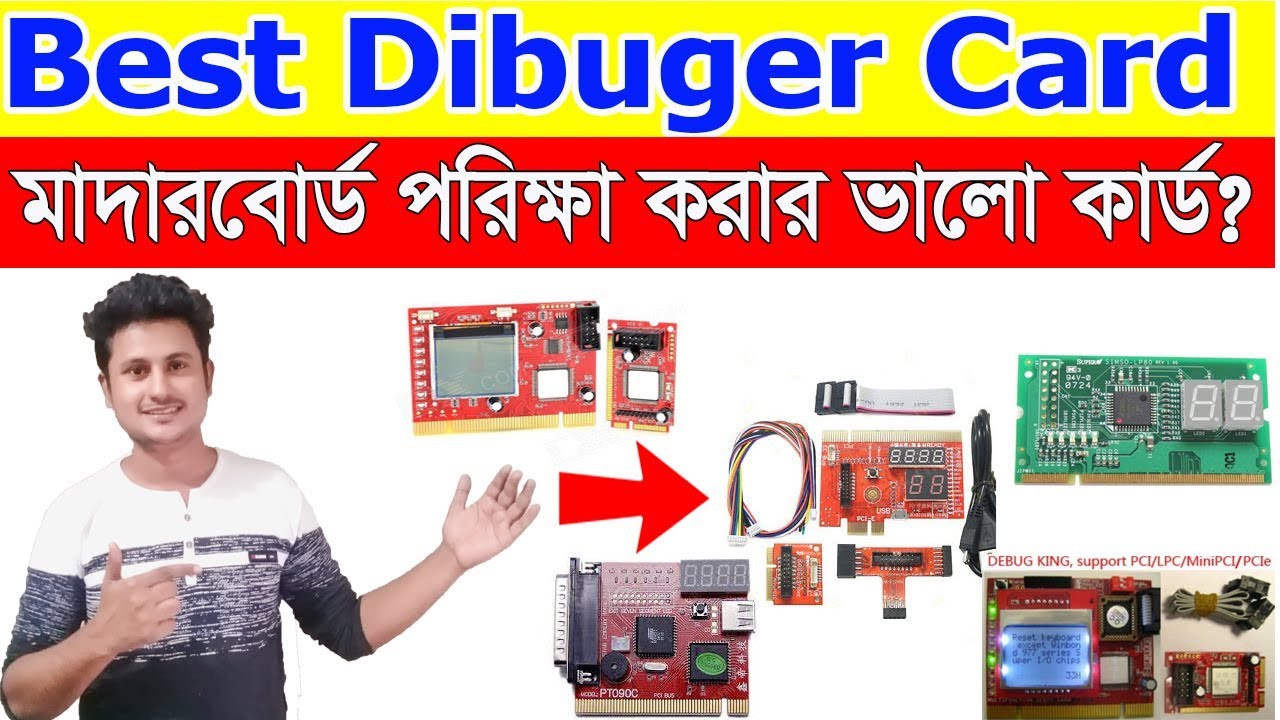
in today computer Hardware Class PCI debugger card Bangla full tutorial step by step, if you any Desktop motherboard Problem find out easily PCI diagnostic card use. if you use Motherboard Dibuger analyzer card fixing any computer Motherboard problem find out and Error Code. debug card use Motherboard Problem find out Error Code Input or Output problem fixing. some Motherboard is not working if you repair Motherboard dialogistic card use Problem find out and repair any Motherboard. Motherboard repair best way PCI analyzer debugger Card is the best.PCI analyzer card Motherboard All section report find out display Error code .analyger Motherboard checking card motherboard repair easy and the best way in the computer hardware repair needed.Example Ram failure Code: C1-C9.Processor Fairl No coding display, Bios program failure E1-E9.More Error Code I am today Tech my Videos.
Ashik computer Official website: https://bit.ly/2IAogDS
Official Pchelpline page: https://bit.ly/2IRkWHT
Please, my Channel: https://bit.ly/2IW04iI
Computer Hardware Videos More Class Videos Link:
check Motherboard Mosfet | Bangla | P-Channel | N-Channe
https://bit.ly/2IyBKjK
How to Check Northbridge Section | GMCH
• How to Check Northbridge Section | GMCH |...
Northbridge Section Schematic Diagram Download link https://goo.gl/EoR5xC
How to Repair Laptop Motherboard
• How to Repair Laptop Motherboard | step by...
use of analyzer Videos link
PCI Analyzer Debug card Error Code | Bangla
• PCI Analyzer Debug card Error Code | Bangla
Motherboard repair latest debug card | PCI smart debugger card | laptop analyzer card | Bangla
1. It implements the LPC diagnostic functions DEBUG automatic, and added three types of LPC diagnostic interface, for a total of species 14. Equivalent to the past
2. CE to achieve compatibility Compal, Quanta, Lenovo and another notebook
3. PCI-E interface detects the code more, and you can look at the code
4. An advanced computer motherboard CPU ram hardware diagnostic test card with motherboards stability test feature
5. Latest 4-in-1 version with LCD panel extension connector
6. An extra nice feature of the quick test of the computer system
It is used to test motherboard problems
It is fit for desktop with PCI to which POST codes are output.
8 LED indication, easy to read LED Display on the Display, LED displays shows diagnosis result of motherboard.
Diagnosis the motherboard signal which shows the problem of CPU, Memory, display card and so on
The POST code display is made up of a dual, dot matrix hexadecimal read-out that display’s Power On Self Test (POST) status codes
Support the power source working indicator — +5V,+12V,+3.3V and 12V(When indicator LED is on to indicate its respective power is fine, otherwise to indicate its respective power is a failure.)
Help you remove the most headachy fault which sometimes normal but sometimes wrong
Dual POST code display – User can readout the POST at PCB component and solder side. It is easy to view the
POST code when a user plugs the POST card in a computer system
Easy and quick to install, the four-bit code is displayed
The value of four-bit-code PC Analyzer’s “initiative code” is specified and it is “0000” or “FFFF”.” initiative code” is clear at a glance. While the value of conventional two-bit-code PC Analyzer’s “initiative code” is uncertain and man is unable to distinguish accurately by an unaided eye
kindly note that it is suitable for PCI slot, PCI, LPC, and MiniPCIE.
Do not plug PCI-E interface to PCI or AGP or any other NON-PCI-E slot, it will damage the diagnostic card or computer when the power supply is on.
CI Smart Dibuger card details
This card use database compress technologies, so we can store all debug error information to MCU. The MCU can analysis debug code and show error information, thus you can repair your mainboard quickly. It shows on graphic LCD. It shows information in English, simplified/traditional Chinese. The customer can select his/her mother language freely on the special OEM version. We provide three popular BIOS (AMI, Award, Phoenix) in each card.
Features:
Automatic scroll information, automatic jump to new code/info, needn’t press any key.
Remember the BIOS selection when powering off.
Quickly search code records, long time hit PAGE will jump -5th step.
Please check power +3.3V if there is another display.
Displaying “No debug code” means the mainboard not running. Please check the CPU and power supply.
If a little number of codes shows, please change the PCI slot, because this slot maybe is bad.
flow twitter: / ashik98967315
flow FB: / ahik.islam143
Ashik computer and hardware Lab Full address: Bangladesh/Brahmanbaria-3405, MObile-+8801757795144

Информация по комментариям в разработке