Logo video2dn
  • Сохранить видео с ютуба
  • Категории
    • Музыка
    • Кино и Анимация
    • Автомобили
    • Животные
    • Спорт
    • Путешествия
    • Игры
    • Люди и Блоги
    • Юмор
    • Развлечения
    • Новости и Политика
    • Howto и Стиль
    • Diy своими руками
    • Образование
    • Наука и Технологии
    • Некоммерческие Организации
  • О сайте

Скачать или смотреть Digital Marklin 7186 turntable

  • Ben van der Pluijm
  • 2022-10-13
  • 1012
Digital Marklin 7186 turntable
  • ok logo

Скачать Digital Marklin 7186 turntable бесплатно в качестве 4к (2к / 1080p)

У нас вы можете скачать бесплатно Digital Marklin 7186 turntable или посмотреть видео с ютуба в максимальном доступном качестве.

Для скачивания выберите вариант из формы ниже:

  • Информация по загрузке:

Cкачать музыку Digital Marklin 7186 turntable бесплатно в формате MP3:

Если иконки загрузки не отобразились, ПОЖАЛУЙСТА, НАЖМИТЕ ЗДЕСЬ или обновите страницу
Если у вас возникли трудности с загрузкой, пожалуйста, свяжитесь с нами по контактам, указанным в нижней части страницы.
Спасибо за использование сервиса video2dn.com

Описание к видео Digital Marklin 7186 turntable

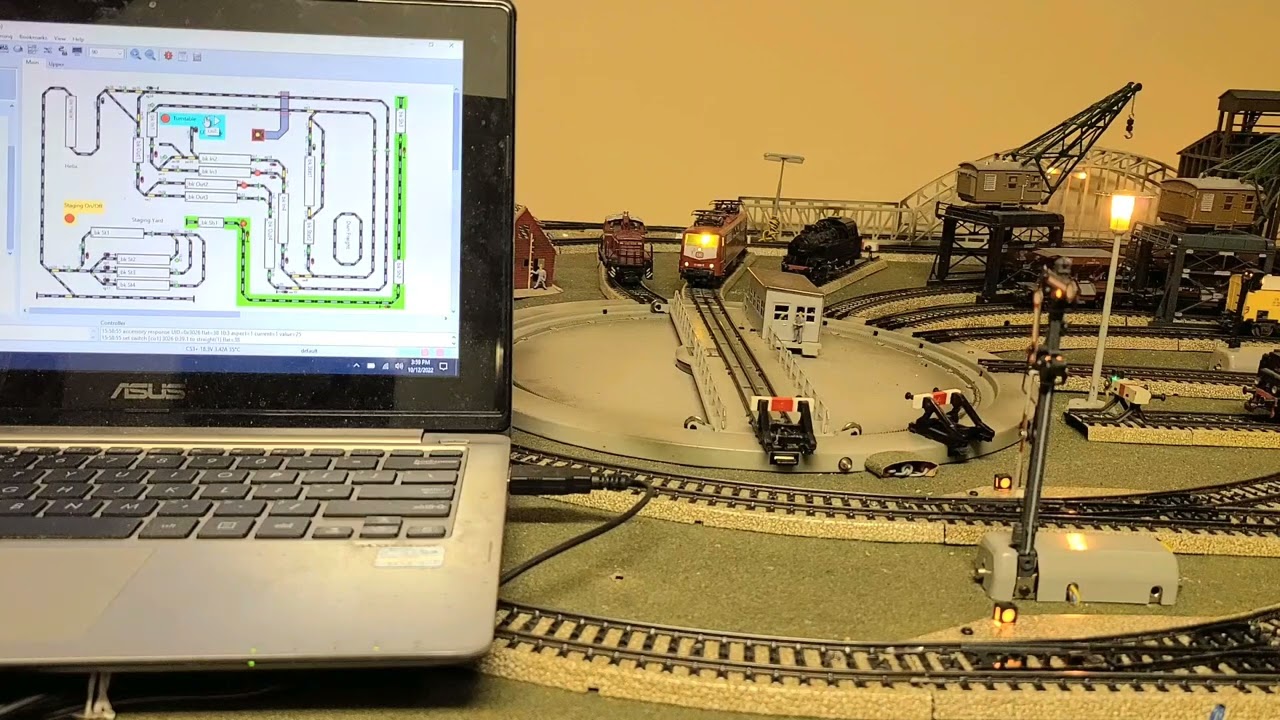
In the pursuit of old is new, I digitalized the operation of the 1960s 7186 turntable. Key to its operation is power to the field magnet motor that drives the bridge, which needs traditional AC. So, the k84 digital controller (or equivalent; here a Viessmann 5213) must be fed with analogAC (from white transformer) instead of digitalAC from control station. The yellow cables are regular AC power, using two slots. One slot controls the rotation direction (#4; 2 gray wires + yellow) and 2nd slot creates the pulse that starts the rotation (#3; gray wire + yellow).
The decoder probably has a diode somewhere that controls power in, as digital power to the decoder from the CS (red+brown wires) is not affecting the operation of the turntable. (ignore the #1 red wires that control something different)
It is important to use a k84-type switch controller (instead of k83 solenoid controller), so that direction can be set by toggle switch (left-right) and so that the start is a pulse (not permanently on).
I control my layout with CS3+ and PC-based RocRail. The latter uses directional arrows and a button for the start pulse (light blue block); the same can be achieved with just CS3 software.

Комментарии

Информация по комментариям в разработке

Похожие видео

  • О нас
  • Контакты
  • Отказ от ответственности - Disclaimer
  • Условия использования сайта - TOS
  • Политика конфиденциальности

video2dn Copyright © 2023 - 2025

Контакты для правообладателей [email protected]