Logo video2dn
  • Сохранить видео с ютуба
  • Категории
    • Музыка
    • Кино и Анимация
    • Автомобили
    • Животные
    • Спорт
    • Путешествия
    • Игры
    • Люди и Блоги
    • Юмор
    • Развлечения
    • Новости и Политика
    • Howto и Стиль
    • Diy своими руками
    • Образование
    • Наука и Технологии
    • Некоммерческие Организации
  • О сайте

Скачать или смотреть Minetest with Minecraft 1.8 Square Textures - Player Character Model Editing

  • Poikilos
  • 2021-09-02
  • 206
Minetest with Minecraft 1.8 Square Textures - Player Character Model Editing
MinetestMinecraft3d_armor3d_armor_charactercharacterBlender3D ModelingUV EditingTexturesSkins
  • ok logo

Скачать Minetest with Minecraft 1.8 Square Textures - Player Character Model Editing бесплатно в качестве 4к (2к / 1080p)

У нас вы можете скачать бесплатно Minetest with Minecraft 1.8 Square Textures - Player Character Model Editing или посмотреть видео с ютуба в максимальном доступном качестве.

Для скачивания выберите вариант из формы ниже:

  • Информация по загрузке:

Cкачать музыку Minetest with Minecraft 1.8 Square Textures - Player Character Model Editing бесплатно в формате MP3:

Если иконки загрузки не отобразились, ПОЖАЛУЙСТА, НАЖМИТЕ ЗДЕСЬ или обновите страницу
Если у вас возникли трудности с загрузкой, пожалуйста, свяжитесь с нами по контактам, указанным в нижней части страницы.
Спасибо за использование сервиса video2dn.com

Описание к видео Minetest with Minecraft 1.8 Square Textures - Player Character Model Editing

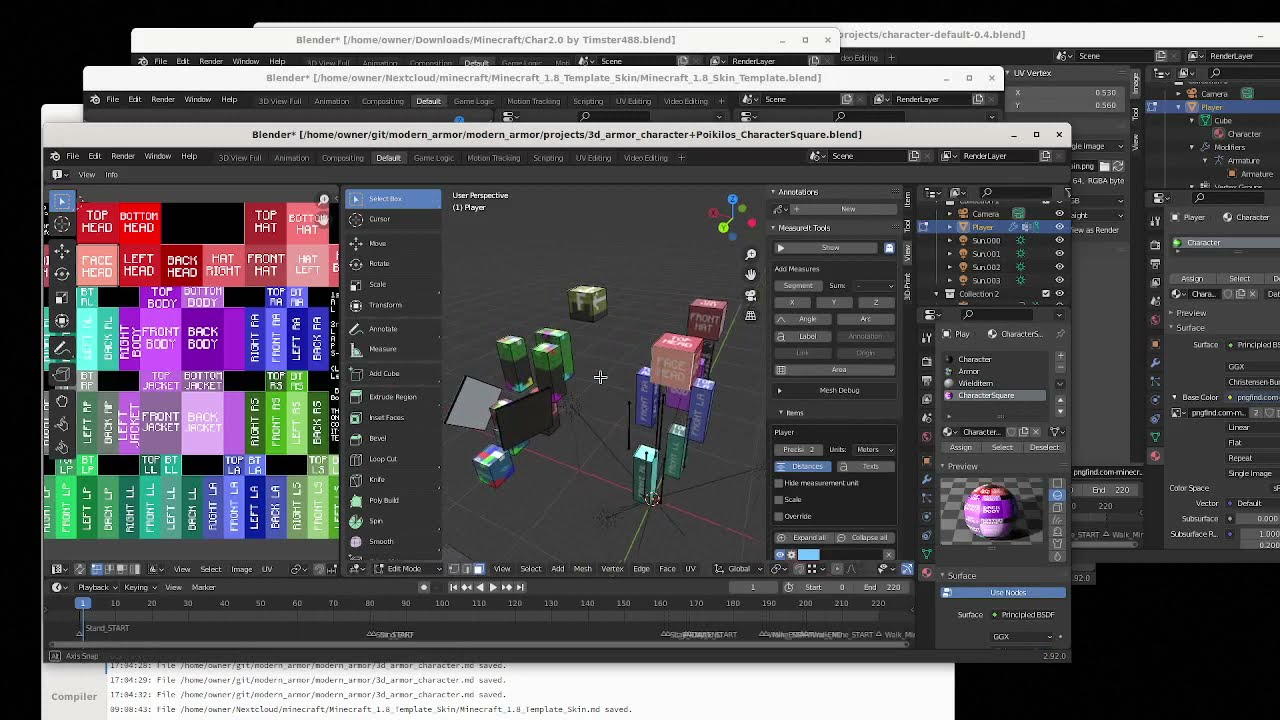
The modern_armor mod is a WIP (work in progress) mod and unusable until later updates here or elsewhere specify the project status. :edit: The model is now finished (in the projects folder, named *Square*.b3d and *Square*.blend), but the code is not--see the clarification for 21:51 under "Clarifications" below. The repository (See "4." under External Links) is only usable as documentation and as a resource for modders as of the time of creating this video. Watch this video to learn how to edit the Minetest player character model.

Clarifications:

7:26 If you look at the UV editor you can tell which leg to which the face belongs even if it weren't attached to the rest of the leg and the rest of the leg didn't move with it.
14:11 Using x -1 to scale only fixes the mirroring issue, and doesn't fully convert it. You still have to:
switch the squares for top & bottom so they are in their original positions
switch any other rectangles as necessary to match the new format (See 1.b. "[Guide] A better guide to updating your skin to the new format..." or 3. Ant_Tony's guide image under "External Links" below).
21:00 To duplicate it and move by 20 on x (instead of g for grab), do Shift+D, press x, type 20, press Enter.
21:51 You choose the material ID by placing the texture in the corresponding slot in the textures table. The code to place the texture in the 4th slot of the textures table (in armor.update_player_visuals or anywhere else that sets the textures table for the character model) when the texture ratio is 1 rather than 2 is not yet implemented. If ratio is 1, textures = {blank, armor, wielditem, character}, else textures = {character, armor, wielditem, blank}.
22:55 Minetest & Classic Minecraft didn't always have a hat layer but both eventually did though both using rectangular (2:1) textures.
25:10 To fully understand the oddities and flaws in the 3d_armor model, see modern_armor/modern_armor/3d_armor_character.md in the modern_armor repository (See "External Links" below). The file will also describe issues in the upstream (Minetest) character model if any. Minor flaws may be corrected, but others may be left as they are for compatibility with other Minetest mods and textures.
29:49 If you do Shift D to duplicate (or g for grab to move it) then type an axis letter (x, y or z) then a number, you can press "-" any time to change the direction.

External Links:

1. Minecraft 1.8 skin template   / new_skin_layout_explanation_in_comments   (The copy on Reddit was from 2013 and says it is original the Planet Minecraft post is from 2014 and uses the one the 2013 reply on Reddit says is by luci999 and originally from http://i.imgur.com/kZ6r4Ks.png: https://www.planetminecraft.com/skin/...)
a. A similar one showing the 2nd layer checked ("checkered") and the sides color-coded is here: https://static.wikia.nocookie.net/min... (found at https://minecraft.fandom.com/wiki/Skin along with other templates)
b. The Reddit post also says the following steps are necessary for conversion: "[Guide] A better guide to updating your skin to the new format. Bonus image with marked individual skin sides."(  / guide_a_better_guide_to_updating_your_skin...  )
2. Minecraft 1.8 Model Skin Template (for Blender): https://blenderartists.org/t/minecraf...
3. Minecraft Skin Guide (Pre/Post-1.8) by Post123456: https://www.minecraftforum.net/forums...
("This is not a template"--It isn't exact and is stretched and oversized to allow for high-resolution text defining the parts of the model.)
4. Project files and documentation: https://github.com/poikilos/modern_armor

Комментарии

Информация по комментариям в разработке

Похожие видео

  • О нас
  • Контакты
  • Отказ от ответственности - Disclaimer
  • Условия использования сайта - TOS
  • Политика конфиденциальности

video2dn Copyright © 2023 - 2025

Контакты для правообладателей [email protected]