Logo video2dn
  • Сохранить видео с ютуба
  • Категории
    • Музыка
    • Кино и Анимация
    • Автомобили
    • Животные
    • Спорт
    • Путешествия
    • Игры
    • Люди и Блоги
    • Юмор
    • Развлечения
    • Новости и Политика
    • Howto и Стиль
    • Diy своими руками
    • Образование
    • Наука и Технологии
    • Некоммерческие Организации
  • О сайте

Скачать или смотреть CSS Display Inline Flex ✨ Tips and Best Practices for Effective Usage

  • MrSea dev
  • 2024-12-20
  • 758
CSS Display Inline Flex ✨ Tips and Best Practices for Effective Usage
CSSInline FlexWeb DesignFrontend DevelopmentFlexboxResponsive LayoutCSS TipsFlexbox PropertiesWeb DevelopmentLayout Optimization
  • ok logo

Скачать CSS Display Inline Flex ✨ Tips and Best Practices for Effective Usage бесплатно в качестве 4к (2к / 1080p)

У нас вы можете скачать бесплатно CSS Display Inline Flex ✨ Tips and Best Practices for Effective Usage или посмотреть видео с ютуба в максимальном доступном качестве.

Для скачивания выберите вариант из формы ниже:

  • Информация по загрузке:

Cкачать музыку CSS Display Inline Flex ✨ Tips and Best Practices for Effective Usage бесплатно в формате MP3:

Если иконки загрузки не отобразились, ПОЖАЛУЙСТА, НАЖМИТЕ ЗДЕСЬ или обновите страницу
Если у вас возникли трудности с загрузкой, пожалуйста, свяжитесь с нами по контактам, указанным в нижней части страницы.
Спасибо за использование сервиса video2dn.com

Описание к видео CSS Display Inline Flex ✨ Tips and Best Practices for Effective Usage

CSS Display Inline Flex ✨ Tips and Best Practices for Effective Usage

Connect with me :
★ Web design: https://webchuanseo.vn
★ Phone - Zalo: 0942969493
★ Email: [email protected]
★ Website: https://mrsea.dev
★ Facebook:   / vanbien.mrseadev  
★ Github: https://github.com/mrseadev
✨ Subscribe to my channel:    / @mrseadev  
★ Download source code: https://github.com/mrseadev/mrseadev-...
   • 3D Text Effect in CSS Welcome 2025  ✨ May ...  
   • 3D Text Effect Using text-shadow in CSS ✨ ...  

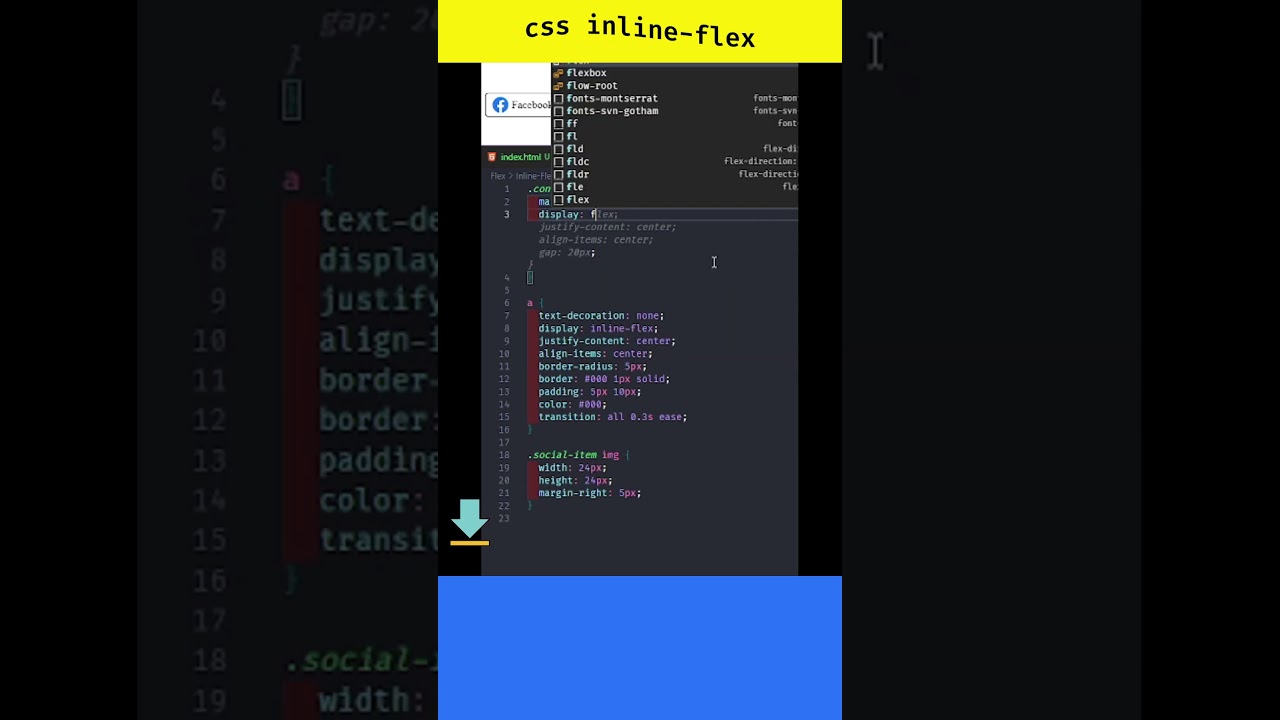
The `display: inline-flex` property is a versatile tool in CSS that allows elements to behave like inline elements while enabling the powerful layout capabilities of Flexbox. Below are the important properties and how they enhance your layout when using `inline-flex`:

1. display: inline-flex
The `display: inline-flex` property makes an element behave like an inline element, which means it will flow naturally within the content, similar to inline-block elements. However, it also enables the use of Flexbox properties to manage the arrangement of child elements within the container. This is particularly useful when you need a flexible layout that stays within the flow of text, such as buttons, menus, or icons that should align inline while allowing flexible content arrangement.

2. justify-content
The `justify-content` property is used to align and distribute space between flex items along the main axis (horizontal by default). This is particularly useful when you want to control the spacing and alignment of items within the flex container.

`justify-content: center`: Centers the items horizontally within the container.
`justify-content: space-between`: Distributes items with equal space between them.
`justify-content: space-around`: Distributes items with equal space around them.

For instance, if you are using `inline-flex` to create a navigation bar, `justify-content: center` will ensure the items (links or buttons) are centered within the container.

3. align-items
The `align-items` property controls the alignment of items along the cross-axis (vertically, by default). This is important when you need to align elements vertically inside their container.

`align-items: center`: Centers the items vertically within the container.
`align-items: flex-start`: Aligns items to the top of the container.
`align-items: flex-end`: Aligns items to the bottom of the container.

When applied to a button group or an icon inside a flex container, `align-items: center` ensures that the icons are vertically aligned and centered, improving the overall appearance and balance.

4. flex-direction
`flex-direction` defines the direction in which the flex container’s items are arranged. While the default value is `row` (horizontal), it can be changed to control the layout more precisely.

`flex-direction: row`: Aligns the items horizontally (default).
`flex-direction: column`: Aligns the items vertically.
`flex-direction: row-reverse` and `column-reverse` can reverse the direction of the items.

If you want to arrange items vertically within a container but still maintain the inline behavior, you can apply `inline-flex` along with `flex-direction: column`.

5. flex-wrap
The `flex-wrap` property allows the flex container to wrap its items onto new lines if they don’t fit in a single line. This is essential for creating responsive layouts, especially when the container's width changes.

`flex-wrap: wrap`: Items will wrap onto multiple lines if needed.
`flex-wrap: nowrap`: Items will not wrap and stay on a single line, even if they overflow.

This property is particularly useful when building responsive grids or layouts where you want elements to shift into new rows on smaller screens.

6. align-self
The `align-self` property allows individual flex items to override the container's `align-items` property. This is helpful when you want a specific item to be aligned differently from the other items in the same container.

For example, if most of the items in a button group are centered vertically but you want one item to align at the top, you can apply `align-self: flex-start` to that item.

7. gap
The `gap` property defines the space between flex items. It’s a simple and efficient way to control the spacing between elements inside a flex container without needing to use margins on individual items.

`gap: 10px`: Adds 10px space between each flex item.

This property eliminates the need for complex margin calculations and ensures consistent spacing between items, which is particularly useful in layouts with multiple buttons or icons.

#CSS #InlineFlex #WebDesignTips #FrontendDevelopment #FlexboxGuide #ResponsiveDesign #CSSLayout #WebDevelopment #CSSFlexbox #FlexboxTips

Комментарии

Информация по комментариям в разработке

Похожие видео

  • О нас
  • Контакты
  • Отказ от ответственности - Disclaimer
  • Условия использования сайта - TOS
  • Политика конфиденциальности

video2dn Copyright © 2023 - 2025

Контакты для правообладателей [email protected]